Ountdown time mode
Second setting
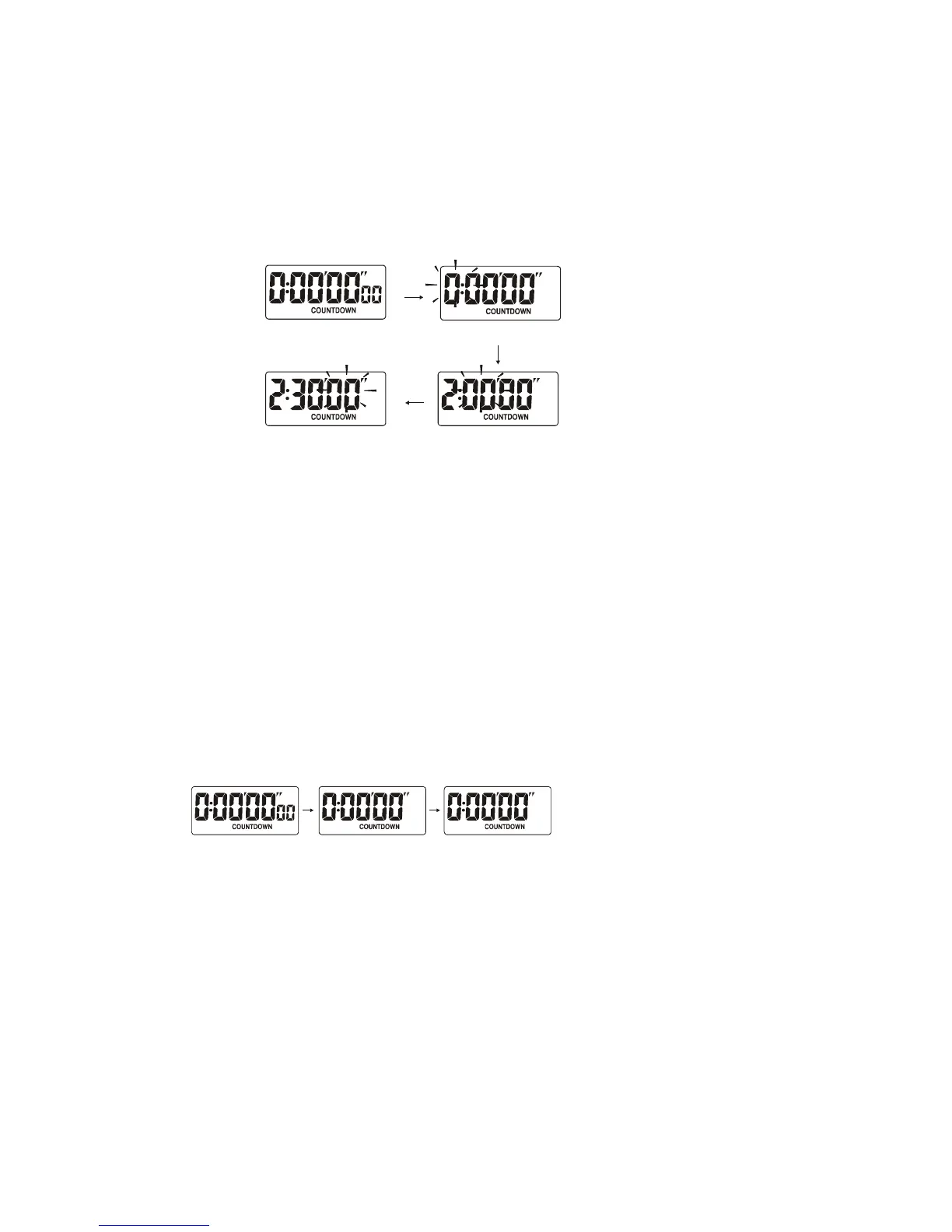
Start ountdown
1. Press button B to enter the countdown timer mode.
2. Press button B for 2 seconds until hour digit starts flashing, press button C to
enter the countdown times.
3. Press button A to select minute digit, press button C to adjust its value.
4. Press button A to select second digit, press button C to adjust its value.
Please Note but Do Not Print:
C is missing in Countdown.
Please Fix.
→
5. To exit this setting mode, press button B.
Note:
1. The countdown time setting range is from 1 second to 9 hours 59 minutes
seconds.
2. While the countdown time is approaching to 0, it will alarm with two beeps if
the set time is less than 30 seconds, or it will alarm with five beeps in the last 5
seconds if the set time is more than 30 seconds.
How to Use the Countdown Timer
1. Set the countdown time as described in the previous section.
2. Press button C to start the countdown timer.
3. Press button C to stop the countdown timer.
4. Press button A while stopped to reset the countdown timer to the print times.
Please Note but Do Not Print:
C is missing in countdown twice.
Please Fix.
↑ ↑
Note:
You may stop and restart the countdown timer as required for pause or “time out”
timing
Battery Replacement
When the display becomes dim, unscrew the screws on the back case and
replace with a new battery (LR44). Pay attention to the battery polarity when
replacing battery.



 To Next Page
 Loading...