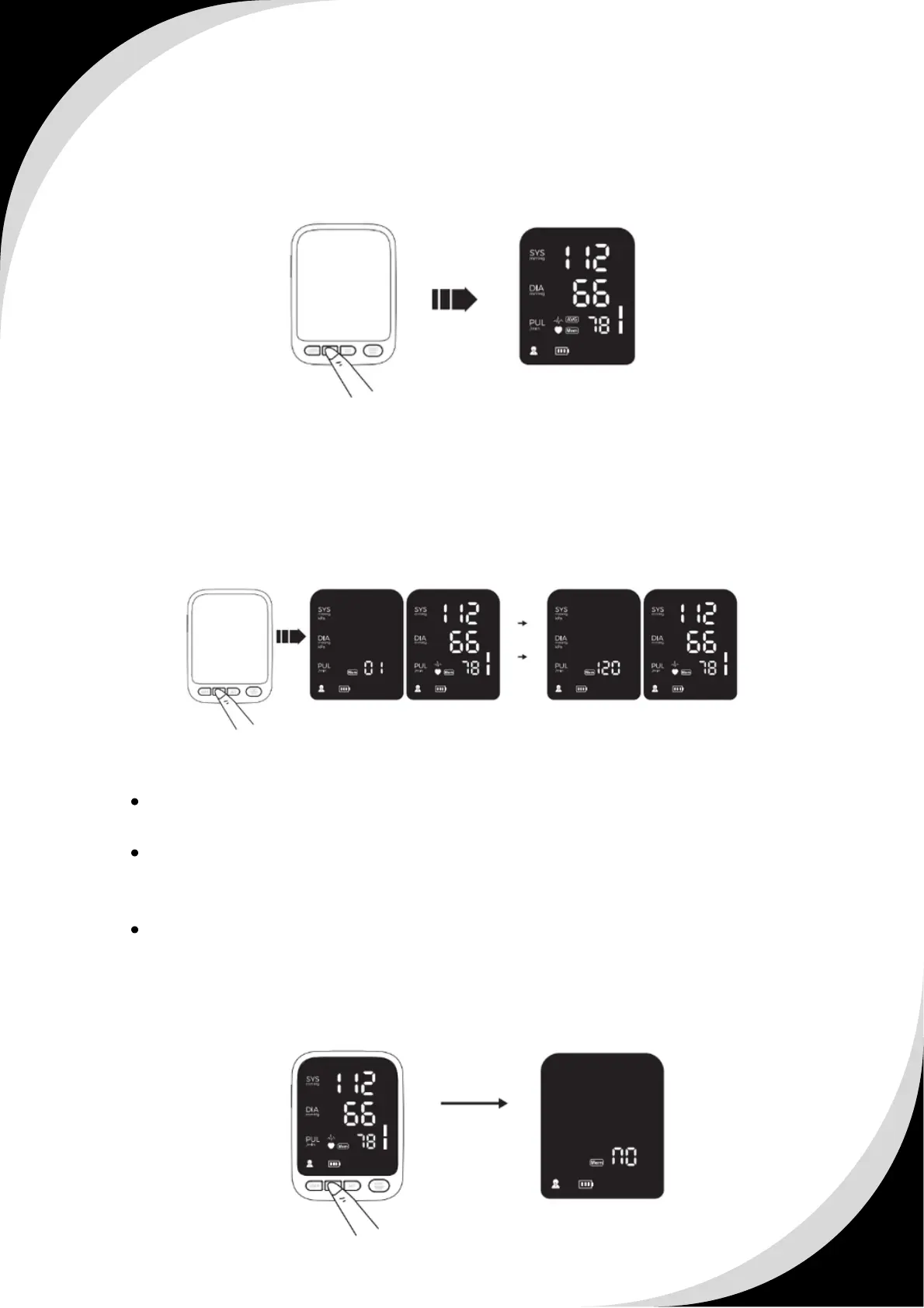
2.8.1 To enter the memory mode & to read the average value
Press the “MEM” button while the unit is o, the unit enters the memory mode
and the average value of the latest 3 times measurement values of the current
user will be displayed.
2.8.2 To read the measurement value
Press the “MEM” button when powered o, the latest measurement values will
be displayed.
Press the “MEM” button once more, the measurement values before the latest
will be displayed, and so on.
In the memory mode, long press the “MEM” button, the unit displays the
following symbol to cancel all the memory records of the current user.
Press the “ START/STOP ” to cancel the memory records of the current user
if you are sure all the data of corresponding user can be deleted, the unit
will turn o after deleting.
Please operate the delete memory function cautiously.
2.8.3 To delete the memory value


 To Next Page
 Loading...