
 To Next Page
K
Kimberly MillerAug 15, 2025
What to do if the dirty water tank is full in my OSOTEK Horizon H200?
- TTracy HallAug 15, 2025
If the dirty water tank is full, you should clean the dirty water tank and then reinstall it.

What to do if the dirty water tank is full in my OSOTEK Horizon H200?
If the dirty water tank is full, you should clean the dirty water tank and then reinstall it.
How to refill the clean water tank on my OSOTEK Horizon H200 Vacuum Cleaner?
If the clean water tank is short of water, add water to the clean water tank before use.
What to do if the clean water tank is out of water in OSOTEK Horizon H200?
If the clean water tank is out of water, add water to the clean water tank and reinstall the tank.
How to fix a depleted battery on my OSOTEK Horizon H200?
If the battery is depleted, fully charge the vacuum before use.
What should I do if the dirty water tank is full on my OSOTEK Horizon H200 Vacuum Cleaner?
If the dirty water tank is full, clean the dirty water tank and reinstall it.
What to do if the clean water tank, dirty water tank, or roller brushbar is not installed on my OSOTEK Horizon H200?
If the clean water tank, dirty water tank, or roller brushbar is not installed, install the clean water tank, dirty water tank, or brush roll correctly.
What to do if the self-cleaning charging dock is not powered on for my OSOTEK Vacuum Cleaner?
If the self-cleaning charging dock is not powered on, use the original power supply to power the self-cleaning charging dock.
How to enable voice notification on my OSOTEK Vacuum Cleaner?
If the voice notification is disabled, press and hold the voice button for three seconds to enable voice notification.
What to do if the battery is low or depleted during self-cleaning of my OSOTEK Vacuum Cleaner?
If the battery is low or depleted, carry out self-cleaning when the battery level is sufficient.
Covers essential safety guidelines for operating the vacuum cleaner, including electrical, usage, and handling warnings.
Provides guidelines on using the specified cleaning solution and safe disposal methods for cleaning waste.
States the product's compliance with applicable EU directives and European norms.
Information on the proper disposal and recycling of waste electrical and electronic equipment.
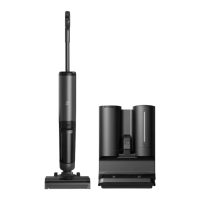
Identifies key parts of the main vacuum unit, including buttons, tanks, and brush roll.
Details parts of the charging dock like charging contacts, power port, and mounting slots.
Lists essential accessories like power supply, containers, brushes, and cleaning tools.
Provides detailed steps for correctly installing the roller brush and cover.
Instructions on how to attach and detach the vacuum's handle securely.
Guides on connecting the charging dock and organizing accessories.
Explains placement and connection of the charging dock to power.
Details the process of aligning the vacuum for charging and indicating battery status.
Covers intended surfaces, flat use, and critical warnings against misuse.
Explains the operation of the self-cleaning, mode, power, and voice control buttons.
Describes display elements like modes, battery level, and error/dirtiness indicators.
Details the procedure for filling the clean water tank with water and optional cleaning solution.
Explains how to start cleaning the floor by preparing and powering on the vacuum.
Outlines the available cleaning modes and associated usage cautions.
Instructions for stopping cleaning, powering off, and returning the vacuum to its dock.
Details on how to start, stop, and the duration of the self-cleaning cycle.
Provides a schedule for cleaning components and recommended replacement intervals for parts.
Step-by-step instructions for emptying and cleaning the dirty water tank and its components.
Details on removing the brush cover, brush roll, and using the cleaning tool for entangled hair.
Instructions for rinsing the roller brush, drying it, and cleaning the suction port.
Instructions for wiping away residual dirty water from the water & air separator.
Guides on cleaning the dirt sensor and the dirty water outlet pipeline with the brush.
Procedures for removing, rinsing, and drying the filter to maintain performance and prevent odors.
Instructions for safely cleaning the charging dock using dry materials.
Guide for wiping down the main vacuum unit with a dry cloth to remove dust.
Lists common error icons, voice notifications, and their corresponding solutions for troubleshooting.
Details technical data for the vacuum, charging dock, and power supply.
Information on battery disposal, hazards, and steps for safe battery removal.
Outlines warranty coverage, service, claim requirements, and common exclusions.
Provides details about the manufacturer, address, website, and manual version.
 General
| Battery Capacity | 4000 mAh |
|---|---|
| Charging Time | 3-4 hours |
| Type | Wet and Dry Vacuum Cleaner |
| Dustbin Capacity | 0.3L |
| Dust Capacity | 0.3L |
| Cord Length | Cordless |