Need help?
Do you have a question about the OSOYOO Mecanum Omni and is the answer not in the manual?
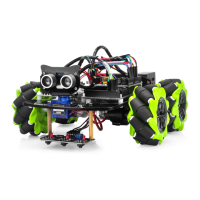
Details the omni-directional movement capabilities of Mecanum wheels.
Highlights the kit's capabilities including Bluetooth, WiFi, and sensors.
Learn to assemble the robot car chassis and identify required components.
Step-by-step guide for physically assembling the robot car components.
Connecting motor drivers and Mega2560 for the assembled robot.
Instructions for installing Arduino IDE and uploading basic control code.
Guidance on testing robot movements and troubleshooting.
Enable obstacle detection and avoidance using ultrasonic sensors.
Mounting and installing ultrasonic module and servo motor.
Wiring the ultrasonic sensor and servo motor to the robot's system.
Loading the sketch for obstacle avoidance and initial sensor alignment.
Testing obstacle avoidance and adjusting key performance parameters.
Guide the robot to follow a black line using a tracking sensor.
Installing the 3-Point tracking sensor module onto the robot chassis.
Wiring the tracking sensor to the WiFi shield for data input.
Loading the line tracking code and calibrating sensor sensitivity.
Testing line tracking performance and tuning motor speeds.
Control the robot via mobile app using Bluetooth communication.
Basic hardware installation and connection for the Bluetooth module.
Wiring the HC02 Bluetooth module to the WiFi shield.
Loading sketch and installing the mobile app for robot control.
Using the app's steering wheel and controls for robot movement.
Adjusting motor speed parameters for optimal Bluetooth control.
Control the robot over WiFi for Internet of Things (IoT) applications.
Modifications and wiring for WiFi connectivity, including WiFi shield.
Installing Arduino IDE and WiFiEsp library for IoT control.
Setting up the robot in AP or STA mode for different WiFi control methods.
Adjusting speed parameters for optimal WiFi control and defining them.
 General
| Category | Robotics |
|---|---|
| Number of Wheels | 4 |
| Motor Driver | L298N |
| Chassis Material | Acrylic |
| Compatible Controller | Arduino UNO R3 |
| Controller | Arduino |
| Connectivity | Bluetooth |
| Motor Type | DC Motor |
| Motor Voltage | 6V |

 To Next Page