www.osram.com/lightify-4you
LIGHTIFY Home – Onboarding-Guide
Onboarding OSRAM LIGHTIFY 2
First Steps
1
2
3
4
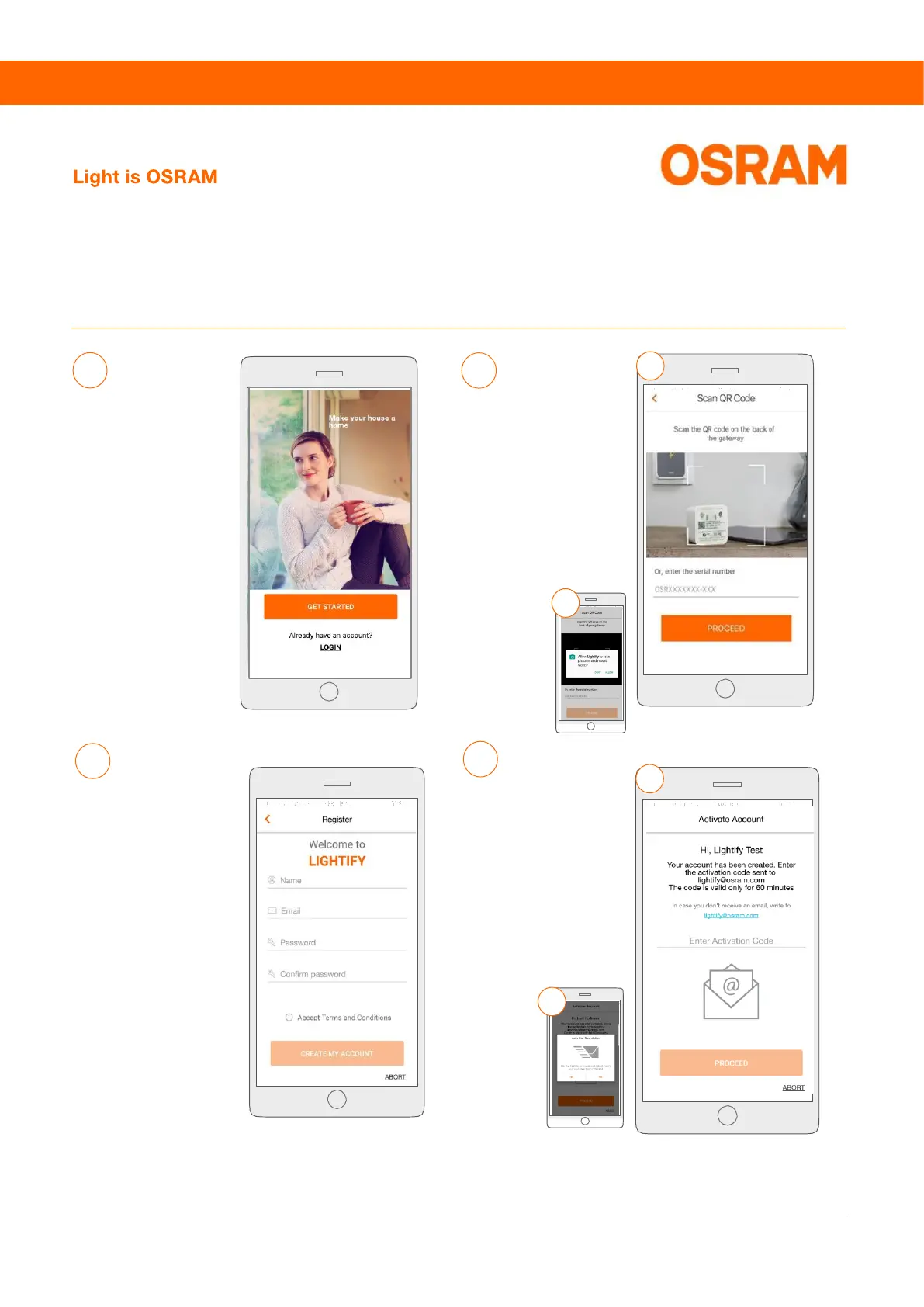
Please choose “Get
started”
a) Please give
permission to the
LIGHTIFY App to use
the camera
b) Scan the QR code or
enter the serial
number (S/N) which
you can find on the
back side of the
Gateway.
a) Please copy the
activation code from
the e-mail (you can
also enter the code
manually).
b) Get News about
LIGHTIFY by
pressing the key
„Yes“ and tap on
„PROCEED“.
b
a
a
b
Please enter your name,
e-mail address,
password, and accept
the terms and
conditions.
Please use a password
with a minimum of six
characters.
Press “CREATE MY
ACCOUNT” to continue.
Afterwards you will
receive an activation
code by e-mail.
Please note:
▪ The activation code is only valid for 60 minutes.
▪ Please check your spam folder, if you did not receive a lightify e-mail in your inbox.
▪ In case you have not received an activation code, please write an e-mail to our customer support lightify@osram.com or repeat the process with
another domain (for example @gmail.com or @icloud.com)
▪ When contacting our customer support, please add a picture of the back side of your Gateway with the identifiable serial number S/N.


 To Next Page
 Loading...