www.osram.com/lightify-4you
LIGHTIFY Home - Onboarding-Guide
Onboarding OSRAM LIGHTIFY 3
First Steps
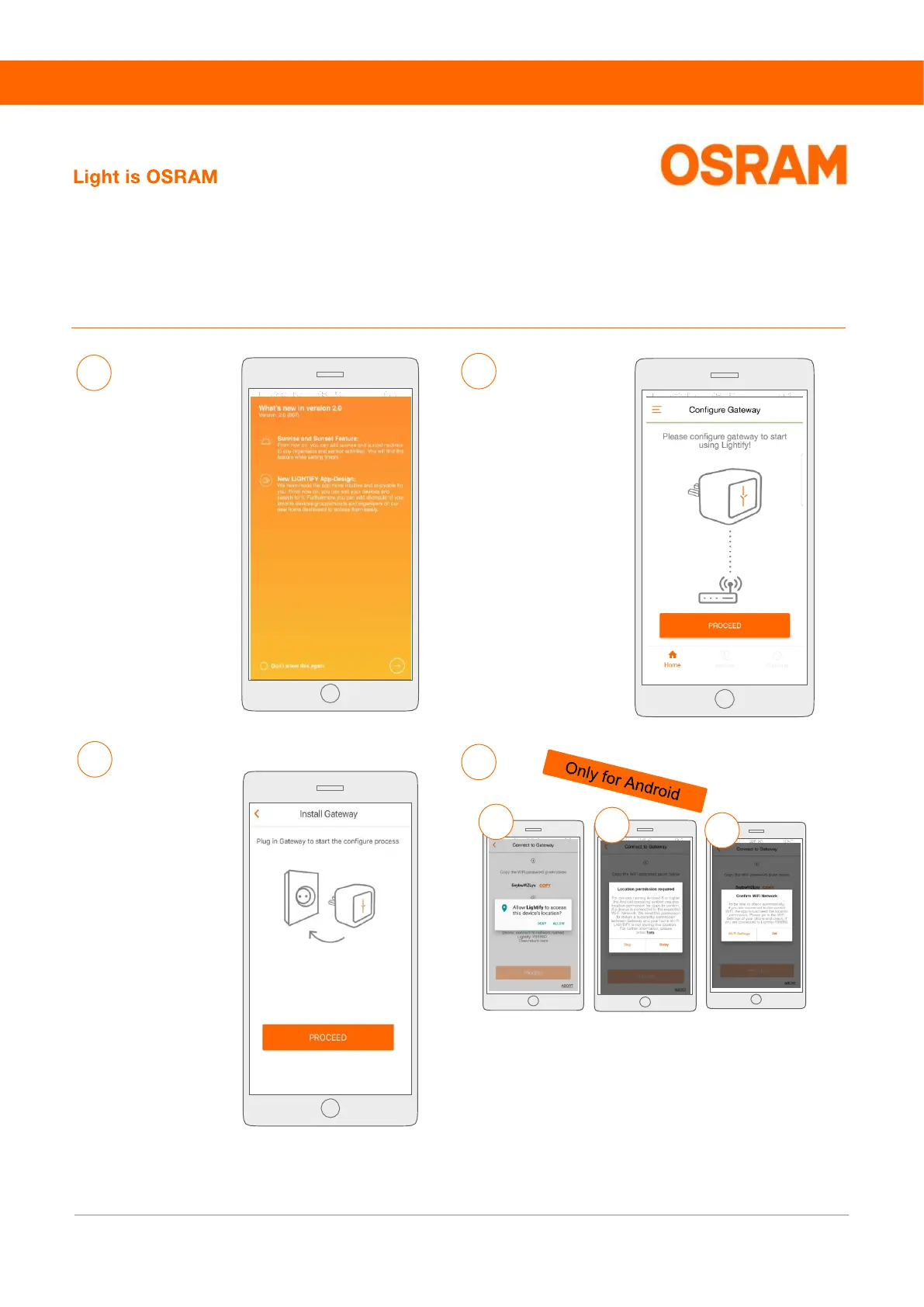
Please press “PROCEED”
to configure your Gateway.
6
5
7
8
Please connect the
Gateway with the power
socket to start the
configuration and press
„PROCEED“
“What´s new”
Get an overview about
all new features in
the LIGHTIFY App.
Press on the arrow to
continue.
b
a
On devices running with Android 8 or higher, the operating system
requires an app location tracking permission to verify the WiFi
connection. See step 12 to deactivate the permission. For further
information, see page 6.
c



 To Next Page