20
OSSA EXPLORER - User manual
Multi-function box
21
OSSA EXPLORER - User manual
Multi-function box
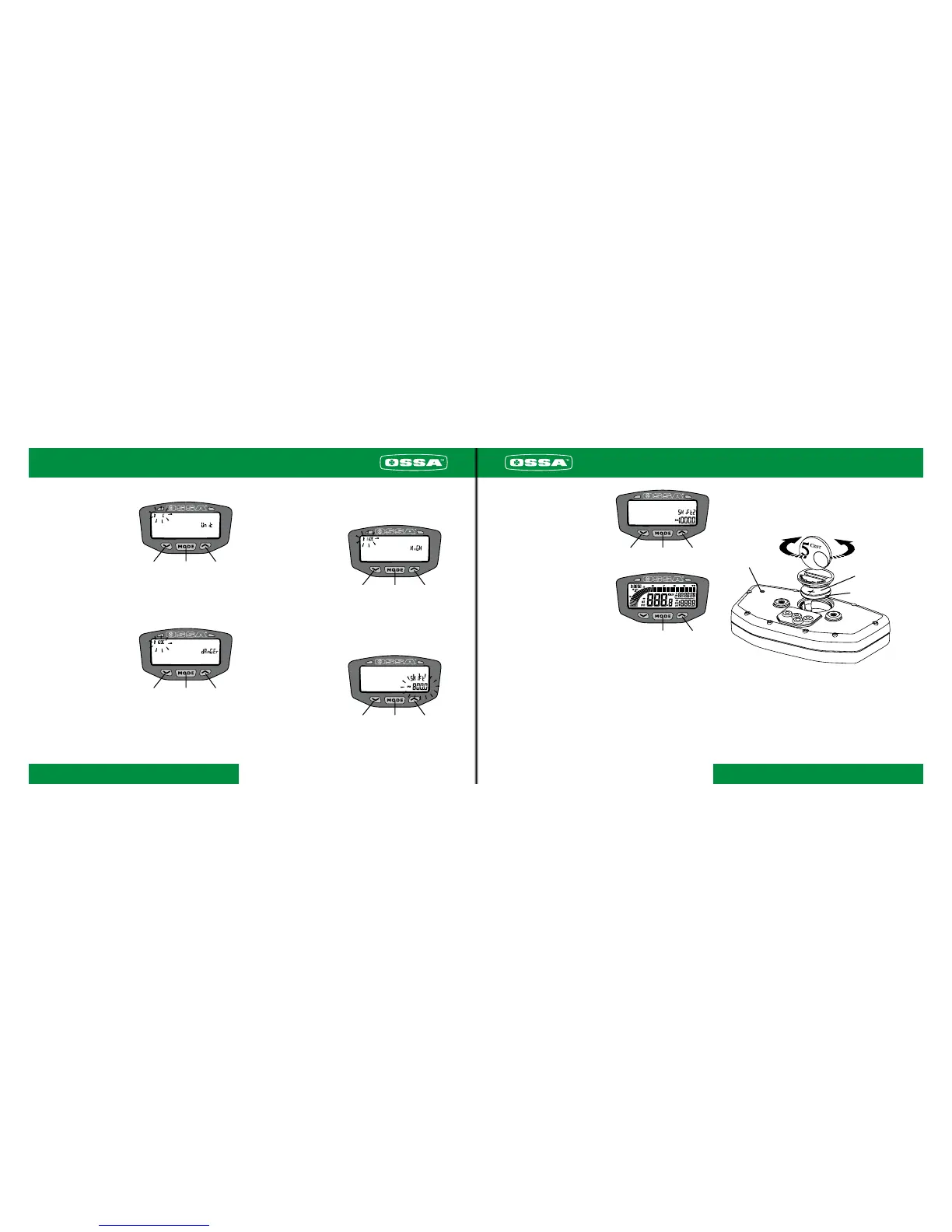
Temperature selector
To select the unit of
temperature,either ºC or ºF,
press button 1. Confirm the se-
lection by pressing button 2.
1 2
3
Danger temperature selector
Note:
This stage should only be imple-
mented for those vehicles that
have an optional temperature
sensor. When the motorcycle
temperature exceeds the set
value, right-hand warning light
comes on. Default value: 110ºC
(230ºF).
Enter the value by pressing
button 1 repeatedly. To move on
to the next digit, press button 3.
Confirm the selection by pres-
sing button 2.
1 2 3
Warning temperature selector
Note:
This stage should only be imple-
mented for those vehicles that
have an optional temperature
sensor. When the motorcycle
temperature exceeds the set va-
lue, the left-hand warning light
comes on.
Default value: 90ºC (190ºF). En-
ter the value by pressing button
1 repeatedly. To move on to the
next digit, press button 3. Con-
firm the selection by pressing
button 2.
1
2
3
Gear change turn rate selector
When the set rate is near to be-
ing reached, the left-hand war-
ning light will flash, indicating
the need to change gear.
Default value: 6000 rpm
Enter the value by pressing
button 1 repeatedly. To move on
to the next digit, press button 3.
Confirm the selection by pres-
sing button 2.
1
2
3
Dangerous turn rate selector
When the set rate is near to be-
ing reached, the right-hand war-
ning light will flash, indicating
that the engine is turning at an
excessive rate.
Default value: 10,000 rpm. En-
ter the value by pressing button
1 repeatedly. To move on to the
next digit, press button 3. Con-
firm the selection by pressing
button 2.
1
2 3
2
3
Setting the indicator functions to zero after each use of the vehicle
After each use of the vehicle, it’s possible to set the following
functions to zero, simultaneously:
- Maximum speed
- Distance
- Chronometer
- Maximum temperature
- Maximum turn rate
Confirm that you want to set these functions to zero by simulta-
neously pressing buttons 1 and 2.
Setting the whole multi-function box to zero
Press the RESET button by using a suitable object. The indicator
will boot again, excluding data that corresponds to total accumu-
lated distance and time.



 To Next Page