English-6
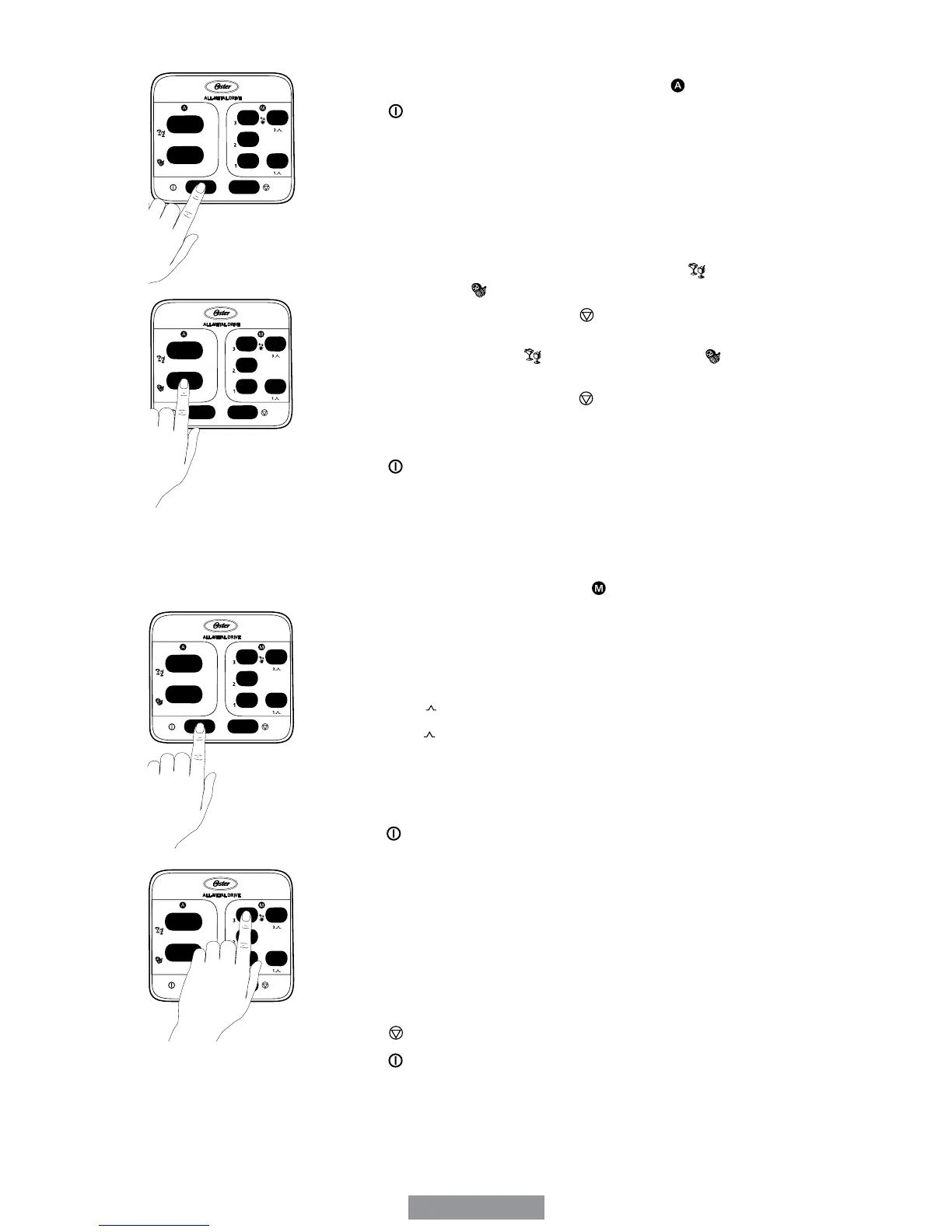
USING THE PRE-PROGRAMMED SETTINGS (
) button to turn the product on. The power light will
blink, meaning the product is active and ready to use. Avoid
contact with moving parts
2. Choose a recipe.
3. Put the ingredients into the jar.
4. Secure the lid and jar lid food chute.
5. Press one of the two Pre-Programmed Setting buttons appropriate
for your recipe. Frozen Drinks & Shakes Button (
) or Food
Processor Button (
).
6. To change your selection, press (
) button followed by another
Pre-Programmed Setting button:
Frozen Drinks & Shakes (
).
7.Oncetheprogramisnishedtheproductautomaticallystops.
Please note: You may press the (
) button to cancel the
program at any time. The blinking red light indicates that the
blender is ready.
8. Press (
) button to turn the product off.
This product is pre-programmed to turn off automatically if not
used for a period of several minutes. All lights will turn off when the
unit automatically powers down.
USING THE MANUAL CONTROLS (
)
The Manual Controls include:
•Speed3-Max/IceCrush(Highspeed)
•Speed2-Medium/Blend(Mediumspeed)
•Speed1-Low/Stir(Lowspeed)
•MaxPulse-
1
Use these buttons for personal recipes or to continue mixing after a
Pre-ProgrammedSettingisnished.
1. Press (
) button to turn the product on. The power light will
blink, meaning the product is active and ready to use.
2. Choose a recipe from the recipe section of this manual or use one
of your own.
3. Put the ingredients into the jar.
4.Securethelidandthejarllercap.
USING THE SPEED 3 BUTTON
1. Press the Speed 3 button to run the product at a high speed.
2. Press (
) button to cancel the operation at any time.
3. Press (
) button to turn the product off.


 To Next Page