5
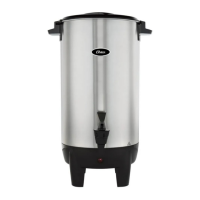
5.Insertthepowercordintothesocketlocatedinthebackoftheunitandthenplugit
intotheappropriateelectricaloutlet.Thecoffeeurnwillstartbrewingthecoffee.
Note:Donotopenlidwhilebrewing.
6.Oncethewatertemperaturereaches85°C,thecoffeebrewingprocessiscompleted
andtheunitwillautomaticallyswitchintothekeepwarmfeature.Thecoffeeurnwill
maintainthebrewedcoffeeatasuitabletemperatureforconsumption.Thereadylight
willilluminateindicatingthecoffeeisreadytobeconsumed.
7.Ifyounolongerwanttokeepthecoffeewarmorwanttoturnofftheunit,unplugthe
powercordfromtheelectricaloutlet.
CLEANING YOUR COFFEE URN
1.Makesuretounplugthecoffeeurnandletitcoolbeforecleaningit.
2.Cleantheoutsidesurfaceofthepotwithadampcloth.
Note: DO NOT IMMERSE THE MAIN BODY, POWER CORD OR PLUG IN WATER
OR ANY OTHER LIQUID.
3.Washthelid,coffeelterandwaterpipewithwarmsoapywater.Rinseeach
thoroughly.
4.Poursomecleanwaterintothepottocleantheinternalsurfacewithasoftbrush.
Disposethewateronceitisclean.
Note:Theinternalsurfaceshouldbecleanedaftereachuse.


 To Next Page