This document provides a comprehensive guide for the Oster OS-WSMD16S washing machine, covering its function, technical specifications, usage, and maintenance.
Function Description:
The Oster OS-WSMD16S is an automatic washing machine designed for household laundry. It offers various washing programs and features to accommodate different types of clothing and user preferences. The machine is equipped with both hot and cold water inlet valves, allowing for temperature control during washing. It includes a pulsator for agitation, a filter to capture lint and debris, and a drain pump for water removal. The control panel provides an intuitive interface for selecting programs, adjusting settings, and initiating cycles.
Important Technical Specifications:
- Power: 120V~60Hz
- Rated Washing/Dehydration Volume: 16kg
- Rated Input Power: 560W (Pending)
- Rated Dehydration Power: 380W (Pending)
- Water Pressure: 0.03~0.85MPa
- Waterproof Class: IPX4
- Noise Level:
- Washing: 62dB(A)
- Dehydration: 72dB(A)
- Product Size (mm): 6857001055
- Packing Size (mm): 7507601120
- Product Net Weight: 55kg
- Product Gross Weight: 61kg
Usage Features:
The washing machine offers a variety of programs and adjustable settings to cater to diverse laundry needs:
- Control Panel: Features buttons for "On/Off," "Start/Pause," "Program," "Preset," "Temperature," "Wash," "Rinse," "Spin," and "Water Level."
- Programs:
- Smart: Standard washing procedure that automatically adjusts the water level based on the clothing amount.
- Woolen Blanket: Designed for large fabrics like blankets.
- Speedy: For lightly soiled clothes.
- Gentle: Suitable for wool or underwear.
- Heavy: For large clothes.
- Memory: Recalls the last configured procedures.
- Children's Wear: Specifically for washing children's clothing.
- Tub Self-Clean: For cleaning the washing tub when idle.
- Adjustable Settings:
- Preset: Allows setting a delayed start time.
- Temperature: Options for cold water, warm water (mix of hot and cold), and hot water.
- Wash: Adjustable washing time.
- Rinse: Adjustable rinsing times.
- Spin: Adjustable spinning times.
- Water Level: Manually selectable water levels, though some programs automatically determine this.
- Child Lock: A combination of "Rinse" and "Spin" buttons activates a child lock feature, preventing accidental operation.
- Operation Flow:
- Press "Power" to turn on.
- Select a program using the "Program" button (defaults to "Smart").
- Adjust water level with the "Water level" button if needed (some programs are fixed).
- For specific programming, adjust "Wash," "Rinse," and "Spin" times individually.
- Press "Start/Pause" to begin.
- The lid must be closed during operation, especially during spinning, to prevent accidents.
- The machine will beep and power off automatically upon completion.
- Pre-washing Instructions: Users are advised to check inlet pipe connections, faucet valve, power cable, grounding, machine stability, and drain hose position. It's important to remove hard objects from clothes, separate greasy or faded items, zip up zippers, tie knots in long clothes, fasten buttons, and use laundry nets for delicate items. Pre-treating heavily soiled areas with detergent is also recommended.
- Installation Notes: The washing machine should be placed on a solid, flat, dry surface, away from direct sunlight and heat sources, with at least 5cm distance from walls. A floor drain should be present and unobstructed, ideally flush with or slightly lower than the machine's base. The bottom foam and plastic pin holder must be removed before use. The supporting feet are adjustable to ensure the machine is level.
- Hose Connection: The manual details connecting the water inlet hose to the tap (double thread water inlet) and to the washing machine, ensuring sealing gaskets are in place and nuts are tightened. It also covers connecting the drain hose, ensuring it's not higher than 90cm from the bottom of the machine. Instructions are provided for changing the side of the drain hole on the body if necessary.
Maintenance Features:
Regular maintenance is crucial for the longevity and optimal performance of the washing machine:
- Filter Cleaning:
- Pull upward to remove the filter assembly.
- Take the filter out of its cover.
- Clean and rinse thoroughly.
- Reinstall the filter.
- Inlet Valve Filter Cleaning: The inlet valve filter can get blocked by impurities, reducing water intake. It should be cleaned regularly, approximately every two months.
- General Machine Cleaning:
- Clean the surface of the washing machine and the inside of the barrel with a clean, soft cloth.
- Open the cover for about an hour to air dry the barrel, then close it.
- Avoid spraying water directly on the machine or using thinners, detergents, kerosene, volatile oils, or alcohol.
- For stubborn dirt, use a soft cloth dampened with mild soapy water.
Troubleshooting:
The manual includes a troubleshooting section for common issues:
- Common Non-Fault Phenomena: Explains expected behaviors such as residual water from factory testing, automatic water replenishment during cycles, and the default rinsing program starting with drainage. It also clarifies that key operations are invalid during a running cycle unless paused.
- Common Default and Solution Table: Provides a list of problems, their corresponding display codes (if any), causes, and solutions. Examples include:
- Totally no working (No display): Check power plug, switch, socket, or fuse.
- Poor drainage (E1): Check if the drain pipe is too high or blocked.
- Not dehydrated (E2): Ensure the cover is closed during washing or dehydration.
- Dehydration touch the shell (E3): Manually rearrange clothes if unbalanced.
- Insufficient water injection (E4): Check faucet, water supply, or water pressure.
- Reservation (E5): Close the upper cover.
- Water level sensor abnormal (E6): Indicates a sensor failure; professional maintenance is required.
- Water intake or automatic drainage (E7): Computer board, inlet valve, or water level sensor abnormality; professional repair needed.
- Memory chip failure (E9): Cannot read or write; leads to shutdown.
- Unable to start or not boot (No display): Computer board failure; professional maintenance required.
Users are advised to restart the machine after troubleshooting and contact customer service if the abnormality persists.

 Need help?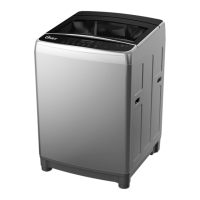

 To Next Page
 General