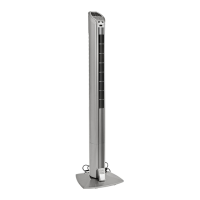
The Oster OTF9115R is a tower fan with a remote control, designed for household use. It is not intended for commercial or industrial applications. The fan operates on an electrical supply and requires careful handling to ensure safety and proper function.
Function Description:
The primary function of the Oster OTF9115R is to provide air circulation. It features multiple speed settings, an oscillation function, and a timer, allowing users to customize airflow and operation duration. The fan can be controlled directly from its panel or via a remote control, offering convenience and ease of use. It also includes a "Natural Breeze" mode, which cycles through different fan speed settings randomly to simulate a natural breeze, and a "Sleep" mode, which reduces fan speed and can be combined with the timer settings for quiet operation during sleep.
Important Technical Specifications:
The fan operates on various voltage and frequency settings depending on the model:
- 120 V / 60 Hz: 67 W
- 220 V / 50/60 Hz: 75 W
- 220 V / 50/60 Hz: 75 W
The remote control requires 2 AAA batteries for operation. The fan is designed for indoor use only and should not be used outdoors.
Usage Features:
- Assembly: The fan requires some assembly, which involves attaching the base halves around the cord and securing them to the fan housing with four Phillips head screws. The power cord is then secured as shown in the assembly instructions.
- Power On/Off: The fan is turned on or off by pressing the power button.
- Speed Settings: It offers three speed settings (1, 2, 3), which can be adjusted by pressing the speed button.
- Timer Control: The timer function allows the fan to operate for a set duration of 1, 2, 4, or 8 hours. Pressing the timer button cycles through these options. The fan will automatically turn off once the set time has elapsed.
- Oscillation Control: The fan can oscillate to distribute air across a wider area. The oscillation function can be turned on or off by pressing the oscillation button.
- Natural Breeze Mode: This mode provides a varied airflow by randomly cycling through different fan speed settings, mimicking a natural breeze.
- Sleep Mode: This mode reduces the fan speed to provide a quieter operation, suitable for use during sleep. It can be activated by pressing the sleep mode button twice. This function can also be combined with the timer settings.
- Remote Control: The fan comes with a remote control that allows users to operate all functions from a distance, including power, speed, timer, oscillation, natural breeze, and sleep mode. The remote control requires 2 AAA batteries.
Maintenance Features:
- Cleaning: Before cleaning, the fan must always be unplugged from the electrical outlet.
- Water Exposure: It is crucial not to allow water to drip on or into the fan motor housing to prevent damage or electrical shock.
- General Care: Regular cleaning of the fan's exterior is recommended to maintain its appearance and performance. The manual does not specify internal cleaning procedures, suggesting that the appliance contains no user-serviceable parts and any damage or breakdown should be referred to the manufacturer or its service agent.
- Storage: When not in use for extended periods, the fan should be stored in a dry, level surface.
- Cord and Plug: Always inspect the power cord and plug for any damage before each use. If the supply cord or plug is damaged, it must be replaced by the manufacturer or its service agent to avoid hazards.
- Supervision: Close supervision is necessary when the appliance is used by or near children. Children should be supervised to ensure they do not play with the appliance.
- Flammable Materials: Do not operate the fan in the presence of explosives and/or flammable fumes. Do not place the fan or any parts near an open flame, cooking, or other heating appliance.
- Attachments: Do not operate any appliance with a damaged mains cable, plug, after the appliance malfunctions, or has been dropped/damaged in any manner. The use of attachments not recommended or sold by the appliance manufacturer may cause hazards.
- Ventilation: Ensure adequate ventilation around the fan and do not block the air inlets or outlets.
- Stability: Always place the fan on a dry, level surface to prevent tipping.
- Disconnection: To disconnect from the electrical supply, grip the plug and pull from the wall outlet. Do not pull on the mains cable.
The Oster OTF9115R is designed with user safety in mind, emphasizing the importance of following all instructions and precautions to ensure safe and effective operation.

 Need help?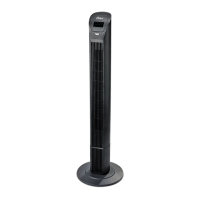

 To Next Page
 General