14
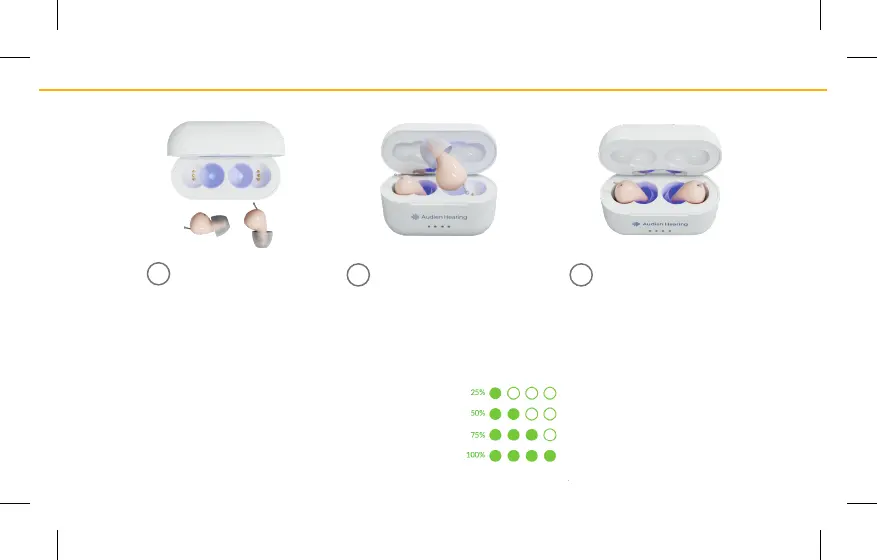
The 4 lights on the outside of the
case are the Charging Indicator
Lights, and show the baery life
of the Atom Pro 2.
INTERNAL CASE CHARGING INDICATORS
Red light = Hearing aid is not fully charged yet.
Green light = Hearing aid is fully charged.
Purple light = UV sterilizaon.
Make sure the Removal
Wires are not bent and
the connecon is secure.
Lower the device into the
Charging Case with the
ear buds facing down into
the hollow secon.
2
3
If you look inside
the Charging Case,
you will noce a
hollow secon.
1



 To Next Page