10
CHARGIN G YOUR D E VICE
9
Step 1
Plug the charging case
and USB cable into a
standard outlet. Light
2 will flash blue to
indicate the product
is charging.
Step 2
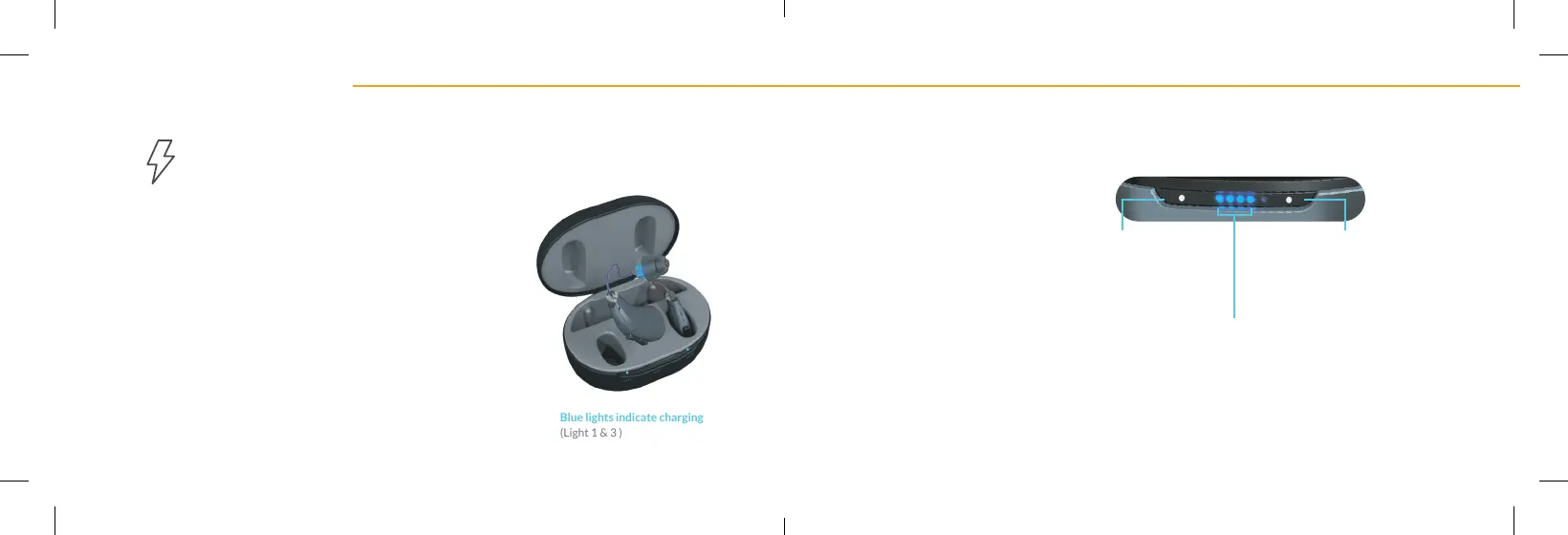
Insert the Audien BTE units
into the charging port.
The left ear unit should be
inserted into left charging
port. The right ear unit should
be in right charging port. Light
1 and light 3 will turn blue to
indicate charging.
Step 3
It will take around 2 hours
to fully charge both Audien
BTE units and their charging
case. On average, a full charge
lasts 20 hours. The case has
an internal battery so you can
charge your devices on the go.
Charging Your Device
CHARGE TIME: 2 HOURS
Blue lights indicate charging
(Light 1 & 3 )
LIGHT KEY:
Light 1
solid white =
Left ear fully charged
Light 3
solid white =
Right ear fully charged
Light 2 solid blue =
Charging case fully charged



 To Next Page