89
TinnitusSoundSupport settings overview for your hearing aid
Left Right
n
Yes
n
No
TinnitusSoundSupport
n
Yes
n
No
n
A) How to adjust TinnitusSoundSupport volume in each ear separately
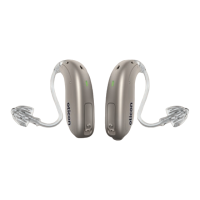
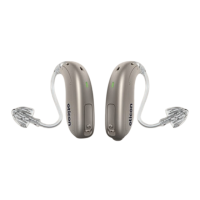
To increase volume (on one hearing aid only), briefly press on the push-button
repeatedly until the desired level is reached. The sound will always be louder
with the first press(es) until two beeps are heard. Hereafter the volume will
decrease.
To decrease volume (on one hearing aid only), continue to press the push-
button repeatedly until the desired level is reached.
n
B) How to adjust TinnitusSoundSupport volume in both ears
simultaneously
You can use one hearing aid to increase the volume and the other hearing aid
to decrease the volume.
To increase the volume, briefly press on the push-button repeatedly on the
RIGHT hearing aid.
To decrease the volume, briefly press on the push-button repeatedly on the
LEFT hearing aid.
To be filled out by your hearing care professional.


 To Next Page
 Loading...