EasyManua.ls Logo

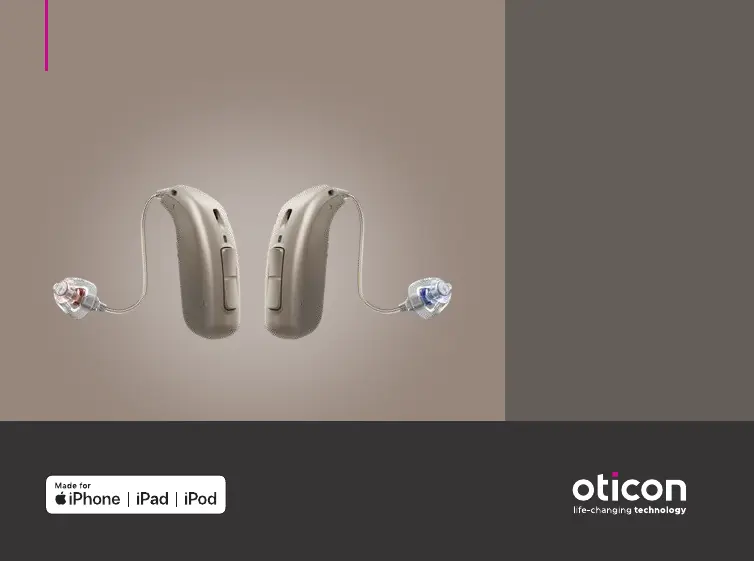
oticon miniRITE R - User Manual

oticon miniRITE R
106 pages
Print Icon
To Next Page IconTo Next Page
Loading...
Instructions for use
miniRITE R
Oticon Opn S™
Oticon Opn Play™
Oticon Ruby

Questions and Answers

  • S
    steven05Aug 14, 2025
    What to do if oticon Battery Charger LED blinks orange/red?
    • C
      Christine FriedmanAug 14, 2025
      If the LED on your Oticon Battery Charger blinks orange or red when the hearing aid is placed in it, several factors could be the cause. First, the hearing aid or charger's temperature might be too warm or too cold; move them to a location between +5°C and +38°C (+41°F and +100°F). Second, charging might be incomplete to protect the battery; in this case, the hearing aid will automatically resume normal charging mode after up to 10 minutes, depending on battery depletion. Third, the hearing aid may not be correctly seated; try reinserting it into the charger, which should complete charging within approximately 15 minutes. If none of these steps work, it may be a system error, and you should contact your hearing care professional.
  • N
    Nicole ToddAug 17, 2025
    Why oticon Battery Charger LED is off when hearing aid is placed in charger?
    • D
      Daisy SmithAug 17, 2025
      If the hearing aid LED remains off when the hearing aid is placed in the Oticon Battery Charger, the charger might not be turned on. Verify that the charger power plug is correctly connected.
  • M
    Michelle ObrienAug 21, 2025
    What to do if oticon Battery Charger LED shows long orange blinks?
    • S
      Sherry WebbAug 21, 2025
      If the LED on your Oticon Battery Charger shows long orange blinks, it means the hearing aid or charger’s temperature is too warm. Move the charger and hearing aid to a location with a temperature between +5°C and +38°C (+41°F and +100°F).
  • G
    George LewisAug 25, 2025
    What does it mean when oticon Battery Charger LED repeatedly shows three short orange blinks?
    • O
      ovargasAug 25, 2025
      If the LED on your Oticon Battery Charger repeatedly shows three short orange blinks, it indicates that the charger’s temperature is too cold. Move the charger to a location with a temperature between +5°C and +38°C (+41°F and +100°F).
  • A
    Amanda HopkinsAug 28, 2025
    What to do if Oticon Battery Charger LEDs are off?
    • M
      Michael McdonaldAug 28, 2025
      If the Oticon Battery Charger LEDs remain off when connected to power, make sure the power plug is correctly connected. Also, ensure that the power source provides sufficient output for the charger.
  • J
    Jamie MatthewsSep 1, 2025
    How to turn on Oticon hearing aids after charging?
    • E
      Erin GriffinSep 1, 2025
      If the hearing aids do not turn on after being removed from the Oticon Battery Charger, place them back in the charger ports and try again. Alternatively, you can manually turn the hearing aids on using the push button.
  • W
    wallsteresaSep 5, 2025
    Why is Oticon hearing aid LED blinking green in charger?
    • E
      Elizabeth PorterSep 5, 2025
      If the hearing aid LED blinks green when placed in the Oticon Battery Charger, it means the hearing aid hasn't been used for a while. Leave the hearing aid in the charger during this process to ensure it charges properly.
  • S
    Samantha MartinezSep 9, 2025
    What to do if Oticon Battery Charger has two orange blinking LEDs?
    • M
      Mr. Thomas Hernandez DDSSep 9, 2025
      If two charger LEDs on your Oticon Battery Charger are showing orange blinks, it indicates that the temperature of the hearing aid or charger is too cold or too warm (between +41°F and +100°F). Move the charger and hearing aid to a location with a temperature between +5°C and +38°C.

Summary

Model Overview and Introduction

Hearing Aid Models and Components

Lists the hearing aid models (Opn S, Play, Ruby) and details their speakers and earpieces.

Booklet Purpose and Professional Guidance

Explains the booklet's function and the role of hearing care professionals in device setup and support.

Intended Use and Initial Setup

Device Purpose, Indications, and User Group

Defines the hearing aid's intended use, who it's for, and the conditions it addresses.

Charging and Powering On;Off

Instructions for charging the hearing aid, understanding battery status, and turning it on/off.

Putting On and Basic Operation

Step-by-step guide on wearing the hearing aid and adjusting volume/programs using the push button.

Handling, Maintenance, and Features

Cleaning and Replacing Components

Guidance on cleaning the hearing aid, microphone openings, and replacing earpieces and wax filters.

Flight Mode and Wireless Accessories

Information on activating flight mode and using wireless accessories like ConnectClip and TV Adapter.

Using with iPhone and iPad

Instructions for direct communication and control with Apple devices, covering pairing and compatibility.

Tinnitus SoundSupport Functionality

Purpose, Guidelines, and Settings

Explains Tinnitus SoundSupport's use for tinnitus relief, user guidelines, and how settings are managed.

Warnings and Limitations on Use

Crucial warnings about potential risks, misuse, and limitations on daily usage time for Tinnitus SoundSupport.

General Warnings and Safety Precautions

Essential Usage and Battery Safety

Covers general safety for hearing aid use, including battery handling, potential hazards, and avoiding misuse.

Environmental and Device Interaction Warnings

Details precautions regarding heat, chemicals, cochlear implants, and electromagnetic interference.

Troubleshooting and Technical Data

Common Issues and Solutions

Addresses typical problems like no sound, intermittent output, and pairing issues with their respective solutions.

Technical Specifications and Compliance

Provides detailed technical data, radiofrequency information, and compliance standards for the hearing aids.

oticon miniRITE R Specifications

General IconGeneral
Battery TypeRechargeable Lithium-Ion
Bluetooth ConnectivityYes
Water ResistanceIP68
Feedback ManagementYes
Noise ReductionYes
Directional MicrophonesYes
Tinnitus Sound GeneratorYes
TypeReceiver-in-the-Ear (RIE)
TelecoilYes
StyleMini Receiver-in-the-Ear
TechnologyVelox S platform

Related product manuals