EasyManua.ls Logo

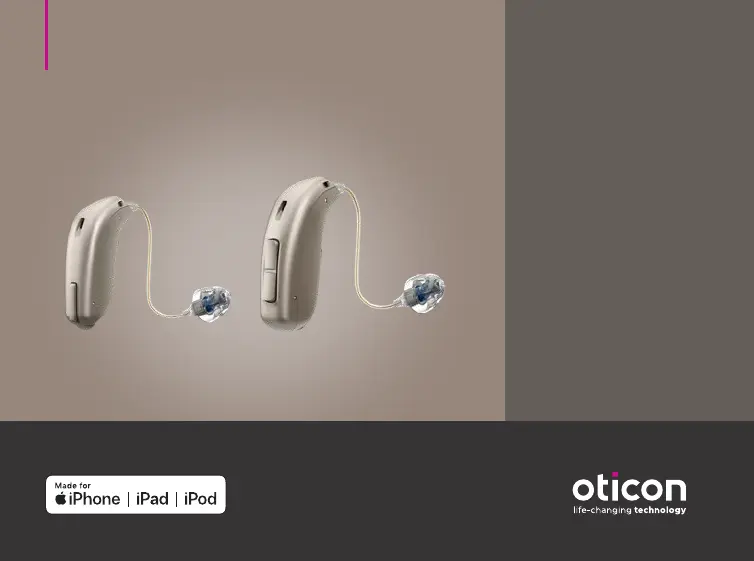
oticon OPN MINIRITE - User Manual

oticon OPN MINIRITE
96 pages
Print Icon
To Next Page IconTo Next Page
Loading...
Instructions for use
miniRITE
miniRITE T
Oticon Opn™
Oticon Opn S™
Oticon Opn Play™
Oticon Siya
Oticon Ruby

Other manuals for oticon OPN MINIRITE

Questions and Answers

  • B
    Brandon HenryAug 13, 2025
    How to fix oticon OPN MINIRITE Hearing Aid with no sound?
    • M
      Michelle Salas DDSAug 13, 2025
      If your Oticon Hearing Aid has no sound, the issue might be a dead battery. Try replacing the battery. Alternatively, the earpieces (dome, Grip Tip, micro mould or LiteTip) may be clogged. Consider replacing the wax filter or dome.
  • J
    John CastroAug 17, 2025
    What to do if both lights are flashing red on my oticon OPN MINIRITE?
    • K
      Kelly AndersonAug 17, 2025
      If both lights are flashing red on your Oticon Hearing Aid, it indicates that the temperature is out of range. Move the charger to an environment between 50°F (10°C) and 104°F (40°C).
  • S
    stacy33Aug 20, 2025
    How to fix pairing issue with Apple device on oticon OPN MINIRITE Hearing Aid?
    • L
      larsonjasonAug 21, 2025
      If you're having trouble pairing your Oticon Hearing Aid with your Apple device due to a Bluetooth connection failure, try the following steps: 1. Unpair your hearing aids by going to Settings?General?Accessibility?Hearing Aids?Devices?Forget this device. 2. Turn Bluetooth off and on again. 3. Open and close the battery drawer on only one of the hearing aids. 4. Re-pair the hearing aids.
  • M
    Marilyn ChristianAug 25, 2025
    What to do if oticon OPN MINIRITE lights are flashing red?
    • D
      Daniel ParkerAug 26, 2025
      If both lights on your Oticon Hearing Aid charger are flashing red, it indicates that the temperature is out of the recommended range. Move the charger to an environment where the temperature is between 50°F (10°C) and 104°F (40°C).
  • L
    Loretta WhiteheadAug 28, 2025
    Why does my oticon OPN MINIRITE have intermittent or reduced sound?
    • L
      Leslie YoungAug 28, 2025
      If you are experiencing intermittent or reduced sound with your Oticon Hearing Aid, it could be due to a clogged sound outlet. Clean the mould or replace the wax filter in the speaker, mould, or dome. Another cause might be moisture; in this case, wipe the battery with a dry cloth. Finally, check the battery; a dead battery can also cause this issue, so try replacing it.
  • D
    Danielle MurraySep 1, 2025
    What to do if oticon OPN MINIRITE Hearing Aid is making a squealing noise?
    • K
      Katelyn RichardSep 1, 2025
      If your Oticon Hearing Aid is making a squealing noise, it could be because the earpiece is not inserted correctly. Try re-inserting the earpiece. Alternatively, ear wax accumulated in your ear canal may be the cause. In this case, have your ear canal examined by your doctor.
  • K
    Karen BallSep 4, 2025
    How to fix no lights on my oticon OPN MINIRITE Hearing Aid?
    • N
      Nicole SmithSep 5, 2025
      If there are no lights on your Oticon Hearing Aid, it could be due to the hearing aid not being inserted correctly into the charger, or the charger not being powered. Here's what you can do: * Remove the hearing aid and place it in the correct position. * Verify that the USB cable is properly connected to the USB wall adapter. * Check if the USB wall adapter is functional by plugging in a different USB device.
  • S
    Sheri JonesSep 8, 2025
    Why oticon Hearing Aid has no lights?
    • R
      Robin CollinsSep 8, 2025
      If there are no lights on your Oticon Hearing Aid, it could be due to the hearing aid not being correctly inserted into the charger, or the charger not being powered. To resolve this: * Remove the hearing aid(s) and place it in the correct position. * Verify that the USB cable is properly connected to the USB wall adapter. * Ensure that the USB wall adapter is functional by plugging in a different USB device.

Summary

Introduction to Your Hearing Aid

Model Overview

Overview of Oticon miniRITE and miniRITE T hearing aid models.

Intended Use and User Guidelines

Details on the hearing aid's purpose, indications, and target user profile.

Hearing Aid Components Explained

Visual guide to the hearing aid, speaker, and earpiece parts.

miniRITE Model Features

Explanation of the miniRITE hearing aid's functions and components.

miniRITE T Model Features

Explanation of the miniRITE T hearing aid's functions and components.

Identifying Left and Right Hearing Aids

How to distinguish between left and right hearing aid units.

Operating Your Hearing Aid

Battery Handling and Cleaning Tools

Instructions for using the MultiTool for battery replacement and cleaning.

Powering the Hearing Aid On and Off

Step-by-step guide to turning the hearing aid on and off.

Battery Replacement Procedure

Detailed steps for safely replacing the hearing aid battery.

Putting On Your Hearing Aid

Correct method for wearing the hearing aid properly.

Flight Mode Operation

How to activate and deactivate flight mode on the hearing aid.

Adjusting Volume and Programs

Guide to changing volume levels and listening programs.

Mute Functionality

How to use the mute feature to temporarily silence the hearing aid.

Wireless Connectivity and Accessories

Information on connecting to Apple devices and available wireless accessories.

Hearing Aid Care and Advanced Features

Hearing Aid Care and Cleaning

General advice on keeping the hearing aid clean and in good condition.

Earpiece and Wax Filter Replacement

Instructions for replacing standard earpieces and wax filters.

Tinnitus SoundSupport Feature

Overview of the Tinnitus SoundSupport feature and its intended use.

Tinnitus SoundSupport Volume Control

How to adjust the volume for Tinnitus SoundSupport sounds.

Sound and LED Indicators

Explains sounds and LED lights for hearing aid status notifications.

Optional Features and Accessories

Details on optional features and accessories for enhanced user experience.

Other Connectivity and Options

Information on telecoil, AutoPhone, and other specialized options.

Safety, Warnings, and Troubleshooting

Warnings to Hearing Aid Dispensers

Important advice for dispensers regarding user health conditions.

General Safety Warnings

Essential safety precautions and general warnings for hearing aid use.

Choking Hazards and Battery Safety

Warnings about small parts, battery risks, and safe handling.

Medical Implants and Environmental Precautions

Precautions for users with active implants and environmental factors.

Interference and RF Exposure Information

Guidance on potential interference and radiofrequency exposure.

Limitation on Use Time

Guidance on safe daily usage duration, especially for Tinnitus SoundSupport.

Tinnitus SoundSupport Warnings

Specific warnings and potential concerns related to Tinnitus SoundSupport.

Troubleshooting Common Issues

Solutions for common hearing aid problems and symptoms encountered by users.

Water and Dust Resistance

Information on the hearing aid's IP68 rating and care for water exposure.

Conditions of Use

Recommended operating, transportation, and storage environmental conditions.

Cell Phone Compatibility

Information regarding potential interference and compatibility with cell phones.

Technical Information and Support

Technical Information and Compliance

Details on radio technologies, electromagnetic compatibility, and regulatory compliance.

Description of Symbols and Labels

Explanation of all symbols and markings used in the manual and on the device.

Warranty and Service Information

Details on the international limited warranty and how to obtain service.

Your Individual Hearing Aid Settings

A section to record personalized hearing aid settings and usage limits.

Technical Data Specifications

Comprehensive technical data and performance specifications for the hearing aid models.

oticon OPN MINIRITE Specifications

General IconGeneral
Battery Size312
Bluetooth ConnectivityYes
Tinnitus SoundSupportYes
IP RatingIP68
Wireless ConnectivityYes
TechnologyOpenSound Navigator
Battery TypeZinc-Air
Water ResistanceYes
Weight1.3 grams
StyleReceiver-in-the-ear (RIE)
TypeReceiver-in-the-Ear (RITE)
ConnectivityBluetooth
ColorsBeige, Silver
Battery LifeVaries depending on usage and battery type (typically 3-7 days)

Related product manuals