EasyManua.ls Logo

oticon Opn Series - User Manual

oticon Opn Series
98 pages
Print Icon
To Next Page IconTo Next Page
Loading...
Instructions for use
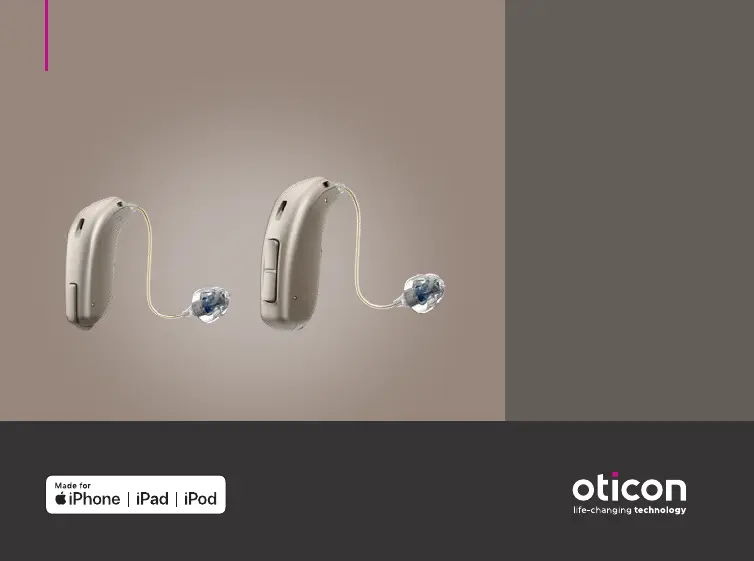
miniRITE
miniRITE T
Oticon Opn™
Oticon Opn S™
Oticon Opn Play™
Oticon Siya
Oticon Ruby

Questions and Answers

  • B
    Barry GrayAug 13, 2025
    Why is there no sound coming from my oticon Opn Hearing Aid?
    • P
      Phyllis HallAug 13, 2025
      If your Oticon Hearing Aid has no sound, the battery may be dead, so replace it. Also, ensure the hearing aid microphone is not muted. Other solutions include cleaning the earmold or MicroMold, replacing the wax filter, or considering replacing the dome or GripTip.
  • A
    Ashley RodriguezAug 17, 2025
    What to do if my oticon Opn has intermittent or reduced sound?
    • A
      Amanda BrownAug 17, 2025
      To address intermittent or reduced sound in your Oticon Hearing Aid, clean the earmold or MicroMold, replace the wax filter, or change the dome or GripTip. If moisture is the issue, wipe the battery with a dry cloth.
  • J
    joseph42Aug 21, 2025
    How to fix oticon Opn with no sound?
    • T
      Theresa LevineAug 21, 2025
      If your Oticon hearing aid has no sound, the possible causes and solutions are: * A dead battery: Replace the battery. * Hearing aid microphone muted: Unmute the hearing aid microphone. * Clean earmold or MicroMold or replace wax filter. * Consider to replace dome, or GripTip.
  • A
    Amanda MorrisAug 25, 2025
    Why is my oticon Opn squealing?
    • K
      kevinsalazarAug 25, 2025
      If your Oticon hearing aid is producing a squealing noise, here's what might be happening and how to address it: * The earpiece may be inserted incorrectly. Try re-inserting the earpiece. * Earwax may have accumulated in your ear canal. Have your ear canal examined by your doctor. * Your ear may have grown. Contact your hearing care professional.
  • W
    wwhitneyAug 28, 2025
    How to fix pairing issue with oticon Opn Hearing Aid on Apple device?
    • J
      Jacob HardinAug 28, 2025
      To address pairing issues with your Oticon Hearing Aid and an Apple device, here are some steps you can take: 1. Unpair your hearing aid. 2. Turn Bluetooth off and on again. 3. Open and close the battery drawer on your hearing aid. If only one hearing aid paired, re-pair your hearing aid.
  • J
    johnfisherSep 1, 2025
    What to do if oticon Hearing Aid has intermittent or reduced sound?
    • M
      Michael DavisSep 1, 2025
      If your Oticon hearing aid has intermittent or reduced sound, the issues and solutions are: * Clogged sound outlet: Clean earmold or MicroMold, replace wax filter or change dome or GripTip. * Moisture: Wipe battery with a dry cloth.
  • K
    kwolfSep 5, 2025
    Why does my Oticon Hearing Aid make a squealing noise?
    • E
      Erica HowardSep 5, 2025
      If you are experiencing a squealing noise from your Oticon Hearing Aid, re-insert the earpiece, as it may have been inserted incorrectly. If the issue persists, have your ear canal examined by your doctor to check for earwax accumulation. It's also possible that your ear has grown, in which case you should contact your hearing care professional.
  • K
    Kristine MontoyaSep 8, 2025
    What to do if my oticon Hearing Aid has intermittent sound?
    • A
      alexa30Sep 8, 2025
      If you're experiencing intermittent or reduced sound in your Oticon Hearing Aid, it could be due to a clogged sound outlet. Try cleaning the mould or replacing the wax filter, dome, or Grip Tip. Another potential cause is moisture; if this is the case, wipe the battery with a dry cloth.

Summary

Product Overview

Oticon Hearing Aid Models

Lists various Oticon hearing aid models including Opn, Siya, and Ruby families.

Device Components

Details the physical parts of miniRITE and miniRITE T hearing aids, including speakers and earpieces.

Identifying Left and Right Hearing Aids

Explains how to differentiate left and right hearing aids using color indicators.

Getting Started and Basic Operation

Introduction to the User Manual

Guidance on using and maintaining your new Oticon hearing aid.

Intended Use and Contraindications

Defines the hearing aid's purpose and conditions where its use is not recommended.

Turning the Hearing Aid On and Off

Instructions for powering the hearing aid on and off using the battery drawer.

Battery Replacement Guide

Information on battery life indicators and the process for replacing the battery.

How to Wear the Hearing Aid

Step-by-step instructions for correctly fitting the hearing aid in the ear.

Maintenance and Care

Cleaning and Maintaining Your Hearing Aid

Guidance on cleaning microphone openings and the device body with a dry cloth.

Replacing Standard Earpieces

Instructions for removing and attaching standard earpieces to the speaker.

Replacing Wax Filters

Step-by-step guide for replacing the ProWax miniFit filter on the hearing aid speaker.

Features and Options

Optional Features and Accessories

Details available optional features and accessories to enhance hearing aid functionality.

Adjusting Volume and Programs

How to change the hearing aid's volume and select different listening programs.

Device Connectivity Options

Information on connecting the hearing aid with iPhone, iPad, and wireless accessories.

Tinnitus SoundSupport Functionality

Explains the Tinnitus SoundSupport feature, its intended use, and user guidelines.

Safety and Warnings

Warnings for Users Under 18

Advises consultation with a doctor for individuals younger than 18 years old before use.

Tinnitus SoundSupport Warnings

Specific warnings and precautions related to the use of the Tinnitus SoundSupport feature.

General Safety Precautions

Essential safety precautions, usage guidelines, and potential risks associated with hearing aids.

Troubleshooting and Technical Details

Troubleshooting Common Issues

Lists common hearing aid symptoms, their causes, and solutions.

Water and Dust Resistance (IP68)

Information on the hearing aid's IP68 rating and guidelines for exposure to water and dust.

Radiofrequency and Technical Information

Details on radio technologies, FCC compliance, and general technical specifications.

Technical Data Tables

Comprehensive technical specifications for various hearing aid models and settings.

Warranty and Support

International Warranty Details

Outlines the terms and conditions of the limited international warranty for the hearing aid.

Service and Professional Support

Guidance on obtaining service, repairs, and assistance from hearing care professionals.

oticon Opn Series Specifications

General IconGeneral
OpenSound NavigatorYes
OpenSound OptimizerYes
Made for iPhoneYes
TwinLinkYes
Tinnitus SoundSupportYes
ConnectivityBluetooth
Rechargeable OptionYes
Spatial Sound LXYes
YouMatic LXYes
Power OptionsRechargeable or disposable batteries
StylesBTE
TypeDigital
Water ResistanceIP68

Related product manuals