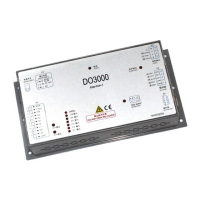
User’s Guide of DO3000 Door Operator
Lead the green future All rights reserved © OTIS 16/48
Conduct the following operations without the jamming:
Open not arrive: enter the server menu 333, turn up LearnTriveTrq and conduct the learning again.
Close not arrive: enter the server menu 332, turn up ClArriveTroque and conduct the learning again.
2.6.4 Door width learning failure
Check whether the ST code signal received by the door controller is 001 or not,and if not, the door width
learning can not be carried out.
2.7 Viewing the Controller Status and Parameters
2.7.1 Status Monitoring
M311 (Status monitoring): check the operating status of door operator
WORKING: normal working
mode
ERRMode: Error working
mode
RDY: Ready
ACT: Action
INI: Initialized
DED: dead
LCK: lock
[!]: fault
][: Close arrive
[ ]: Open arrive
<>: Open action
><: Close action
[S]: 停止
Current position of
door operator
M312 (Input monitoring): check the input of door operator
Upper case is effective, and
lower case is ineffective
Low level effective, no adjustable
Open/close order of
corresponding protocol
Upper case is effective, and
lower case is ineffective
High level effective, the effective
level is adjustable in the system
settings
Light screen beam
signal REV
Upper case is effective, and
lower case is ineffective
High level effective, the effective
level is adjustable in the system
settings
M313 (output monitoring): check the output of door operator
Upper case is effective, and
lower case is ineffective
Upper case is effective, and
lower case is ineffective


 To Next Page
 Loading...