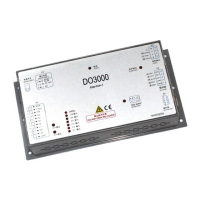
User’s Guide of DO3000 Door Operator
Lead the green future All rights reserved © OTIS 38/48
Step 1: For HAA24360G1/ HAA24360G2/ HAA24360G4/ HAA24360G5/ HAA24360G6/ HAA24360G7/
HAA24360G9/ HAA24360G10/ HAA24360G11 controller components, enter 3312, and confirm that
Feedback mode should be set to 1; for HAA24360G3/HAA24360G8 controller components, enter 3312,
and confirm that Feedback mode should be set to 0.
Step 2: For HAA24360G1/ HAA24360G2/ HAA24360G4/ HAA24360G5/ HAA24360G6/ HAA24360G7/
HAA24360G9/ HAA24360G10/ HAA24360G11 controller components, enter 3311, and confirm that run
commd source should be set to 6; for HAA24360G3/HAA24360G8 controller components, enter 3311, and
confirm that run commd source should be set to 3.
Step 3: For HAA24360G1/ HAA24360G2/ HAA24360G4/ HAA24360G5/ HAA24360G6/ HAA24360G7/
HAA24360G9/ HAA24360G10/ HAA24360G11 controller components, check whether RS14 wiring is
connected reliably, whether RS14 dial code address is 53, and the open / close address settings of control
cabinet are correct.
3.6.2 Control system can not receive the arrive signal
After close or open arrive, the control cabinet does not accept the open / close arrive signal of door
operator
Step 1: In case of open or close arrive, check whether the corresponding arrive light on the controller is on,
and if so, go to Step 2, and if not, go to Step 3
Step 2: Remove P2 plug, run the door operator (i.e., operating modes 1, 2, and 6). Check whether the
P2-1 and P2-2 or P2-1 and P2-3 can be switched on/off normally, and if so, the door operator controller is
normal, and the control system signal fails (control cabinet wiring or parameter settings), and if not, the
door operator controller is damaged.
Step 3: Too large door width after learning may result in the residue of door width after open arrive. Check
whether DR half range (door width) in 3311 is consistent with the actual door width. For the center opening
door, this value is equal to about half the actual door width + 60mm, and for the side opening door, this
value is equal to the actual door width +60 mm.
3.6.3 Door does not stop when moving to the open limit
Generally, the sharp belt sliding sounds may go off, and there are two possibilities:
1. At manual operation, i.e. run commd source = 0, the door will move along a direction after 311
operation command is issued, and only stop when clear key is pressed. This is a normal
phenomenon.
2. This situation generally occurs in learning. Check whether the belt is loosened.
3. Positioning angle is not accurate, and re-positioning is necessary (pull the door to the middle)
3.6.4 Door operator repeats open/close actions
Step 1: If the arrive indicator goes on in case of open arrive, the door operator moves in place. If the door
operator is closed for no reason, check whether the control system gives the door operator the close signal
Step 2: If the arrive indicator does not go on in case of open arrive, check whether the door width is too
large. For the center opening door, this value is equal to about half the actual door width + 60mm, and for
the side opening door, this value is equal to the actual door width +60 mm
Step 3: Check whether the close arrive input and output indicators go on in case of close arrive, and check
whether the close arrive input switch is valid.
3.6.5 Door operator fails or jitters at open/close
A: Cut off the power of door operator, remove the plug P4 of motor power line, and respectively measure
the resistance between two phases. It should reach three-phase equilibrium (30 ~ 40Ω), and the
resistance between the ground and power lines should be infinite
B: In case of no multimeter, remove the plug P4 of motor power line. If door moves smoothly when pulled,
and jitters when two phases are short-circuited, the door operator is normal.
3.6.6 View the fault
View the fault code (322) with server. Fault information is as shown in the following table:
Remove the debris and confirm whether the controller is


 To Next Page
 Loading...