User’s Guide of DO3000 Door Operator
Lead the green future All rights reserved © OTIS 8/48
DISP
STATE
MODULE
SET
FUNCTION
DISP
IN
ON
OFF
GO BACK ENTER
UP
DOWN
SELOUT
ENT
CALL
TEST
D
E
F
C
B
A
7
8
9
6
5
4
1
2
3
0
GO ON
CLEAR
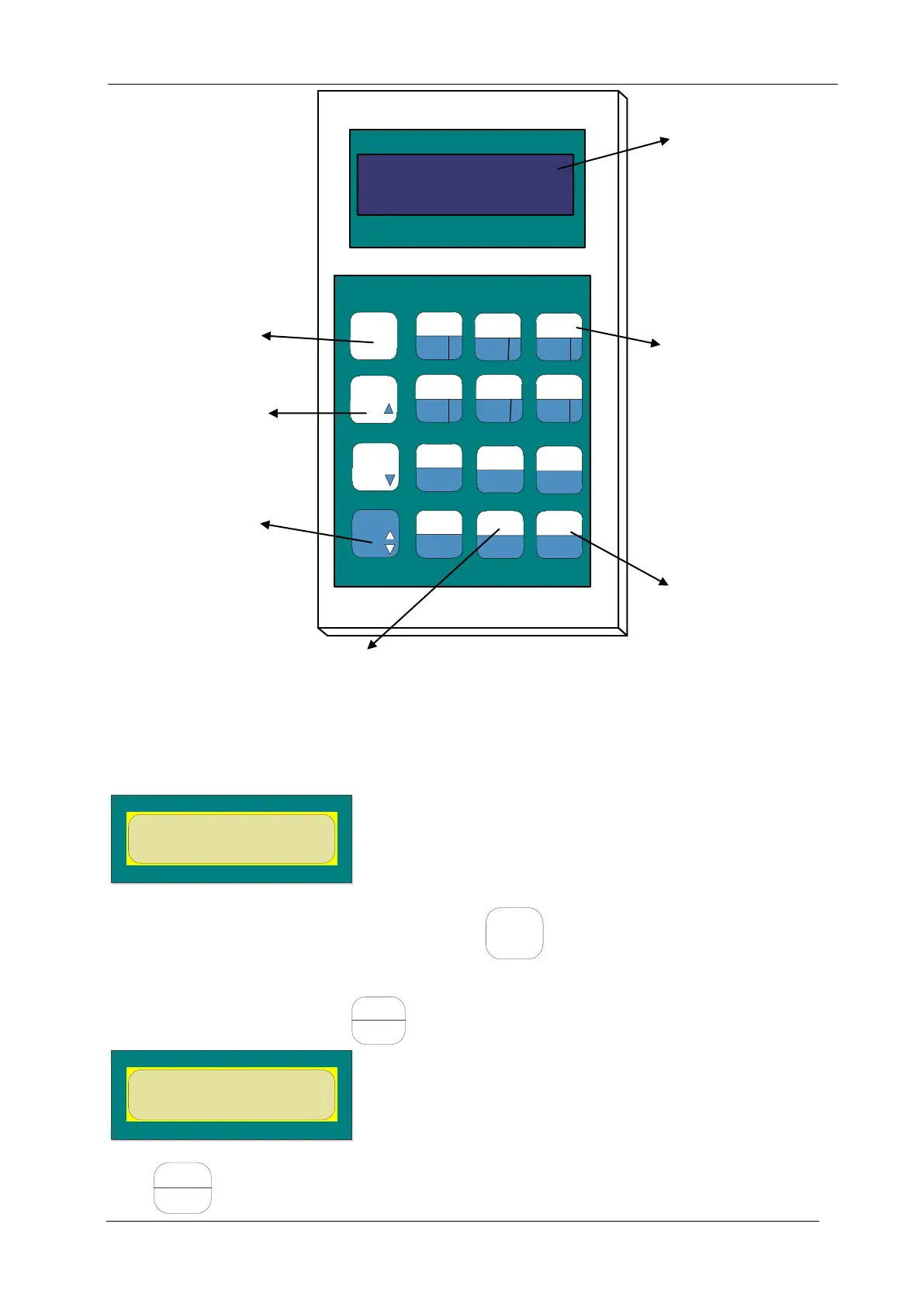
Three lines of buttons at the right side of server comprise of two rows. If you want to use the upper
functions, directly press the button; if you want to use the functions below, press the conversion key + this
button.
2.3.2 Operating Examples
After power-on, the server displays the following:
This interface is the main interface of server. Press at the upper left corner to return to this
interface.
For example: enter the curve menu (331)
In the main menu interface, press to enter the following interface:
MONITOR=1 TEST=2
SETUP=3 INSTALL=4
Press to enter the following interface:


 To Next Page
 Loading...