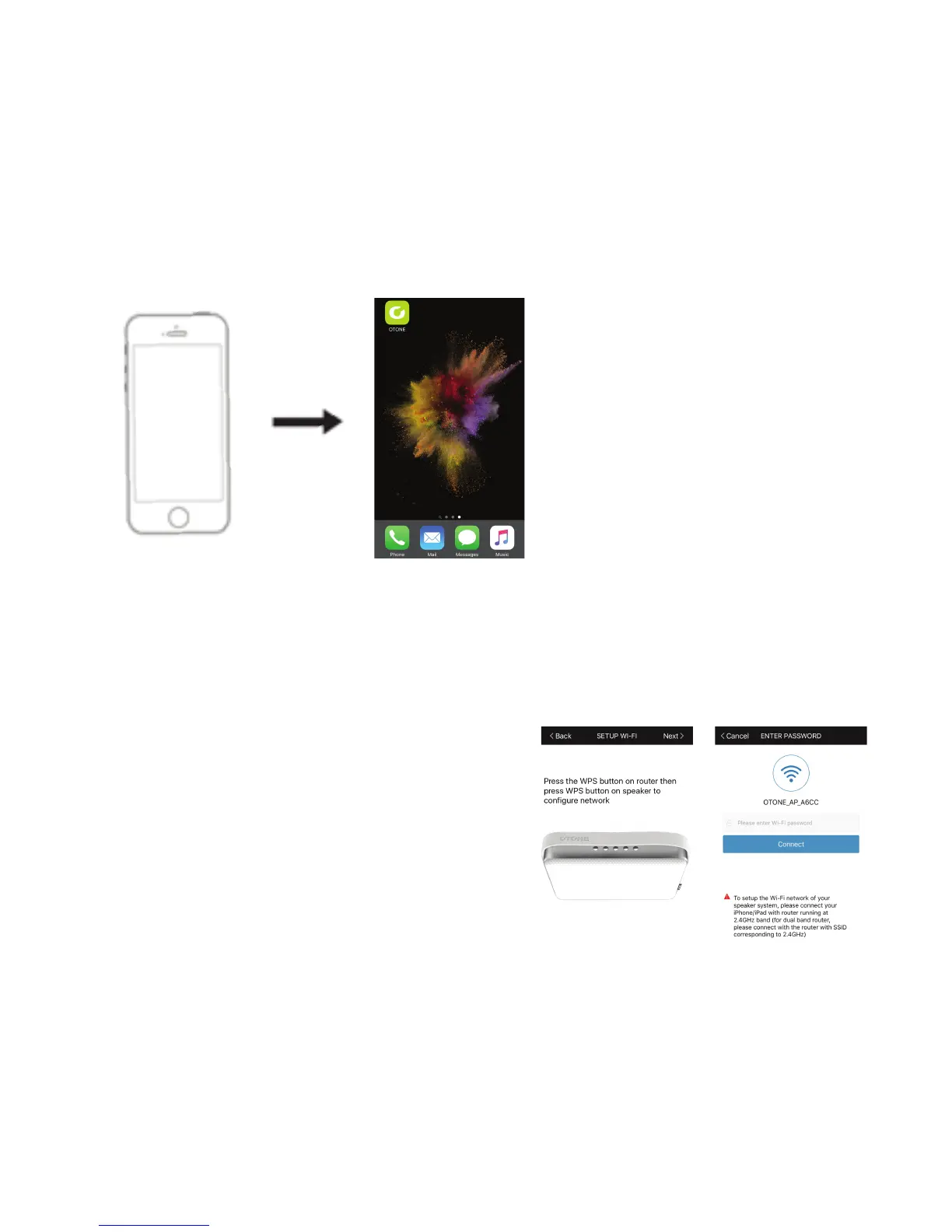
Step 3: Once connected to the network, launch the OTONE App.
Step 4: Connect your speaker to the network router. For the rst time connection, the App screen will
display “No speaker found”. This is normal. Please click “Add a Device”
Step 5: To connect your speaker, please follow the same steps as for connecting your mobile device i.e.
nd the network you want then enter the password.
Step 6: After entering the password, press
‘Yes” to connect
Step 7: When prompted to “Press the WPS
button”. Press the Vol- and Vol+ (5)&(6) buttons
on your speaker simultaneously (you will hear a
‘Beep’ from your speaker).
Then press ‘Next’ on the App.
Step 8: If you network router has a WPS button
(please refer to your router’s manual), press this
button also.


 To Next Page
 Loading...