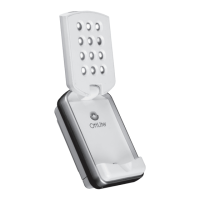
OttLite LED Flip Light
Lampe pliable à DEL OttLite
Lámpara con convertor OttLite LED
49039C 49080C 49021C 490009 490G59 49000C 459PN9
490WBC 49008C 49090C 471CMC 471KTC 471TUC 47147C
471ORCPM 47100CRN 471G5CSP 47139CFR
OttLite LED Flip Light
Lampe pliable à DEL OttLite
Lámpara con convertor OttLite LED
49039C 49080C 49021C 490009 490G59 49000C 459PN9
490WBC 49008C 49090C 471CMC 471KTC 471TUC 47147C
471ORCPM 47100CRN 471G5CSP 47139CFR
CDO-006 ACDL133 INS190494 REV032219
CDO-006 ACDL133 INS190494 REV032219
CONGRATULATIONS!
You’ve purchased the finest in natural lighting
technology with your new OttLite
®
product.
PRODUCT REGISTRATION FORM
Please complete the enclosed Product Registration
Form and return it today by mail, or register online by
going to: OttLite.com/warranty.
1. Remove product from the package.
2. Install three
(
3
)
replaceable AAA batteries
(
not included
)
per BATTERY INSTALLATION/
REPLACEMENT section.
3. To turn the light ON, flip open cover
(
A
)
. This
will release switch
(
B
)
and turn the light on
automatically.
4. To turn the light OFF, close the cover
(
A
)
until it is
secured in place and switch
(
B
)
is pushed down.
5. To attach to a belt or strap, hold open clip
(
E
)
and
slide the light over the belt or strap.
BATTERY INSTALLATION/ REPLACEMENT
Your OttLite
®
LED Flip Light is powered by 3
replaceable AAA batteries. Batteries are not included.
Warning: Keep batteries away from children. If
swallowed, promptly see doctor. Do not install
backwards, charge, put in fire or mix with other battery
types – may explode or leak causing injury.
1. To install batteries, make sure cover
(
A
)
is closed
and the light is facing down.
2. To open the battery compartment door, remove
screw (E) located above clip (F). See Figure 1.
3. Using a screwdriver, turn screw (E) counter-
clockwise. NOTE: Do not attempt to fully remove
screw from door. See Figure 1. CAUTION: If
screw is fully removed it cannot be re-inserted
causing possible safety hazard.
4. Open the battery compartment cover
(
C
)
by sliding
it away from the bottom of the light
(
Figure 1
)
, then
swing the cover open
(
Figure 2
)
.
5. Using a clean dry cloth, wipe the battery
contacts and also the contacts on the inside of the
battery compartment.
6. Install the 3 AAA batteries as indicated by the
graphic inside the battery compartment.
7. Swing battery cover
(
C
)
down then push it toward
the bottom of the light to engage tabs
(
D
)
(
Figure 3
)
and fully close.
8. Test battery installation by briefly turning on the light.
Notice: Only replace batteries as a simultaneous set
and do not mix with older batteries. Remove batteries if
consumed or if the light has not been in use for a long
period of time.
Enjoy your OttLite
®
LED Flip Light!
Safe for Children
CONGRATULATIONS!
You’ve purchased the finest in natural lighting
technology with your new OttLite
®
product.
PRODUCT REGISTRATION FORM
Please complete the enclosed Product Registration
Form and return it today by mail, or register online by
going to: OttLite.com/warranty.
1. Remove product from the package.
2. Install three
(
3
)
replaceable AAA batteries
(
not included
)
per BATTERY INSTALLATION/
REPLACEMENT section.
3. To turn the light ON, flip open cover
(
A
)
. This
will release switch
(
B
)
and turn the light on
automatically.
4. To turn the light OFF, close the cover
(
A
)
until it is
secured in place and switch
(
B
)
is pushed down.
5. To attach to a belt or strap, hold open clip
(
E
)
and
slide the light over the belt or strap.
BATTERY INSTALLATION/ REPLACEMENT
Your OttLite
®
LED Flip Light is powered by 3
replaceable AAA batteries. Batteries are not included.
Warning: Keep batteries away from children. If
swallowed, promptly see doctor. Do not install
backwards, charge, put in fire or mix with other battery
types – may explode or leak causing injury.
1. To install batteries, make sure cover
(
A
)
is closed
and the light is facing down.
2. To open the battery compartment door, remove
screw (E) located above clip (F). See Figure 1.
3. Using a screwdriver, turn screw (E) counter-
clockwise. NOTE: Do not attempt to fully remove
screw from door. See Figure 1. CAUTION: If
screw is fully removed it cannot be re-inserted
causing possible safety hazard.
4. Open the battery compartment cover
(
C
)
by sliding
it away from the bottom of the light
(
Figure 1
)
, then
swing the cover open
(
Figure 2
)
.
5. Using a clean dry cloth, wipe the battery
contacts and also the contacts on the inside of the
battery compartment.
6. Install the 3 AAA batteries as indicated by the
graphic inside the battery compartment.
7. Swing battery cover
(
C
)
down then push it toward
the bottom of the light to engage tabs
(
D
)
(
Figure 3
)
and fully close.
8. Test battery installation by briefly turning on the light.
Notice: Only replace batteries as a simultaneous set
and do not mix with older batteries. Remove batteries if
consumed or if the light has not been in use for a long
period of time.
Enjoy your OttLite
®
LED Flip Light!
Safe for Children
ENGLISH
ENGLISH
E
F
D
Figure 4 / Imagen 4
Figure 1 / Imagen 1
Figure 3 / Imagen 3
A
B
Figure 2 / Imagen 2
C
E
F
D
Figure 4 / Figura 4
Figure 1 / Figura 1
Figure 3 / Figura 3
A
B
Figure 2 / Figura 2
C


 To Next Page
 Need help?
 General