EasyManua.ls Logo

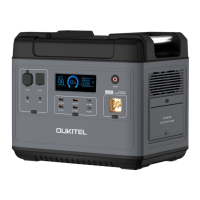
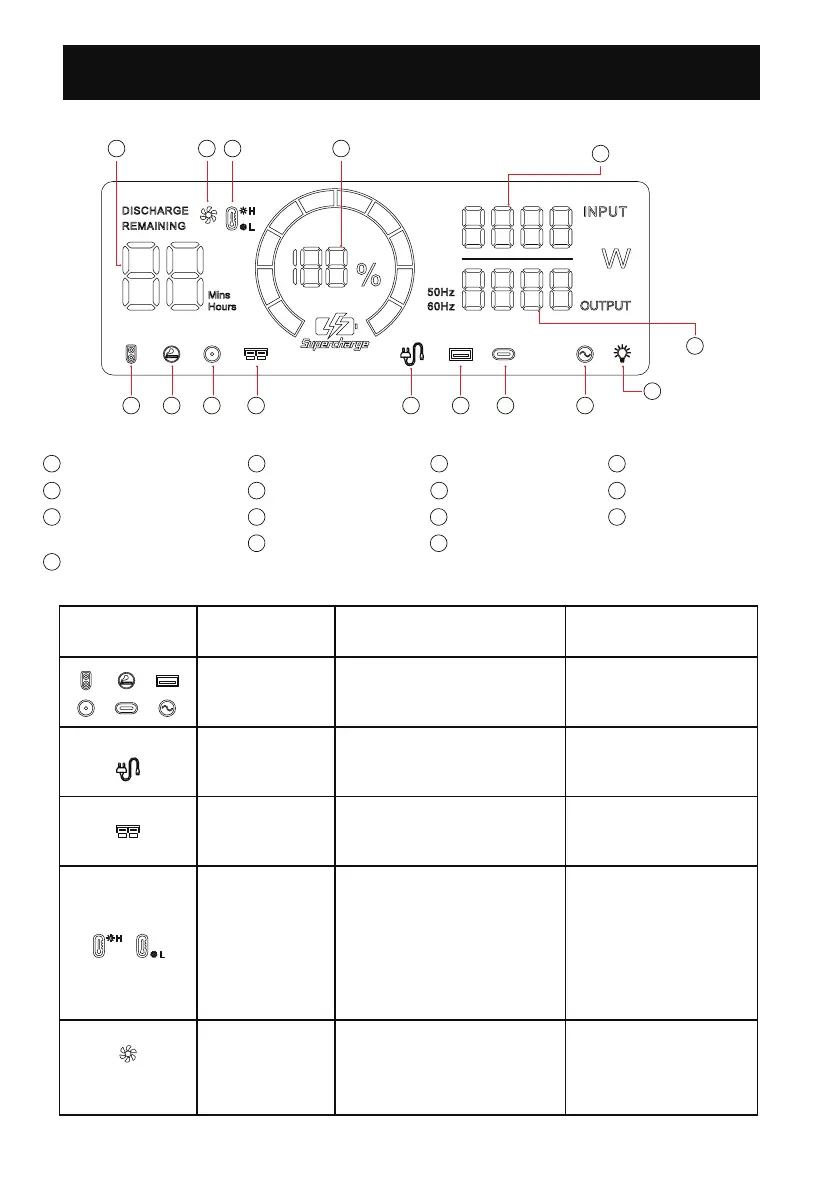
OUKITEL P2001 - Display Icon Introduction; Understanding Display Icons

OUKITEL P2001
28 pages
Print Icon
To Next Page IconTo Next Page
To Previous Page IconTo Previous Page
Loading...
6
1 2 3 4
5
7
89101112131415
1
Charging/using time
2
Fan state
3
High/low temperature
protection
4
Power percentage
9
Type-c output
10
USB output
11
AC charging
12
Anderson charging
13
DC output
14
Cigar lighter output
15
XT-60 output
Display icon introduction
6
Total output power
7
LED light
8
AC output
5
Total input power
5
Icon Status Explanation Recover method
icon blinking
icon blinking
The icon corresponds to
the port short-circuit and
overload protection
Power Grid abnormal
Remove the load and
press the key to return
to normal
Check whether there is
an abnormality in the
power grid
icon blinking Input voltage is too high
Check whether the
input voltage is too
high
icon light up
On behalf of the
temperature rise, the
machine starts to dissipate
heat normally
icon light up
When H light up, the
temperature is high, and
when L light up, the
temperature is low.
The device may start the
smart protection program
and stop working
Need to wait for the
machine to return to
the normal
temperature range to
continue working

Related product manuals