5
Card Management
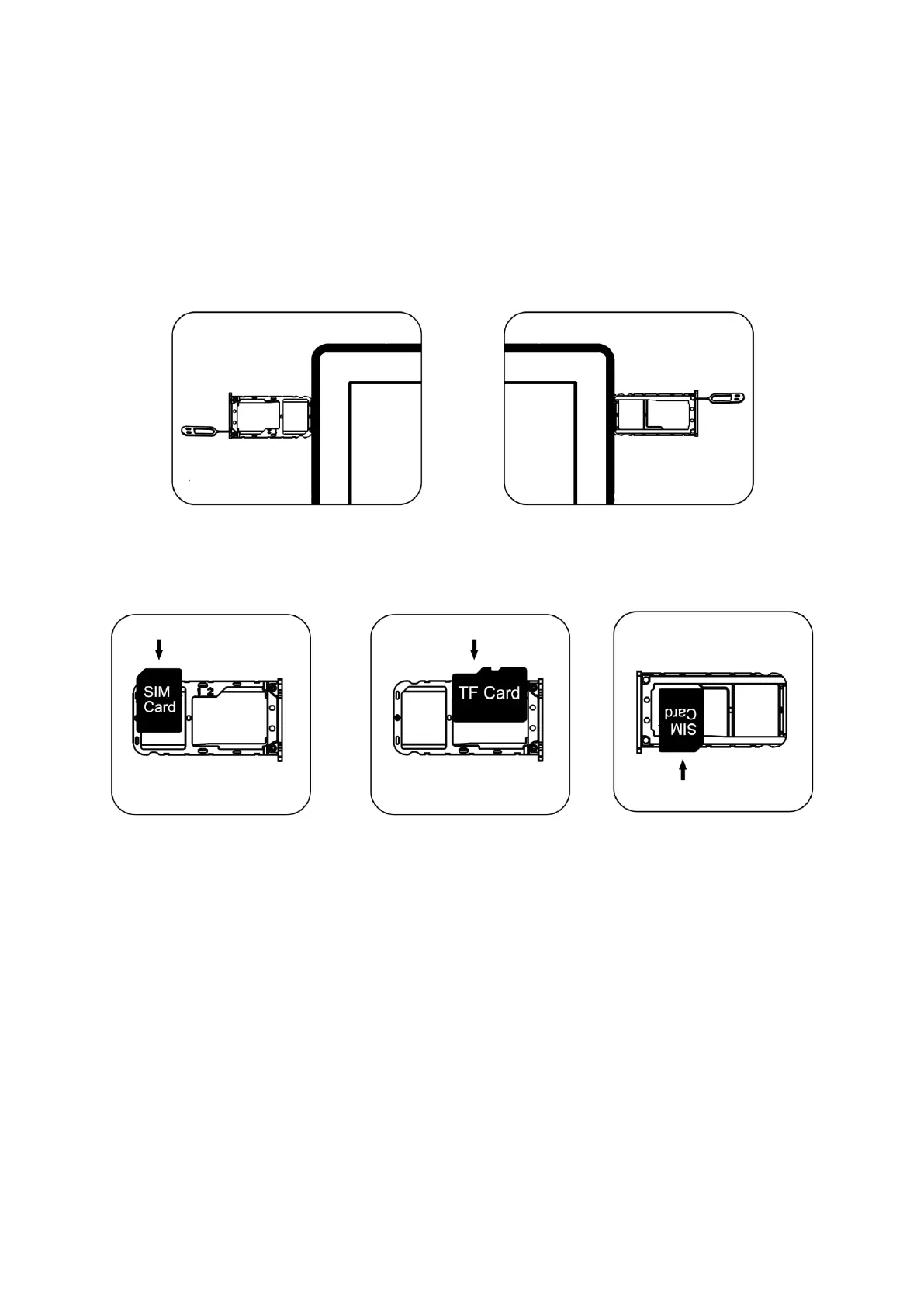
To make sure your device is able to make calls, insert the SIM card according to the
provided instructions.
First, insert and press the pin into the hole on the side of the device to pop out the card
tray.
Take out the card tray and insert either two Nano SIM cards or one SIM card and one
memory card, ensuring the metal side faces downward. Align the bevel angle of the card
slot with the SIM for a proper fit.
Finally, insert the card tray back into the device.


 To Next Page