7
How to insert SIM card and microSD card
To ensure that your smartphone is capable of making calls, please follow these steps for
inserting the SIM card in the correct order:
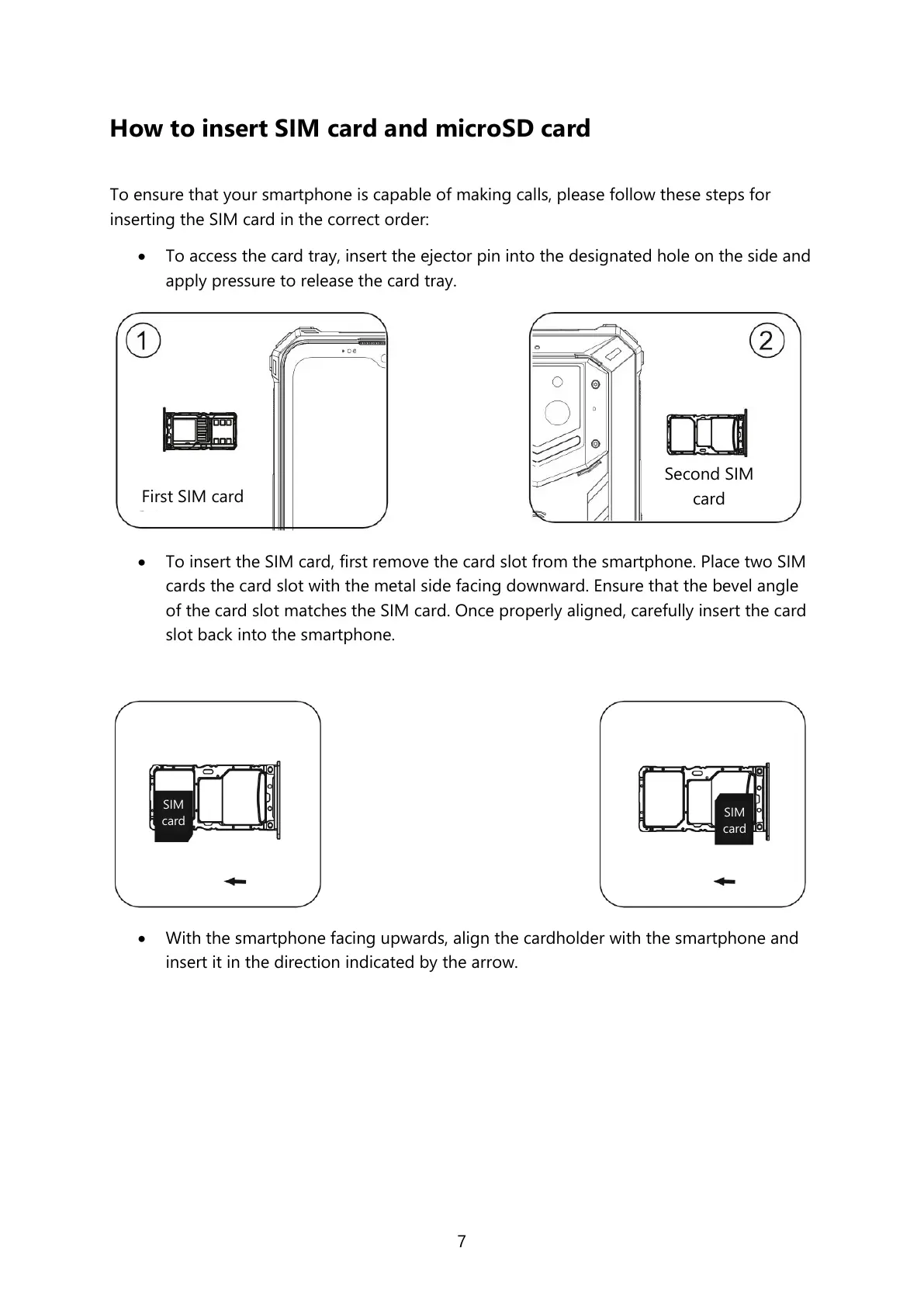
To access the card tray, insert the ejector pin into the designated hole on the side and
apply pressure to release the card tray.
To insert the SIM card, first remove the card slot from the smartphone. Place two SIM
cards the card slot with the metal side facing downward. Ensure that the bevel angle
of the card slot matches the SIM card. Once properly aligned, carefully insert the card
slot back into the smartphone.
With the smartphone facing upwards, align the cardholder with the smartphone and
insert it in the direction indicated by the arrow.



 To Next Page