EN
11
User manual:
Individual parameters, description by figures and design in the manual may differ depending on the version and updates.
Printing errors reserved.
Update your device as soon as a new version of software is available.
The warranty sheet and the user manual are included in the phone package.
Update your device as soon as a new version of software is available.
The buyer is obliged to provide a serial number on the warranty card as well as in the delivery note and the proof of
purchase. In this context, the buyer acknowledges that unless the serial number of goods is not marked on the proof of
purchase, delivery note and in the warranty card and therefore it cannot be possible to compare this serial number
marked on goods and its protective packaging with the serial number stated in the warranty card, delivery note and the
proof of purchase and thus to verify that the goods runs from the seller, the service center is competent to claim such a
goods automatically and reject it immediately. The buyer must instruct all persons to whom the goods would be
subsequently sold. Product complaints do with your dealer.
Safety use:
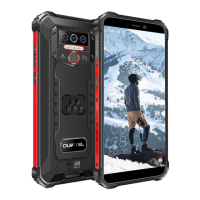
WP32 has an increased resistance. However, it is not mechanically undestroyable.
The display is made of tempered glass, which ensures higher resistence against scratches. When dropped on a hard
surface or sharp object, it may crack. The display cracked due to mechanical damage or improper misuse of the device
is not covered by warranty.
The WP32 has the IP68, IP69K certification under ISO 20653:2013 standard.
(According to producer 1,5 m depth for 30 minutes, IP68 resistance does not apply to salt water.)
The IP68 protection does not guarantee 100% resistance to water in all conditions.
We also recommend to not to charge the phone and dry the phone´s connector after contact with water or other liquid
with the adequately warm air flow (up to 40°C).
Always keep the input of the charging jack tightly closed with cap when not charging the phone.
The warranty is not applied to an intentional damage to the phone.
Warning - the microphone is located on the bottom of the phone, when overlapped (eg with your hand), the other side
will not hear or will hear very poorly.
Installation of NANO SIM and microSD cards
Turn off your phone before installing cards.
1. Carefully pull out the SIM or microSD card slot from the side of the phone using the SIM card eject clip. Then carefully
pull it out of the buckle.
Insert the cards into the slots until they click into its place, and put the slot back into the phone.
2. The phone can use 2x NANO SIM or 1x NANO SIM and 1x microSD card.
Charging the battery:
Before putting your phone into service you must recharge its battery for 100%.
1. Connect the adapter to the charger. Please do not use violence, when plugging the connector. Keep plugging the
USB-C connector from the correct side.
2. Connect the charger to the wall outlet.
3. If the battery is fully charged, disconnect the phone from the charger.
Switching the phone on / off / sleep mode
Make sure that the phone has a SIM card and the battery is fully charged.
Press and hold the ON/OFF button to switch on the phone.
Switch off the phone by pressing and holding ON/OFF button and select Power off, later OK.
Press shortly ON/OFF button to switch the phone over to the sleep mode.
Safety Precautions:
Do not use your phone while driving
Do not use your phone at the petrol stations.
Hold the phone at least 15 mm from your ear and body.
The phone produces a bright or flashing light.
The small parts of the phone can cause suffocation.
Do not expose your phone to open fire.
The phone can produce a loud sound.
The phone is not resistant to fillings.
Avoid exposure to magnetic fields.
Keep the phone away from medical devices.
On request, turn off your phone in hospitals and other medical facilities.
Keep the phone dry.
On request, turn off the phone at airports and on planes.
Do not dismantle the phone.
Turn off the phone in the vicinity of explosive materials and chemicals.


 To Next Page
 Loading...