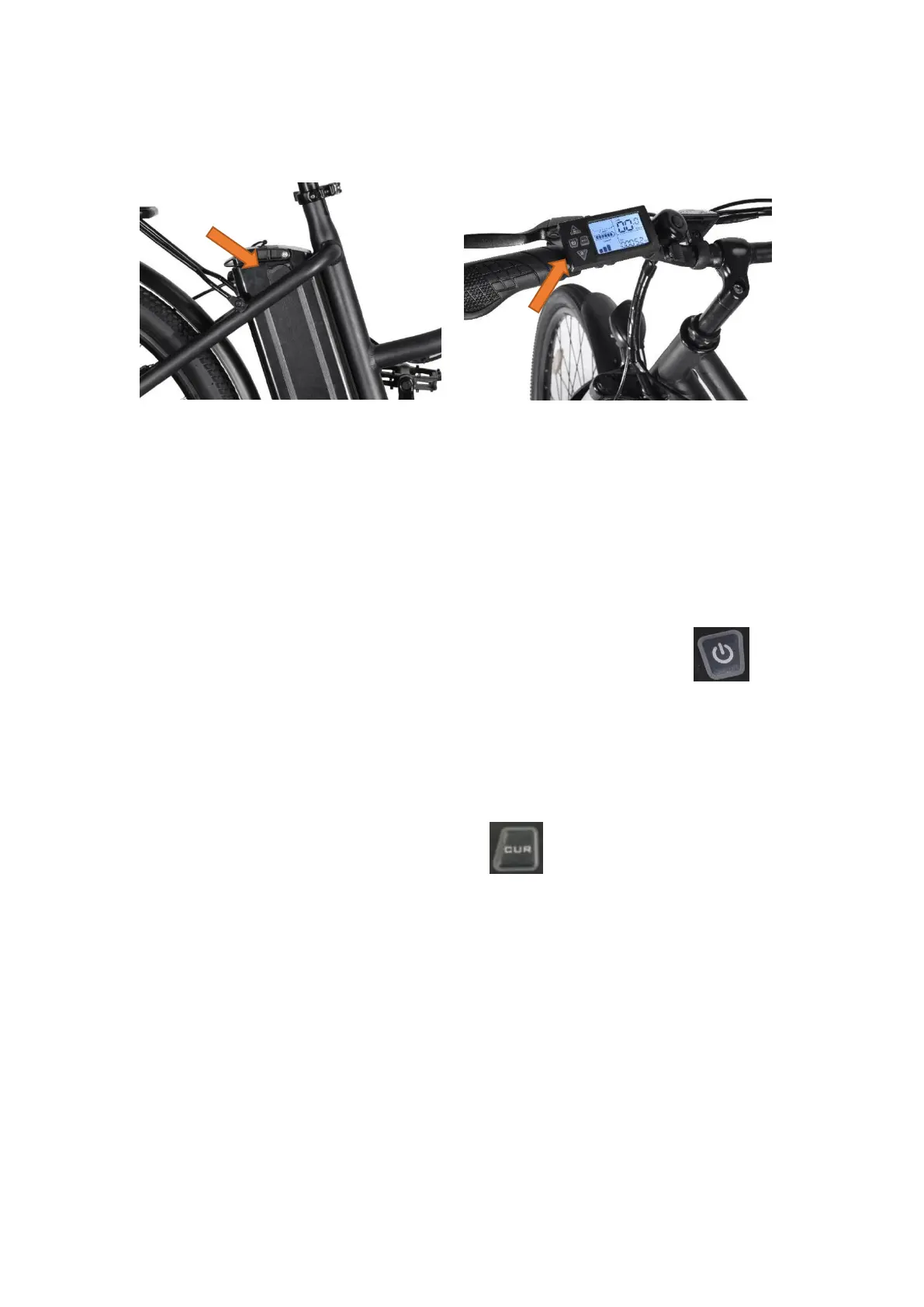
figure 1 figure 2
Function introduction:
1. Charging: Open the plastic cover on the battery ( Figure 1), connect the charger to start
charging, when the battery is full and the charger indicator turns from red to
yellow-green, it means it is fully charged.
2. Turn on: Turn on the battery switch; refer to Figure 2, press and hold the key
to turn on/off the power.
3. Power display: The dashboard lights up after power on, displaying power. The power is
displayed in 6 grids, corresponding to high, medium, and low power.
3. Front light: Refer to Figure 2, short press the key to turn on/off the front light.
5. Start: When riding with power assist, step on the sprocket of the car and start the motor
assist after a certain speed. If you don't need motor assistance, you can turn off the
power or turn off the battery or set the instrument to 0 gear.



 To Next Page