FXR Power Supply/Control Board Replacement Instructions
Circuit Board Instructions
To replace the power supply/control board:
1. Disconnect power. Turn off all DC and AC sources to the inverter.
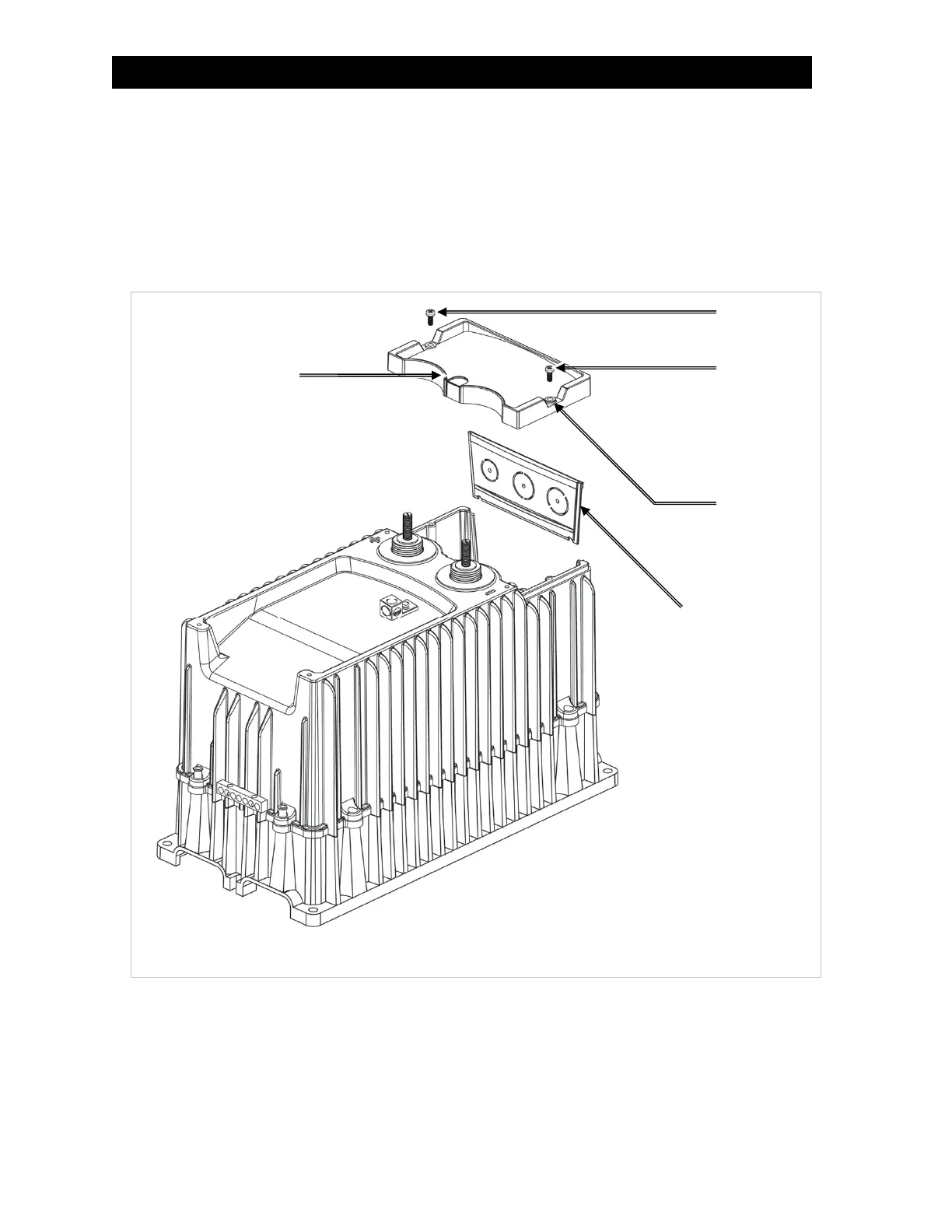
2. Remove the DC Cover or Turbo Fan. Remove the battery terminal covers. Using a #2 Phillips
screwdriver, remove the two screws attaching the AC Cover as shown in Figure 1. Remove the rubber
washers, rubber grommet, and AC Cover as shown in Figure 1.
Figure 1 AC Cover & Access Plate
3. Remove the AC Plate. See Figure 1.
4. Disconnect all AC and DC wiring to the inverter. Using a meter, verify that no AC or DC voltage is
present.
Grommet
Screw
Washer
AC Plate
Screw


 To Next Page