S3 User Guide 62 PN 875-0196-000 Rev C1
Chapter 6: Communicating with Third Party Applications
Available Applications
You can share Outback DGPS signals with third-party mobile applications. Any
application designed to receive DGPS signals from an external receiver over an
RS-232 serial interface using either NMEA 0183 or RTCM will work with the S3. NMEA
2000 messages are also available over the CAN bus. Various cables and kits are
available for specific applications such as yield monitors, rate controllers, laptops,
PDAs, etc. For successful communication both the S3 and the external application
must be configured to communicate similarly. Many applications can use the default
settings, while some applications may require changes to the default settings.
Changing Default Settings
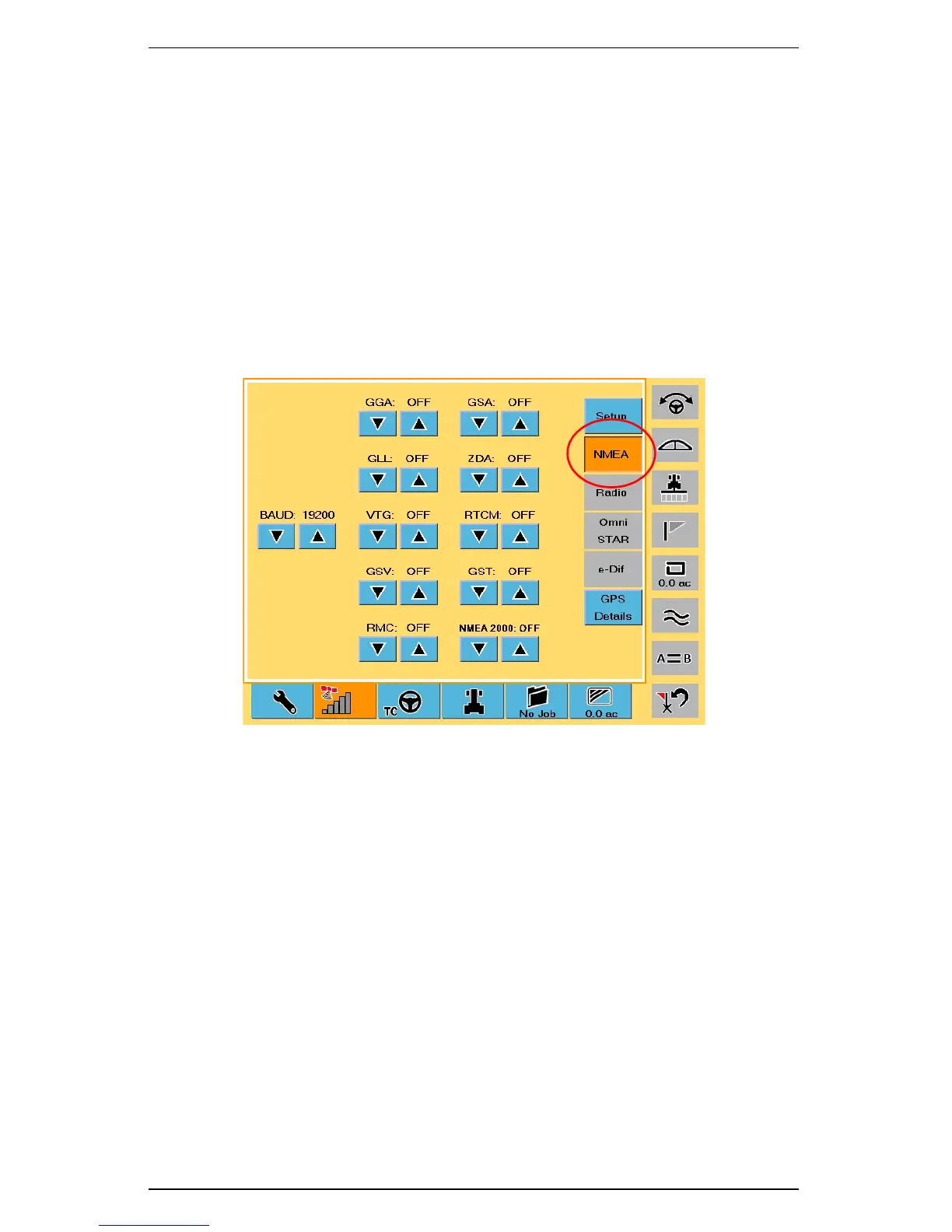
You use the NMEA screen (Figure 6-1) to change the default communication settings.
Figure 6-1: NMEA screen
To display the NMEA screen:
• On the GPS tab touch the NMEA button.
The following options are available: (Default options are in bold)
BAUD: 57600, 19200, 9600, 4800
GGA RATE: OFF,.2 Hz, 1 Hz, 5 Hz, 10 Hz
GLL RATE: OFF,.2 Hz, 1 Hz, 5 Hz
VTG RATE: OFF,.2 Hz, 1 Hz, 5 Hz
GSV RATE: OFF,.2 Hz, 1 Hz
RMC RATE: OFF,.2 Hz, 1 Hz, 5 Hz
GSA RATE: OFF,.2 Hz, 1 Hz
ZDA RATE: OFF,.2 Hz, 1 Hz, 5 Hz
RTCM RATE: OFF, 1 Hz
GST RATE: OFF,.2 Hz, 1 Hz, 5 Hz
NMEA 2000: OFF, ON (CAN output messages)
If you select a higher output rate (5 HZ or 10 HZ), you must also select a faster NMEA
PORT BAUD (57600 or 19200) for proper communication.



 To Next Page
 Loading...