TALK
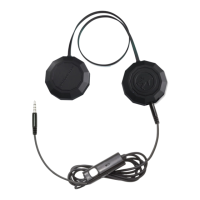
The built-in microphone on the in-line means that you
can answer phone calls with your Chips®.
Good for you.
The following are tips on how to use your Chips® button
to speak on the telephone:
Answer a call............. Press right ear button
End a call................... Press right ear button
Decline a call............. Press and hold the right ear
button for two seconds
Make a call................ Use your phone to dial as usual
Listen & talk through the Chips®
or use Siri/Voice Activation to do
so.
Mute/cancel mute
during a call.............. Turn down the volume wheel /
Turn up the volume wheel
Volume up during a
call.......................... Turn up the volume wheel
Volume down during
a call........................ Turn down the volume wheel


 To Next Page