EasyManua.ls Logo

Outlaw RR 2160 - User Manual

Outlaw RR 2160
32 pages
Print Icon
To Next Page IconTo Next Page
Loading...
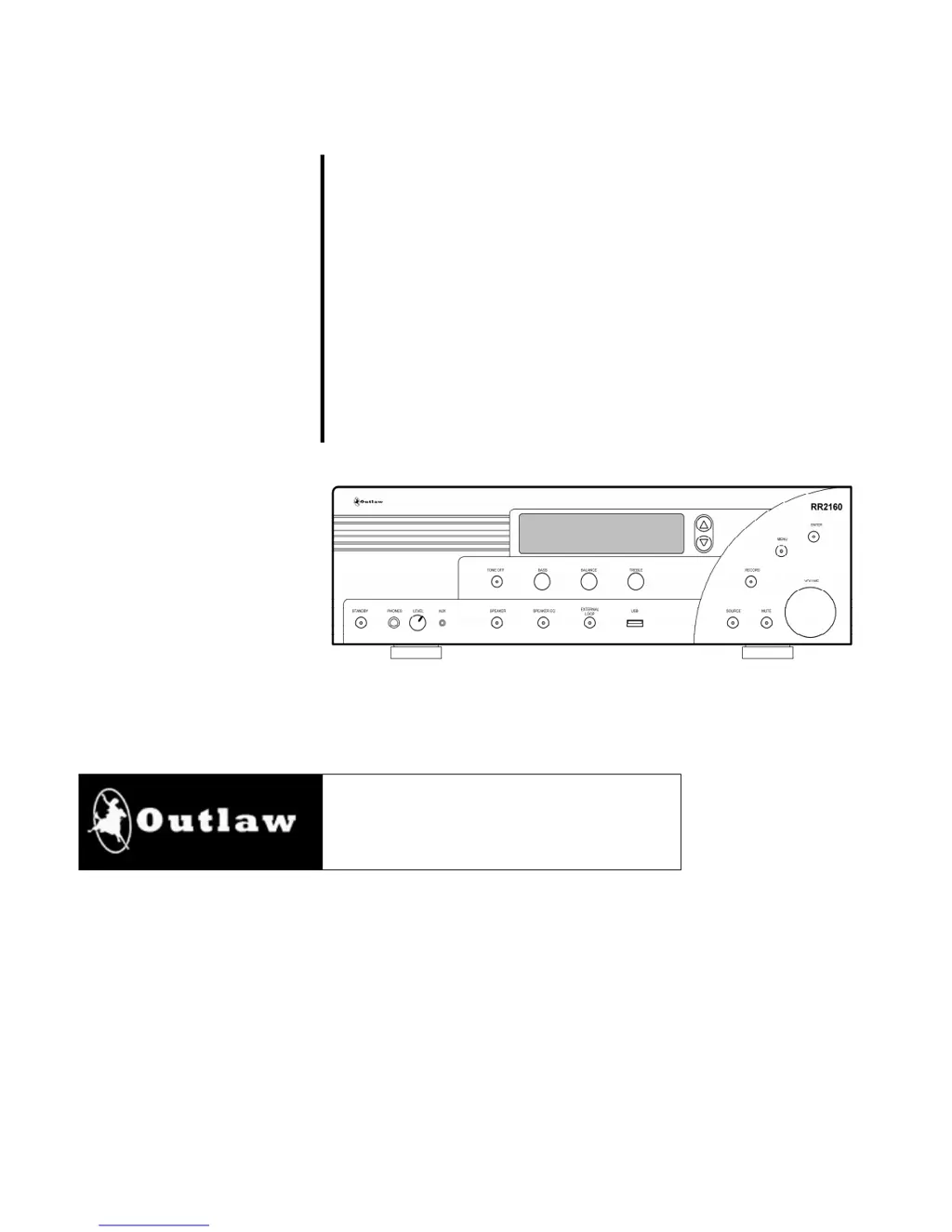
RR 2160
Stereo RetroReceiver
®
Owner’s Manual
Version 1.0

Questions and Answers

  • S
    Sharon SimsJul 27, 2025
    What to do if there is no sound from one or both channels on my Outlaw RR 2160?
    • T
      Todd WardJul 27, 2025
      If you are experiencing a lack of sound from one or both channels on your Outlaw Receiver, the issue might stem from poor connections or an incorrect speaker mode. Ensure that all interconnects to the amplifier and speakers are properly connected. Also, verify the speaker selector to confirm that the connected speakers are turned on.
  • Z
    Zachary WilliamsAug 1, 2025
    Why is my Outlaw RR 2160 Receiver not responding to remote commands?
    • C
      contrerasjuanAug 1, 2025
      If your Outlaw Receiver isn't responding to remote commands, it could be due to low battery power in the remote or an obstruction of the remote sensor. Try changing the batteries in the remote. Also, make sure that the front-panel remote sensor is not blocked, or connect an external remote sensor.
  • L
    Lisa JacksonAug 6, 2025
    How to fix an Outlaw Receiver that does not turn on?
    • K
      kimberlyfarrellAug 6, 2025
      If your Outlaw Receiver does not turn on when you press the remote or front panel buttons, the issue might be related to the power supply. Ensure that the AC power cord is properly plugged into a live outlet. Also, verify that the MAIN POWER switch on the rear panel is turned ON.
  • K
    kimberlypatelAug 11, 2025
    Why is there intermittent buzzing in my Outlaw Receiver tuner?
    • M
      Matthew CookAug 11, 2025
      If you're hearing intermittent buzzing in the tuner of your Outlaw Receiver, it could be due to interference from local sources. Try moving or relocating the antenna. Also, move the antenna or the unit away from computers, fluorescent or neon lights, or appliances with motors.
  • T
    Tanya LeeAug 16, 2025
    What to do if the Internet Radio station list seems incomplete on my Outlaw RR 2160 Receiver?
    • E
      ehenryAug 16, 2025
      If the Internet Radio station list on your Outlaw Receiver appears incomplete, it might be due to incorrect filter settings. Press the MENU button to adjust the station filter for Location, Genre, or Podcasts.
  • A
    Aaron MillerAug 21, 2025
    Why doesn't my Outlaw RR 2160 appear on the list of devices for DLNA Media Controller?
    • C
      Charles GreenAug 21, 2025
      If your Outlaw RR 2160 is not appearing on the list of devices for the DLNA Media Controller, it's likely because the input is not set to DLNA-DMR. Change to the DLNA-DMR input before attempting to select the RR 2160 in the media controller software.

Summary

Important Safety Information

Risk of Electric Shock Warning

Warning to prevent electric shock by not removing the cover. Refer to qualified personnel.

General Safeguards

Instructions to reduce the risk of fire, electric shock, and injury during operation and maintenance.

Appliance Safety Precautions

Power Cord and Lightning Safety

Guidelines for power cord handling, protection from lightning, and surge protection.

Cleaning, Overloading, and Servicing

Proper cleaning, avoiding overloading, and servicing by qualified personnel are crucial.

Important Safety Notes and Voltage Verification

Key safety advice, including connecting components, and verifying line voltage before use.

RR 2160 Front Panel Controls

RR 2160 Rear Panel Connectors

RR 2160 Rear Panel Connectors (Continued)

Remote Control Functions

Remote Control Functions (Continued)

Subwoofer and Bass Management

Bass Management System Overview

Describes the RR 2160's custom bass management system and crossover options.

Subwoofer Connection Options

Powered and Passive Subwoofer Setup

Guides for connecting powered and passive subwoofers using different modes.

External Amplifier Connection Options

Using External Amplifier Only

Connects the RR 2160 pre-outs to an external amplifier for expanded power.

Using External and Internal Amplifiers

Connects both internal and external amplifiers for multiple speaker sets.

RR 2160 Operation Basics

Powering On and Standby Mode

Instructions for turning the unit on and placing it into standby mode.

Source Selection and Volume Adjustment

Guides on selecting audio sources and adjusting the volume level.

RR 2160 Operation Details

Speaker Selection and EQ Adjustment

How to select speaker pairs (A/B) and use the Speaker EQ feature.

Tone Control Adjustment and Defeat

Explains how to adjust bass and treble controls and disable them.

RR 2160 Operation Advanced

Balance Adjustment and Headphone Use

How to adjust left-right balance and use headphones for private listening.

Recording and Monitoring Audio

Instructions for recording audio from any input source and monitoring the recording.

Tuner Operation Guide

Memorizing and Tuning Radio Stations

Programming Favorite Stations into Memory

Steps to save up to 20 stations into memory for quick recall.

Playing Audio Files from USB

Computer and Network Audio Playback

Troubleshooting Common Issues

Power and Remote Control Problems

Solutions for unit not turning on and unresponsive remote commands.

Tuner Buzzing and Audio Output Issues

Troubleshooting intermittent buzzing and lack of audio output.

Connectivity and Network Troubleshooting

Solutions for DLNA device recognition and incomplete internet radio lists.

RR 2160 Technical Specifications

Audio and Tuner Section Specs

Detailed specs for audio amplification, input sensitivity, and tuner performance.

General and Power Specifications

Covers power supply, consumption, trigger output, dimensions, and weight.

Outlaw Audio Limited Warranty

Outlaw RR 2160 Specifications

General IconGeneral
TypeStereo Receiver
DAC24-bit/192kHz
Input Impedance47 kOhms
Damping Factor>100
Speaker Impedance4 - 8 Ohms
Frequency Response20 Hz - 20 kHz
OutputsSpeaker, Subwoofer, Headphone
BluetoothYes
Input Sensitivity200mV (Line)
Power Output (8 Ohms)110 Watts RMS x 2, 20 Hz – 20 kHz, <0.03% THD, both channels driven into 8 Ohms
Power Output (4 Ohms)165 Watts RMS x 2, 20 Hz – 20 kHz, <0.03% THD, both channels driven into 4 Ohms