Need help?
Do you have a question about the oventrop R-Tronic RT B and is the answer not in the manual?
Introduces the wireless thermostat and receiver system for temperature control of surface heating systems.
Details the components included for each R-Tronic model and the R-Con wireless receiver options.
Lists and describes optional accessories for the wireless thermostat and receiver, including power packs and repeaters.
Explains the manual's purpose, target audience, and general advice for installation and use.
Provides contact information for Oventrop GmbH & Co. KG, including phone, fax, and email.
Outlines essential instructions for storing the climate device/control and wireless receiver to maintain product integrity.
Defines the specific applications and intended use of the "R-Tronic" thermostat and "R-Con" receiver.
Details critical safety measures, potential hazards, and necessary precautions during installation and operation.
Explains the meaning of DANGER, WARNING, CAUTION, and NOTICE symbols used in the manual.
Addresses health considerations related to high-frequency emissions from wireless sensors, noting suitability for residential areas.
Provides a summary of the "R-Tronic" and "R-Con" system, detailing its function and different models.
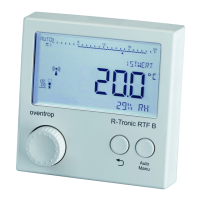
Details the meaning of symbols on the R-Tronic display and explains the function of the control buttons like Menu and Auto/Manu.
Provides a visual guide and explanation for various symbols displayed on the "R-Tronic" thermostat screen.
Shows and labels the front and rear perspectives of the "R-Con" wireless receiver, highlighting key features.
Illustrates the summary of an 8-channel "R-Con" system, detailing control modules and their connections.
Provides detailed technical specifications including power supply, display, radio frequency, and operating ranges for R-Tronic models.
Details the technical specifications for the "R-Con" bidirectional wireless module and the "R-Con T 2P" control module.
Outlines the technical data for the "R-Con Logic" module and states compliance with EU directives.
Provides essential advice for installing the "R-Tronic" thermostat, focusing on location and air circulation.
Explains how material types and spatial factors can reduce radio range and discusses potential solutions like repeaters.
Guides users through inserting batteries and attaching the fixing plate for battery-operated "R-Tronic" models.
Details the installation process for the "RTFC K" model with a flush-mounted power pack, emphasizing electrical safety precautions.
Explains how to install the "RTFC K" model using the mains adaptor and table stand, with a note on battery removal.
Provides step-by-step instructions for fixing the "R-Con" wireless receiver onto a standard mounting rail.
Details how to operate the recessed rotary switches on the "R-Con" receiver for configuration and settings adjustments.
Guides on safely connecting actuators to the "R-Con" control modules, emphasizing electrical safety and qualified personnel.
Details the installation of supplied cable bridges for connecting the "R-Con" modules, including specific terminals for 230V.
Provides detailed instructions for cabling electrothermal actuators for both 230V/50-60Hz and 24V AC/DC power supplies.
Guides on adding further control modules to the "R-Con" receiver to expand its functionality, stressing safety.
Details the physical placement and connection of extension modules to the "R-Con" receiver.
Instructs on setting the rotary switches on new modules and the main receiver to detect and integrate them.
Details the process of cabling the logic module to control the burner via a signal line, including safety warnings.
Guides on connecting the pump to the logic module of the wireless receiver, with emphasis on correct wiring and safety.
Provides crucial safety instructions for connecting the wireless receiver to the 230 V mains supply, emphasizing qualified electrician requirements.
Presents comprehensive connection diagrams illustrating wiring for both 230V AC and 24V AC/DC systems.
Details how to connect the antenna for better reception and explains the use of wireless repeaters to extend signal range.
Guides the user through setting the date and time on the "R-Tronic" thermostat, a prerequisite for system setup.
Details the step-by-step procedure for adapting "R-Con" channels to the "R-Tronic" thermostat, creating radio communication.
Explains how to confirm the successful completion of the "teach-in" process and what to do for subsequent channels.
Provides guidance on what to do if the "teach-in" process fails and how to navigate the menu for troubleshooting.
Details the procedure for terminating the radio communication between an "R-Tronic" and an "R-Con" channel, useful for replacing devices.
Guides on how to reset the "R-Con T 2P" control module to its original factory settings, including necessary follow-up steps.
Details the process for deleting individual "R-Tronic" thermostats from the "R-Con" system, useful for replacement or removal.
Explains the "emergency operation" function for protecting pipework against frost in case of malfunctions.
Describes how to influence the system's response to heat demands by selecting between PWM and two-point control modes.
Illustrates different PWM control scenarios (examples 1a-c) showing actuator behavior based on temperature deviations and parameter settings.
Explains how lower or higher PWM parameter settings affect heating speed and potential overshoots, with examples 2 and 3.
Details how to set PWM values using the rotary switch and explains the selection of hysteresis for two-point control.
Explains the pump logic function, which uses switch-on (AV) and switch-off (RV) delays for efficient heating pump operation.
Details how to set the switch-on delay (AV) and switch-off delay (RV) for the pump using the rotary switches on the logic module.
Describes the burner logic function, which prevents burner nozzle wear by setting a follow-up time for heat demands.
Explains how to activate and switch between standard heating profiles like PROFILE ON, PROFILE OFF, and PROFILE DAY/NIGHT.
Details how to activate the PROFILE DAY/NIGHT mode for automatic temperature adjustment between day and night.
Guides on directly setting the desired room temperature using the "NOMINAL SETTING" function on the "R-Tronic".
Explains how to navigate the "R-Tronic" menu using the Menu-button for setting room temperature and profiles.
Details how to program individual heating periods (start time, temperature, end time) for specific days of the week.
Guides on setting the comfort and setback temperatures for defined heating periods, including start and end times.
Explains how to enter and activate programmed individual profiles for the "R-Tronic" to control room temperature.
Displays a 24-hour view of programmed heating/setback periods and explains how to cancel entries.
Details programming options for weekdays (MO-FR) and individual days of the week for customized heating schedules.
Guides on setting personalized comfort and setback temperatures for standard heating profiles.
Explains how to set the overall minimum and maximum temperature limits for the "R-Tronic" system.
Details how to activate and set the "vacation function" to maintain a lower setback temperature during absence.
Explains how to activate the vacation mode and how to cancel it if needed, with display indicators.
Describes how to use the "party mode" to temporarily adjust the room temperature for a specific duration.
Explains how to activate the child-proof lock and the valve protection function to prevent unintended changes and valve sticking.
Details the "Installation" submenu for setting up radio communication (Teach-In/Teach Out) between the "R-Tronic" and "R-Con".
Guides on how to subsequently change the date, time, and select the preferred menu language for the "R-Tronic".
Explains how to configure the default display view and adjust the temperature measurement with an offset.
Describes how to balance heat output between underfloor heating and radiators for optimal room climate control.
Details settings for automatic summer/winter time adjustment, display lighting control, and assigning room designations to thermostats.
Guides on restoring the "R-Tronic" to factory settings and performing a system restart, including important notes on re-establishing communication.
Explains the CO2 measurement feature on the "RTFC K" model and how to set alert thresholds for room ventilation recommendations.
Details how to access system information, version numbers, diagnostic data, and error messages via the "Information" menu.
Guides on interpreting error messages displayed on the "R-Tronic" and diagnosing issues with the wireless receiver.
Provides step-by-step instructions for removing the "R-Tronic" from its wall mount and replacing the batteries.
Covers resetting date/time after battery replacement, notes on battery types, cleaning, and proper disposal.
Lists common display messages such as SAVED, CANCELLED, ACTIVATED, and battery status indicators.
Details various error messages like NO SLAVE CONNECTED, SLAVELIST FULL, NO RESPONSE, and their potential causes and remedies.
Covers specific errors like RADIO DISTURBANCE, MEMORY DEFECT, and BUTTON DEFECTIVE, with recommended troubleshooting steps.
Presents a flowchart illustrating the complete menu structure and navigation paths within the "R-Tronic" system.
Explains the significance of air humidity measurement and presents a comfort diagram correlating humidity, temperature, and perceived comfort.
 General
| Connection | M30 x 1.5 |
|---|---|
| Control | Electronic |
| Display | LCD |
| Protection Class | IP20 |
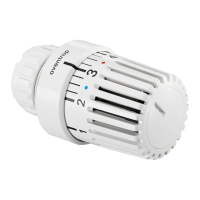
| Type | Radiator thermostat |
| Power Source | 2 x AA batteries |
| Temperature Setting | Programmable |


 To Next Page