Need help?
Do you have a question about the oventrop Regtronic RM and is the answer not in the manual?
Adherence to standards and manual's target audience.
Details on product usage, CE declaration, and compliance.
Explanation of warning symbols and guidelines for product disposal.
Detailed technical specifications of the controller, covering inputs, outputs, power, and dimensions.
Guidance on the physical installation of the controller unit to a wall.
Procedure for connecting the controller's power supply, sensors, and other electrical components.
Details on using the Oventrop S-Bus for data transfer with external modules.
Description of the SD card slot functionality for data storage and firmware updates.
Guide through the initial commissioning menu for basic system adjustments.
Process for registering connected sensors and external extension modules.
Selection and adjustment of optional functions specific to the solar system setup.
Selection and adjustment of optional functions for the non-solar components.
Configuration of heating circuits and selection/adjustment of optional heating functions.
Description of the functions assigned to each of the controller's seven operational buttons.
Instructions on navigating through menus and adjusting parameter values.
Procedure for selecting the desired menu language and system units.
Setting the controller's current time, date, and daylight saving time.
Selection of the solar system type, including collector and store configuration.
Final steps to confirm settings and prepare the controller for operation.
Selection and description of basic solar systems and their hydraulic variants.
Mapping of relays and sensors to specific functions within system configurations.
Accessing system status, measurement values, and messages.
Menu for adjusting all parameters related to the solar system.
Menu for configuring non-solar parts of the system and optional functions.
Menu for adjusting parameters related to the heating system and circuits.
Accessing and modifying general controller settings like language and units.
Operating relays manually for service, maintenance, or testing purposes.
Display of current measurement values, balance values, and operating hours.
Status overview of the solar system, including loading and optional functions.
Status of selected optional functions within the arrangement part of the system.
Status of activated heating demands, circuits, and optional functions.
Display and acknowledgement of error and warning messages.
Overview of sensor and relay allocations to components and functions.
Adjusting essential parameters for the solar part of the system, including system and variant.
Selection and adjustment of various optional functions for the solar system.
Access to advanced settings for the solar system, available with expert user code.
Configuration of standby mode and overrun time for the HX circulating pump.
Selection and adjustment of optional functions for the non-solar arrangement.
Activation and adjustment of up to two heating demands.
Configuration of internal and external heating circuits and associated components.
Selection and adjustment of optional functions for the heating part of the system.
Activation and adjustment of new heat quantity measurements.
Selection of the desired menu language for the controller interface.
Setting the current date and time for accurate controller operation.
Configuration of temperature, volume, pressure, and energy units.
Configuration for daylight saving time and resetting controller settings.
Access to SD card options: logging, storing, and formatting.
Procedure for safely removing the SD card from the controller slot.
Formatting the SD card to prepare it for data storage.
Setting the operating mode for all controller relays to Auto or Off.
Selecting operating modes (Max, Auto, Min, Off) for individual relays.
Entering and managing user codes for accessing controller functions.
Registering and configuring external modules connected to the controller.
Configuration of sensor types and individual sensor offsets.
Configuration of relay signal types (PWM, 0-10V) and minimum pump speed.
Selection of predefined PWM profiles for pump speed control.
 General
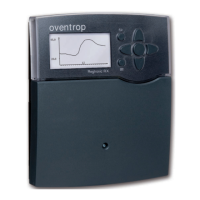
| Type | Regtronic RM |
|---|---|
| Mounting | Wall-mounted |
| Voltage supply | 230 V AC, 50 Hz |
| Protection class | IP30 |
| Control deviation | ± 0.5 K |
| Ambient temperature | 0 °C to 40 °C |
| Setpoint range | +5 °C to +30 °C |
| Installation | Surface mounted |
| Application | For controlling heating and solar thermal systems |

 To Next Page