EN
QUANTUM
ARGB FULL MODULAR POWER SUPPLY
B
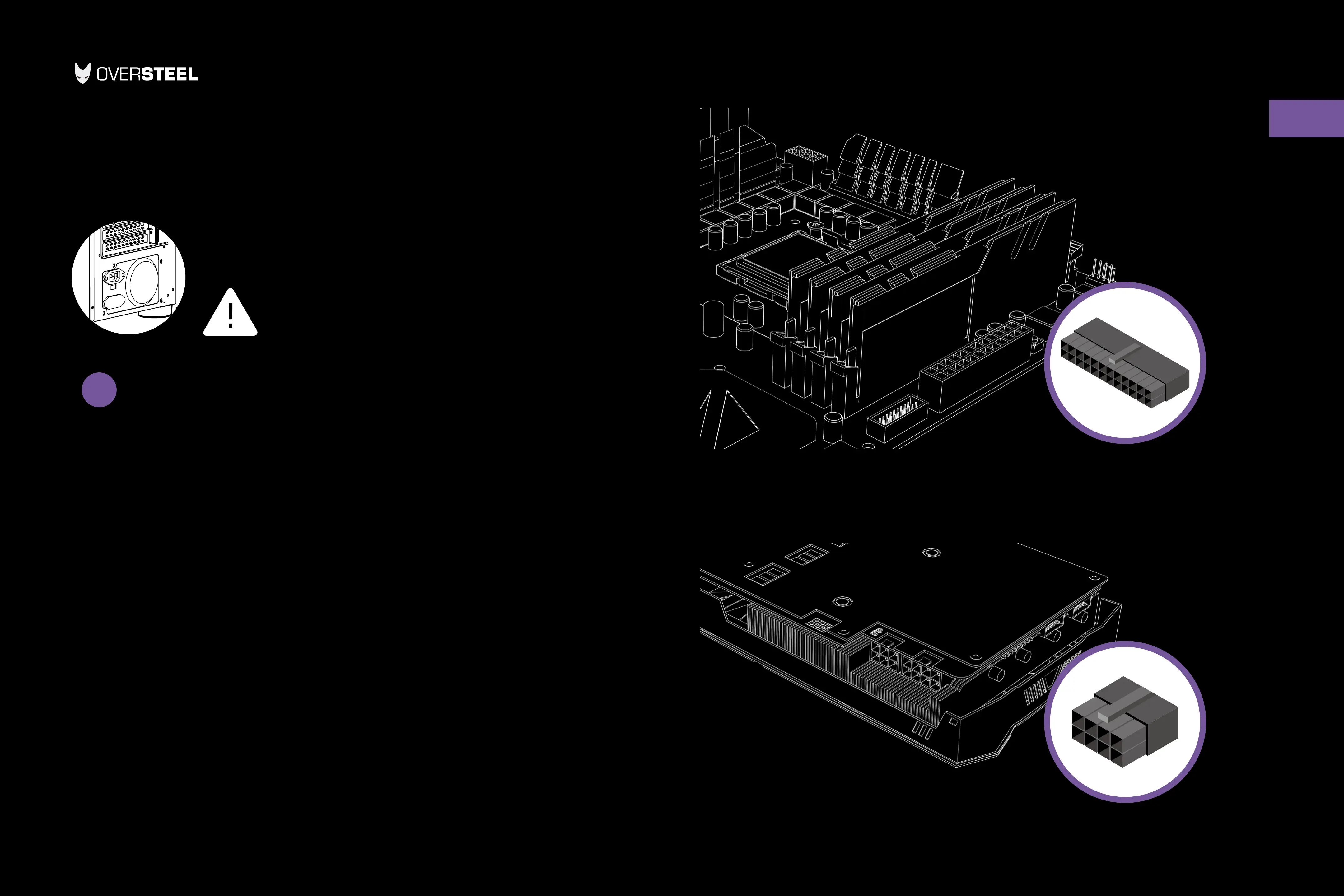
24-pin main power cable
Eight-pin +12V (EPS12V) cable
Disconnect the AC power
before installation
Installing power supply
1. Make sure the power supply’s AC power cable is not connected.
2. Follow the directions in your chassis manual and install the power supply with the
screws provided.
3. The main 24-pin power cable has a detachable 4-pin mechanism in order to support
either a 24-pin or a 20-pin socket on the motherboard.
A. If your motherboard has a 24-pin socket, you may connect the 24-pin main power
cable from the power supply directly to your motherboard.
B. If your motherboard has a 20-pin socket, you must detach the four-pin cable
from the 24-pin connector, and then plug the 20-pin cable onto your motherboard
without connecting the four-pin connector.
4. Connect the eight-pin +12V (EPS12V) cable to the motherboard.
A. If your motherboard has an eight-pin +12V socket, connect the eight-pin cable
directly to your motherboard.
B. If your motherboard has a four-pin socket, detach the four-pin from the eight-pin
cable, and then plug this four-pin cable directly to your motherboard.


 To Next Page
 Loading...