EXERCISE COMPUTER EXERCISE COMPUTER
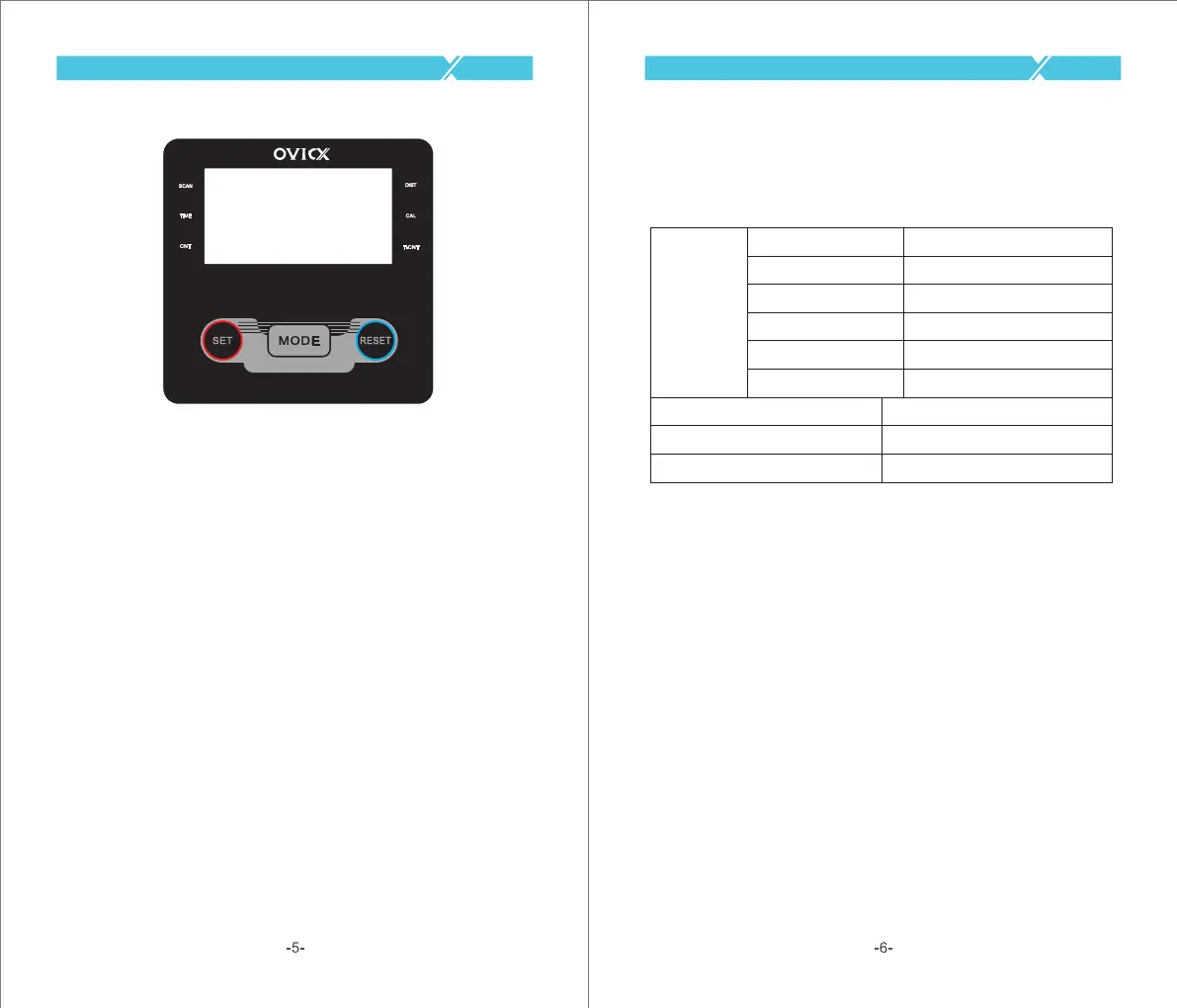
Our computerized display console on the Magnetic Rowing Machine
allows the user to tailor a personalized workout by monitoring their
progress. During a workout, the display console will alternately and
repeatedly display your Time, Count, Calories Burned, Total Count,
Distance, and Scan (all of the above). With our easy-to-use console, the
user can efficiently track their fitness goals from one workout to the
next.
FUNCTION KEY:
MODE:
To select your specification mode and/or turn on display console.
Press the MODE key and hold it 3 seconds, all the values except Total Count
would be reset to zero.
SET: To set a value of Time, Count, or Calories (when not in Scan mode).
RESET: Press to reset Time, Count, or Calories. Press the RESET key and
hold it 3 seconds, all the values except Total Count would be reset to zero.
FUNCTIONS AND OPERATIONS:
SCAN:
Press the MODE button until SCAN appears. The display will rotate
through the six functions in the following order: TIME, DISTANCE,
CALORIES, COUNT, TOTAL COUNT.Each display will be held for 6 seconds.
TIME: Counts the total time elapsed during your current workout.
CNT (COUNT): Counts the number of rowing strokes from your current
workout.
T-CNT (TOTAL COUNT): Counts the total amount of strokes from the first
use.
CAL (CALORIES): Counts the total calories burned from current workout.
DIST (DISTANCE): Counts the total distance during your current workout.
AUTO ON/OFF & AUTO START/STOP:
The power will turn off automatically once there’s no signal for 4 minutes. The
computer will reactivate once the rower is put into motion or when a computer
key is pressed.
FUNCTIONS
SCAN
DIST
TIME
COUNT
CALORIES
TOTAL COUNT
Every 6 seconds
0.00~9999 ML(Miles)
0:00~99:59(Minute:Second)
0~9999 Count
0.0~999.9 Kcal
0~9999 Count
BATTERY TYPE
OPERATING TEMPERATURE
STORAGE TEMPERATURE
(2)Two AAA or UM-4
0°C ~40°C
-10°C ~ 60°C



 To Next Page
 Loading...