EasyManua.ls Logo

Owl Home Owl Wired - User Manual

Owl Home Owl Wired
7 pages
Print Icon
To Next Page IconTo Next Page
Loading...
User Guide for Owl Wired
A. Introduction
Owl Wired replaces your smoke detector with an all-in-one smart home security system
that detects Smoke, Carbon Monoxide, Motion, Sound, Temperature & Humidity.
B. Features
a. Photoelectric Smoke detection
b. Electrochemical Carbon Monoxide detection
c. Microwave RADAR Motion detection
d. Sound level detection
e. Temperature & Humidity detection
f. Wi-Fi connected with Apple HomeKit support
g. Backup Lithium-ion battery that can power the device during power outages
h. 85dB loud buzzer and a multicolour LED ring
i. 120-240V AC and USB-C DC power support
j. Over the air software updates
k. Interconnects with most traditional smoke detectors(available late 2021)
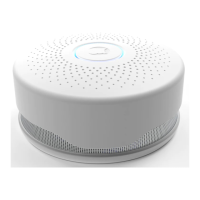
C. Appearance
Question and Answer IconNeed help?

Do you have a question about the Owl Home Owl Wired and is the answer not in the manual?

Overview

The Owl Wired is an all-in-one smart home security system designed to replace traditional smoke detectors. It offers comprehensive detection capabilities and smart home integration.

Function Description:

The Owl Wired detects Smoke, Carbon Monoxide, Motion, Sound, Temperature, and Humidity. It serves as a central hub for home security, providing alerts and information through its Wi-Fi connection and Apple HomeKit support. The device is equipped with a backup Lithium-ion battery to ensure continuous operation during power outages. It features an 85dB loud buzzer and a multicolour LED ring for visual and audible alerts. The system supports over-the-air software updates and is designed to interconnect with most traditional smoke detectors (available late 2021).

Important Technical Specifications:

  • Connectivity:
    • Wi-Fi: 802.11n (2.4GHz), up to 150Mbps
    • Bluetooth: 4.2
    • Apple HomeKit certified
  • Power:
    • Primary Power: 120-240V AC and USB-C DC power support
    • Backup Battery: 1000mAh 3.7V internal Lithium battery
  • Sensors:
    • Photoelectric Smoke Sensor:
      • Sensitivity: 0.1db/m - 9.9db/m
      • Triggers alarm when smoke concentration of 0.1%db/m is detected.
      • Meets UL-268 and ULC-531 for smoke detectors.
    • Electrochemical Carbon Monoxide (CO) Sensor:
      • Sensitivity: 0 - 9,999ppm
      • Triggers alarm within 3 minutes when CO concentration exceeds 300ppm.
    • Microwave RADAR Motion Sensor:
      • Sensitivity: 6m radius and detects beyond walls.
    • Microphone:
      • Sensitivity: -26dB ±3dB @ 94dB SPL
      • Used for sound level detection.
    • Temperature and Humidity Sensor:
      • Temperature Sensitivity: ±0.3°C
      • Relative Humidity Sensitivity: ±2%
  • Alarm:
    • Buzzer: 85dB sound pressure at 3m
    • LED Ring: 6 Multi-colour LED ring
  • Dimensions: (Not explicitly stated, but implied by installation instructions)
  • Operating Conditions: (Not explicitly stated, but implied by temperature/humidity sensors)

Usage Features:

  • Installation:
    1. Remove existing mounting bracket if necessary.
    2. Install the provided mounting bracket using two screws.
    3. Connect the three wires (Black - Hot/Line, White - Neutral, Orange - Interconnect) to the power connector using screw caps.
    4. Insert the power connector into the back of the device.
    5. Power on the device using the switch on the back.
    6. Install the device onto the mounting bracket by twisting and locking.
  • Setup (via Owl Home app):
    1. Install the Owl Home app (link provided in manual).
    2. Open the app and sign up or log in.
    3. Tap the "Add" icon (top right).
    4. Tap "Scan Now".
    5. Select your device (e.g., "Owl16mb.4").
    6. Enter your Wi-Fi details (name and password) and save.
  • Indication Light:
    • Normal Standby: White light flashes once every 30 seconds.
    • Low Battery Warning: Orange light flashes every 10 seconds, and "battery low" is shown in the mobile app.
    • Alarm On (CO): Buzzer sounds "di" 4 times every 5 seconds, and red light flashes.
    • Alarm On (Smoke): Device starts alarming.
  • Button Functionality:
    • Silence (Hush Mode): Pressing the button when an alarm is active silences it for 10 minutes. During this time, the light flashes every 10 seconds.
    • Reset: Pressing and holding the button for 15 seconds resets the device.
  • HomeKit Setup: Access device settings in the Owl Home app, tap the gear icon, then "Add to HomeKit" to open the HomeKit dialog and proceed.
  • Firmware Updates: Access device settings in the Owl Home app, tap the gear icon, then "Update Firmware" to initiate an over-the-air update.

Maintenance Features:

  • Cleaning:
    • Clean the surface of the device every 3 months.
    • Do not use detergent to clean the detector, as it may damage the device.
    • Do not spray any sprays (e.g., air freshener, hair spray) near the device.
  • General Notice:
    • The Owl Wired cannot detect combustible gases such as liquefied petroleum gas, natural gas, or methane.
    • Users are advised to pay attention to daily life safety and strengthen security awareness in addition to relying on the Owl Wired.

FCC Compliance:

This device complies with Part 15 of the FCC Rules. Operation is subject to two conditions: (1) it may not cause harmful interference, and (2) it must accept any interference received, including interference that may cause undesired operation. Any changes or modifications not expressly approved by the party responsible for compliance could void the user's authority to operate the equipment. The device has been tested and found to comply with Class B digital device limits, designed to provide reasonable protection against harmful interference in a residential installation. If interference occurs, users are encouraged to try measures such as reorienting/relocating the receiving antenna, increasing separation between equipment and receiver, connecting the equipment to a different circuit, or consulting a dealer/technician. This equipment complies with FCC radiation exposure limits for an uncontrolled environment and should be installed and operated with a minimum distance of 20cm between the radiator and the user's body.

Owl Home Owl Wired Specifications

General IconGeneral
BrandOwl Home
ModelOwl Wired
CategorySecurity System
LanguageEnglish