© 2 Save Energy Limited 2014 3
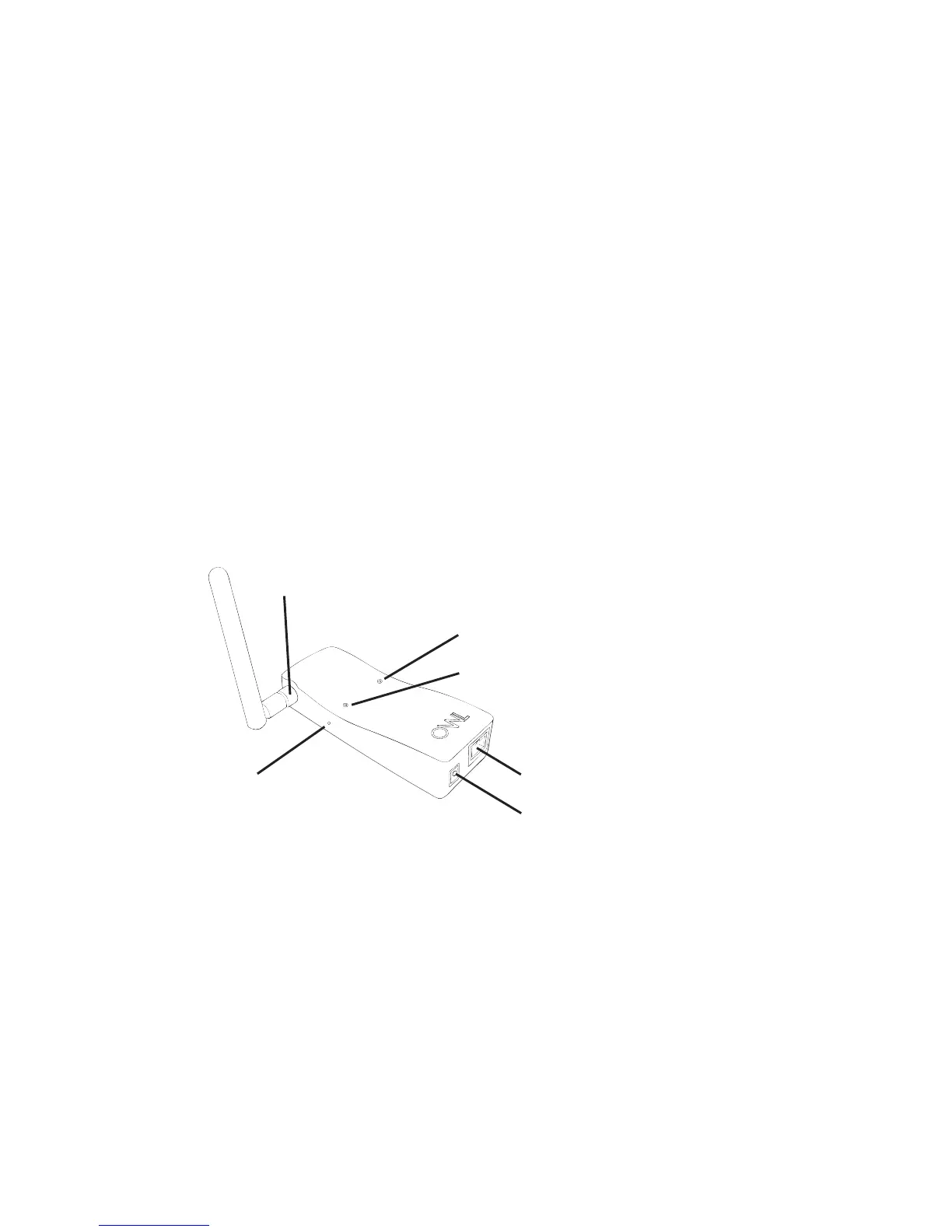
• Plug the power supply into the mains and insert the DC jack connector into the base
of the Network OWL.
• The green LED on the top of the Network OWL will start ashing.
• Wait until the green LED on the top of the Network OWL is ashing with a “triple blip”
pattern
(- - - - - - - - -). This should not normally take longer than 2 minutes. This
indicates that the Network OWL is online and connected to the OWL servers.
• Do NOT proceed to STEP TWO until this ashing pattern is observed.
CHECK FINGER
TIGHT
PLUG IN DC POWER CONNECTOR
PLUG IN ETHERNET CABLE
BLUE LED
GREEN LED
RESET
BUTTON
NETWORK OWL


 To Next Page