Direct
The mobile device is talking directly to the Base Station and on the
same Wi-Fi network. The App will receive alarms, if active, and can be
used to control the Base Station.
! NOTE.
Alarm Limits can only be modified with a Direct Connection. See
Section 8.5 for more information.
Remote
The mobile device is not on the same network. App will show status
but will not receive alarms and cannot control the Base Station.
Wait
The App is trying to establish a connection to the Base Station.
Disconnected
The App is trying to establish a connection to the Base Station.
No network
Check your mobile device’s connection to the internet.
Alarms Unavailable in App appears in the App when alarms are disabled. To
enable alarms, connect the Base Station and App to the same Wi-Fi network
and verify Sock placement.
WARNING!
Always use the Base Station as your source for alarms. DO
NOT RELY ON MOBILE DEVICE FOR ALARMS!
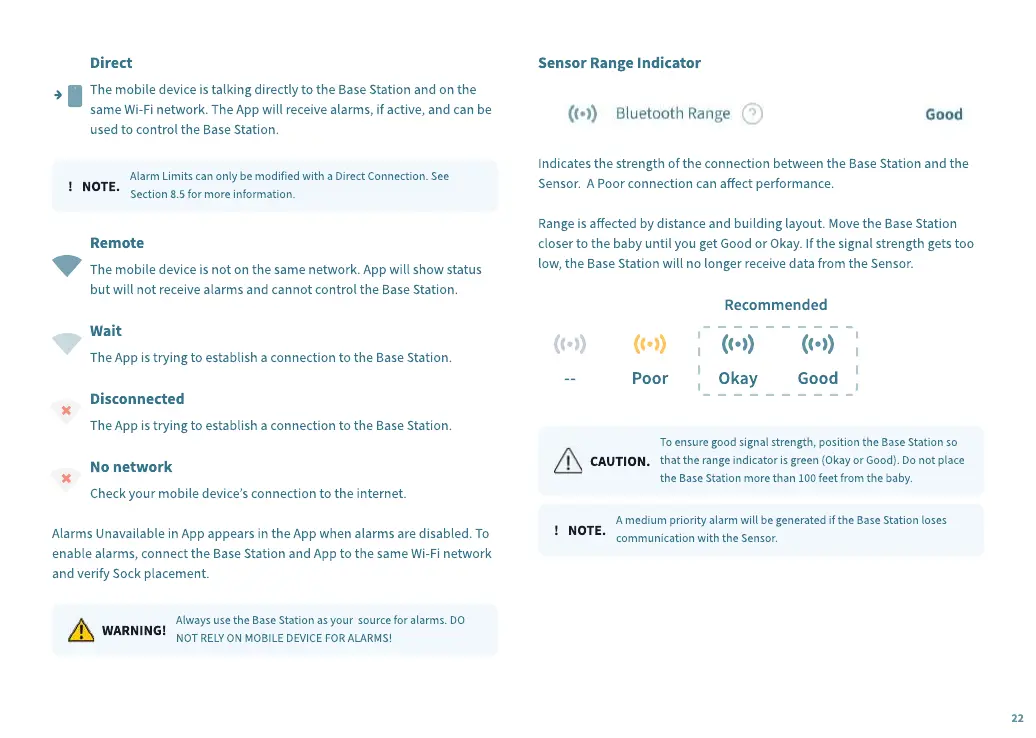
Sensor Range Indicator
Indicates the strength of the connection between the Base Station and the
Sensor. A Poor connection can aect performance.
Range is aected by distance and building layout. Move the Base Station
closer to the baby until you get Good or Okay. If the signal strength gets too
low, the Base Station will no longer receive data from the Sensor.
--
Poor
Okay
Good
Rec
o
mmen
d
e
d
C
A
U
TION.
To ensure good signal strength, position the Base Station so
that the range indicator is green
(
Okay or Good
)
. Do not place
the Base Station more than
100
feet from the baby.
! NOTE.
A medium priority alarm will be generated if the Base Station loses
communication with the Sensor.
22


 To Next Page
 Loading...