Preview Alarms
Previewing alarms can be done while setting up the App or by going to
Guide>BabySat Basics>Alarms: Know What’s Going On and using the
Preview function for each alarm priority.
WARNING!
Always keep the Base Station in audible range. Use the Base
Station as your source for alarms and check on the baby first.
DO NOT rely on mobile device for alarms.
CAUTION.
The mobile device must be connected to the same Wi-Fi
network as the Base Station to receive alarms.
! NOTE.
The highest priority alarm will be displayed on the Base
Station. All alarm conditions are detailed in the App.
! NOTE.
Previews are only available when Sensor is charging and
mobile device is on the same Wi-Fi network as the Base
Station.
Alarm Settings (Limits)
BabySat comes with preset, default alarm settings. Pulse Rate (BPM) and
Oxygen Saturation alarm settings should only be adjusted to prescribed
limits made by a qualified healthcare professional.
CAUTION.
Consult your qualified healthcare professional about
appropriate alarm settings before making any changes.
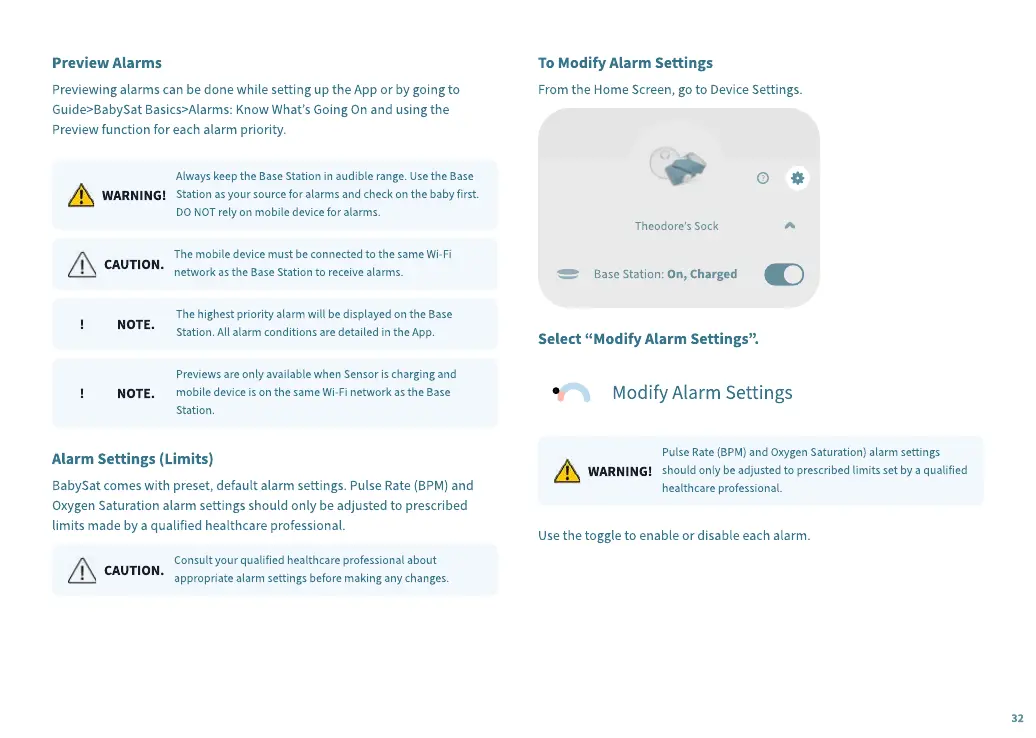
To Modify Alarm Settings
From the Home Screen, go to Device Settings.
Sele
c
t
“
Modify Alarm Settings
”
.
WARNING!
Pulse Rate (BPM) and Oxygen Saturation) alarm settings
should only be adjusted to prescribed limits set by a qualified
healthcare professional.
Use the toggle to enable or disable each alarm.
32


 To Next Page
 Loading...