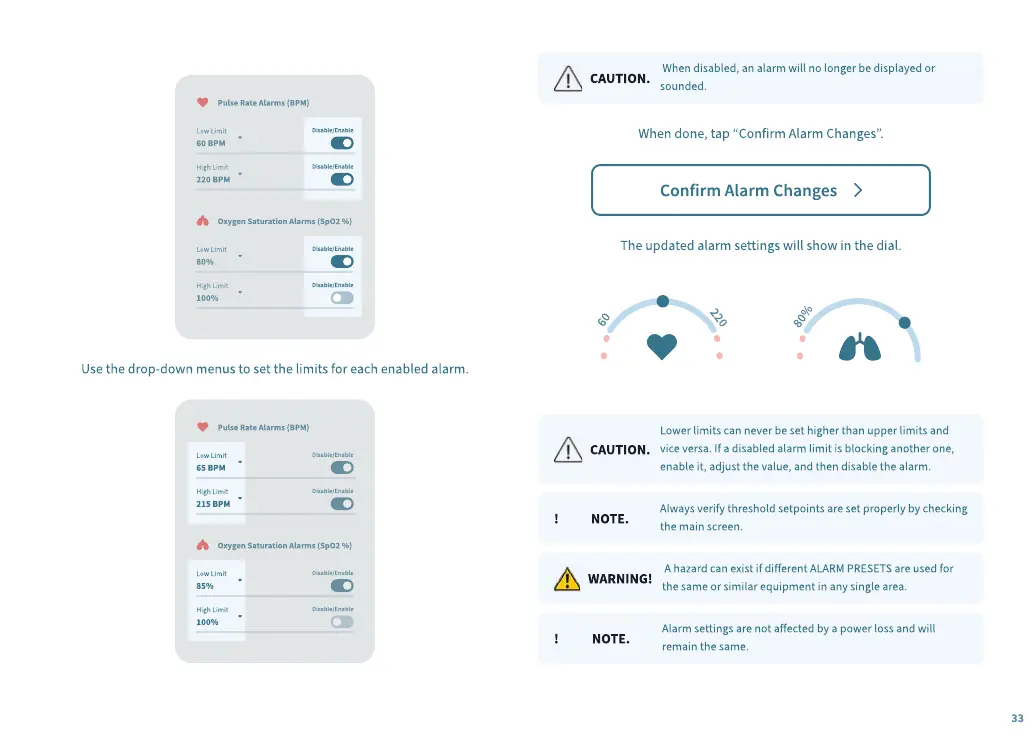
Use the drop-down menus to set the limits for each enabled alarm.
CAUTION.
When disabled, an alarm will no longer be displayed or
sounded.
When done, tap “Confirm Alarm Changes”.
The updated alarm settings will show in the dial.
CAUTION.
Lower limits can never be set higher than upper limits and
vice versa. If a disabled alarm limit is blocking another one,
enable it, adjust the value, and then disable the alarm.
! NOTE.
Always verify threshold setpoints are set properly by checking
the main screen.
WARNING!
A hazard can exist if dierent ALARM PRESETS are used for
the same or similar equipment in any single area.
! NOTE.
Alarm settings are not aected by a power loss and will
remain the same.
33


 To Next Page
 Loading...