LASER LEVEL - USER MANUAL
17
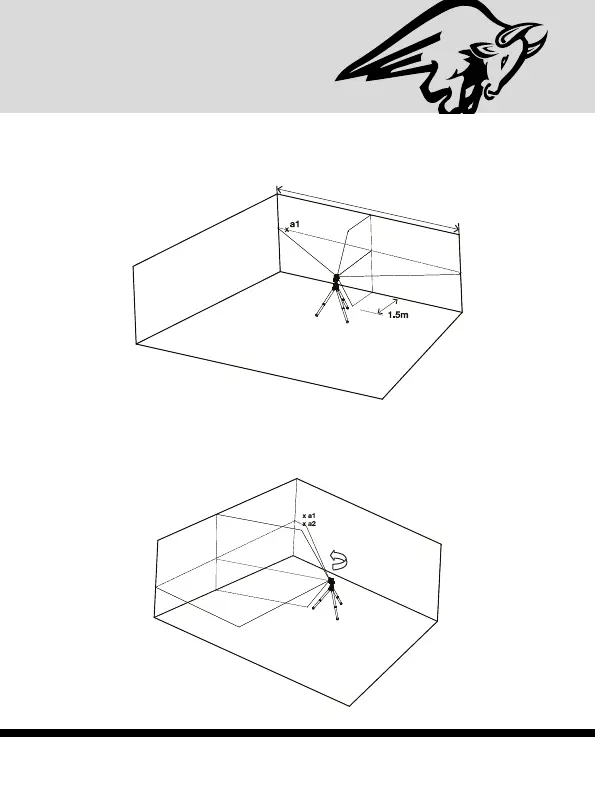
3) Mark point a1 on the wall, in the middle of the horizontal
line at the left edge of the horizontal line (see figure #5).
4) Turn the laser level counterclockwise until the right edge of
the horizontal line reach’s near a1, mark a point a2 on the
wall in the middle of the horizontal line (see figure #6).
Figure #6
approximately 5m
Figure #5


 To Next Page