oxtools.com
10
Working in Automatic mode (self-leveling):
In automatic mode the laser level will level itself at a ±3° range
and will project horizontal or vertical beams or both beams
simultaneously.
1. Remove the laser from the case and place it on a solid flat,
vibration free surface or on a tripod.
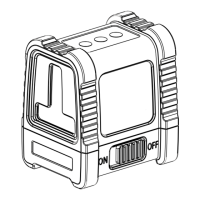
2. Slide the locking switch #1 to the ON position – the laser
level will generate the crossed horizontal and vertical beams
and the green LED near the V/H button will light up.
3. Choose the beams that you want to work with by pushing
the Beam button V/H
4. If the initial slope of the laser is beyond ±3° and the
automatic mode is activated the laser lines will flash and a
beeping alarm will be heard. In this case reposition the laser
on a more leveled surface.
5. Before moving the laser level slide the locking switch #1 to
the OFF position, this will lock the pendulum and protect
your laser.
OPERATING INSTRUCTIONS


 To Next Page