EasyManua.ls Logo

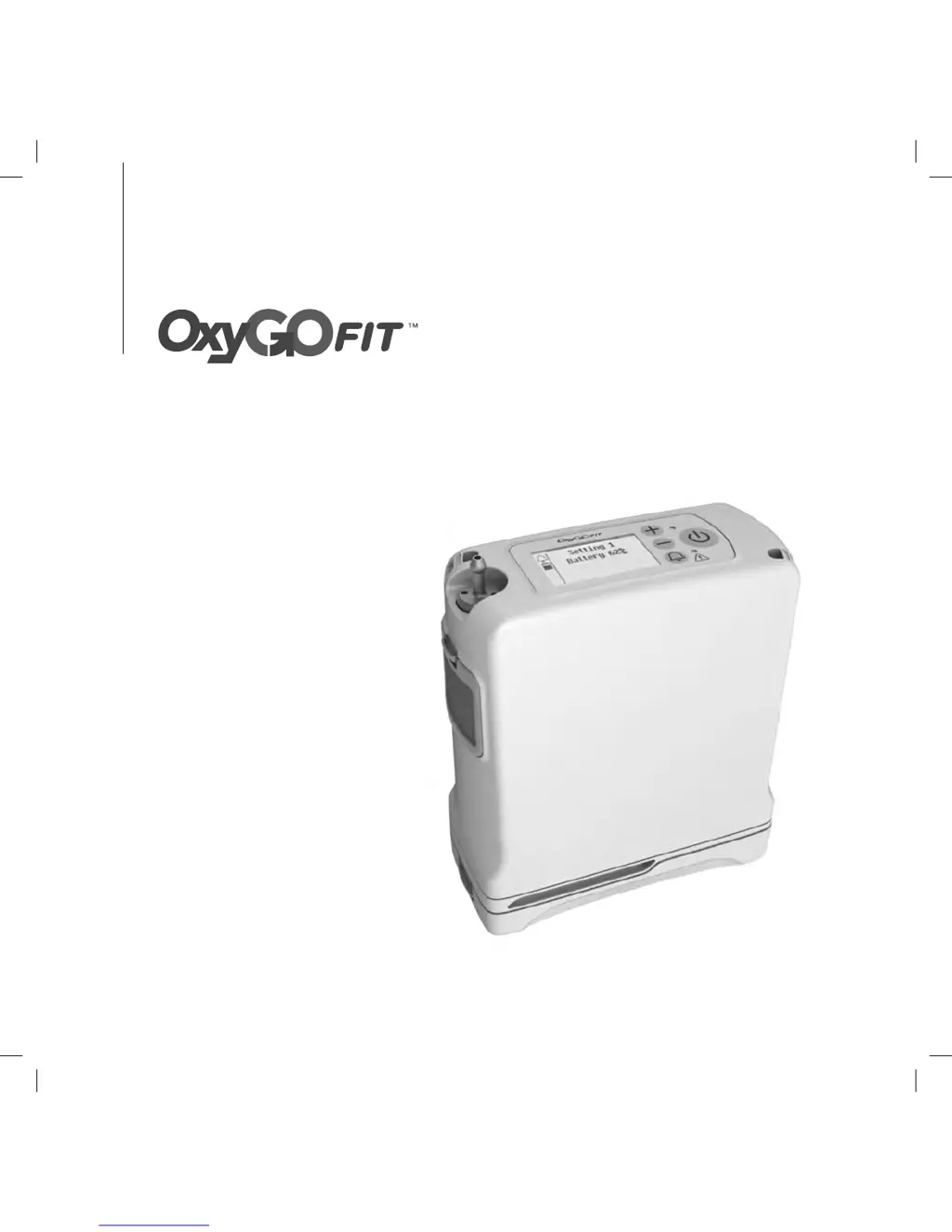
OxyGo FIT - User Manual

OxyGo FIT
140 pages
Print Icon
To Next Page IconTo Next Page
Loading...
1
USER MANUAL
96-07062-00-01B OxyGo FIT Multilingual Manual.indb 1 11/16/2016 1:08:33 PM

Questions and Answers

  • K
    Kristina GonzalezJul 27, 2025
    What to do if my OxyGo Medical Equipment concentrator does not power on?
    • D
      Danielle JonesJul 28, 2025
      If your OxyGo Medical Equipment concentrator isn't powering on when you press the On/Off button, there are several potential reasons. First, the battery may be discharged or not present; in this case, use an external power supply or replace the battery with a fully charged one. Second, the AC power supply might not be properly connected; ensure the power supply connection is secure and that the green light is solid. Third, the DC cable could be improperly connected; verify the DC cable connection at both the concentrator and the cigarette lighter or auxiliary DC power source. If none of these steps work, there may be a malfunction, and you should contact your equipment provider.
  • D
    David SmithAug 12, 2025
    What to do if there is no oxygen from my OxyGo Medical Equipment?
    • O
      orozcoashleyAug 12, 2025
      If you're not getting any oxygen from your OxyGo Medical Equipment, first, ensure that the concentrator is powered on by pressing the On/Off button. Second, check the cannula and its connection to the concentrator nozzle to make sure it is properly connected and not kinked or obstructed.

Summary

Intended Use, Contraindications and General Precautions

Intended Use

Device usage, patient requirements, and environmental use.

Contraindications

Conditions or uses for which the device is not intended.

General Precautions

Safety measures to prevent damage or injury during operation.

Description of the OxyGo FIT Oxygen Concentrator

Important Parts of the OxyGo FIT Oxygen Concentrator

Identification of key components and features of the device.

User Controls and Interfaces

Explanation of buttons, display, lights, and audible signals.

Input; Output Connections

Details on how to connect accessories like filters and cannulas.

Power Supply Options

Information on AC and DC power sources and batteries.

OxyGo FIT Accessories

Overview of available accessories and their functions.

Operating Instructions

General Instructions

Basic steps for placing, connecting, and starting the concentrator.

Battery Installation and Power Connection

Steps for installing the battery and connecting AC/DC power.

Cannula Connection, Startup, and Settings

Connecting cannula, turning on, and setting flow rate.

Breathing Technique and Positioning

How to position the cannula and breathe for optimal delivery.

Additional Operating Scenarios

Guidance for using the device in home, travel, and vehicle environments.

OxyGo FIT Oxygen Concentrator Audible and Visible Signals

Display and Power Status Icons

Icons indicating battery charge and operational status on the display.

Mode Icons

Icons representing different operating modes of the concentrator.

Informational Messages

On-screen text messages providing status or guidance.

Notifications and Low Priority Alerts

Device notifications and low priority alert messages.

Medium Priority Alerts

Medium priority alert messages and their conditions.

High Priority Alerts

High priority alert messages and their conditions.

Troubleshooting

Concentrator Problems and Solutions

Troubleshooting table for common concentrator issues and their fixes.

No Oxygen Issues

Troubleshooting table for problems related to lack of oxygen output.

Cleaning, Care and Maintenance

Cannula Replacement

Instructions for replacing the nasal cannula.

Case Cleaning

Method for cleaning the exterior case of the device.

Filter Cleaning and Replacement

Steps for cleaning or replacing the particle filter.

Output Filter and Cable Fuse Maintenance

Procedures for output filter and DC cable fuse replacement.

OxyGo FIT Column Change Procedure

Detailed steps for changing the device's sieve columns.

Symbols Used On Concentrator and Accessories

Warning, Caution, and Regulatory Symbols

Explanations of common safety and regulatory symbols.

User Interface Symbols

Meanings of symbols found on the device's user interface buttons.

OxyGo FIT System Specifications

Concentrator Technical Specifications

Detailed technical data including dimensions, weight, and power.

Electromagnetic Immunity Guidance

Manufacturer's declaration on electromagnetic immunity levels and guidance.

Electromagnetic Emissions Compliance

Manufacturer's declaration on electromagnetic emissions and compliance.

OxyGo FIT Specifications

General IconGeneral
Operating AltitudeUp to 10, 000 feet (3, 048 meters)
Warm-up Time2 minutes
Oxygen Concentration87% to 95.6% at all settings
Oxygen Purity87% to 95.6%
Weight2.8 lbs (1.3 kg) with single battery
Flow Settings1-3
Dimensions7.2 in x 3.3 in x 8.75 in (18.29 cm x 8.38 cm x 22.23 cm)

Related product manuals