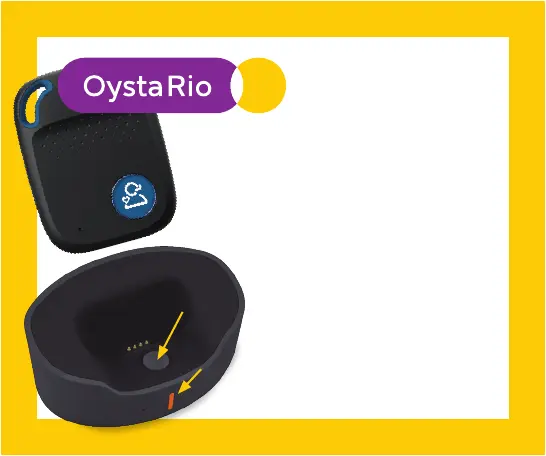
LED
SOS button
Setting up &
daily charging
If the RED LED light blinks quickly,
your battery charge is low. It the RED
LED blinks slowly, your battery is
charging.
If the RED LED light is solid, it is fully
charged.
Connect the USB cable to the charging cradle,
plug in the AC adaptor and place the device in
the cradle with the SOS button facing forward
as shown.
The cradle LED light will glow when charging
and turn solid when fully charged.
NOTE: Charge your device
daily for at least 3 hours.
Device
Cradle


 To Next Page