

EasyManua.ls Logo

Ozeanos OT-EC-65 - User Manual

Ozeanos OT-EC-65
4 pages
Print Icon
To Next Page IconTo Next Page
Loading...
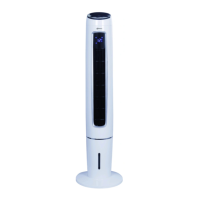
Evaporative cooler
Model OT-EC-65
220-240 V / 50-60 Hz / 65 W
3,5 l water tank capacity
Introduction
Thank you for choosing an Ozeanos product.
Please read this manual carefully before using the product.
If you have questions how to use the product, please don't
hesitate to contact us.
Question and Answer IconNeed help?

Do you have a question about the Ozeanos OT-EC-65 and is the answer not in the manual?

Summary

Introduction

Installation and Tank Filling

Installation Steps

Procedure for assembling the product's base and socket components.

Tank Filling Procedure

Instructions for filling the water tank up to the 'MAX' marking.

Cooling Capacity Enhancement

Tips for improving cooling performance using frozen items like coolpacks or ice cubes.

Product Operation

Power and Speed Settings

How to turn on the device and select between low, medium, and high fan speeds.

Swing and Mode Selection

Activating oscillation and choosing between normal, natural, or sleep wind modes.

Cooling and Anion Features

Controlling cooling capacity and activating the air freshening anion feature.

Timer Functionality

Setting the timer for up to 12 hours with one-hour increments.

Remote Control Usage

Using the remote control, which mirrors the device's panel functions.

Safety, Storage, and Environment

General Safety Precautions

Warnings regarding voltage, repairs, wet hands, cord damage, and unplugging.

Usage and Handling Guidelines

Instructions on object insertion, environment, surface, outdoor use, and tank levels.

Maintenance and Placement Advice

Guidance on device falling, cleaning, and air outlet positioning.

Storage and Disposal

Instructions for safe storage and environmentally responsible disposal.

Overview

This document describes the Ozeanos Evaporative Cooler, model OT-EC-65.

Function Description

The Ozeanos Evaporative Cooler is designed to provide cooling and air freshening. It operates by evaporating water, which helps to lower the ambient temperature. The device also features an anion function for air freshening. It is suitable for indoor use and offers various operational modes and settings to customize the user experience.

Important Technical Specifications

  • Model: OT-EC-65
  • Voltage: 220-240 V
  • Frequency: 50-60 Hz
  • Power: 65 W
  • Water Tank Capacity: 3.5 liters

Usage Features

Installation:

  1. Base Assembly: The device's socket comes in two parts. These parts should be merged as shown in Figure 1 of the manual.
  2. Securing the Base: Undo the screw from the bottom of the product. Align the base hole with the screw hole of the product, then tighten the screw (Figure 2).
  3. Disassembly (Optional): To separate the socket, unscrew the base screw and remove the socket (Figure 3).

Tank Filling:

  1. Unlock the water tank located on the bottom of the back side of the device.
  2. Open the water tank cover.
  3. Fill the tank with water up to the "MAX" marking.
  4. Securely fix the water tank cover again.

Hint for Improved Cooling Capacity: For enhanced cooling, users can utilize coolpacks or ice cubes. Fill an ice cube tray with water and freeze it. Once frozen, add the ice cubes or coolpads to the water tank.

Starting Up:

  • ON/OFF: Connect the power cord to a socket. Press the ON/OFF button to turn the device on.
  • SPEED: The evaporative cooler offers three power stages: low, medium, and high.
  • SWING: Press the SWING button to activate automatic oscillation. Press it again to stop the oscillation feature.
  • COOL/ANION:
    • Cooling: Press the COOL button once to increase cooling capacity. Using a coolpad can make the emanating air cooler.
    • Anion Feature: Double pressing the button starts the anion feature for air freshening.
    • Combined Feature: Triple pressing the button combines both the cooling and anion features.
    • Stop Features: Fourfold pressing the button stops both cooling and anion features.
  • TIMER: The device includes a timer that can be set for up to 12 hours. Each press of the button increases the timer by one hour. Pressing the button again after reaching the maximum setting will stop the timer feature.
  • MODE: The evaporative cooler has three wind modes: normal, natural, and sleep.

Using the Remote Control: Insert two batteries into the remote control. The buttons on the remote control replicate the functions of the buttons on the device's control panel. Point the remote control towards the receiver on the device to operate it.

Maintenance Features

Security Notes:

  • Voltage: Only operate the device with the correct rated voltage (220-240 V).
  • Repair: Do not attempt to repair the device yourself; repairs should only be performed by an authorized technician.
  • Wet Hands: Avoid operating the device with wet hands to prevent damage.
  • Power Cord: If the power cord is damaged, it must be replaced by the manufacturer, service partner, or a similarly qualified person to avoid danger.
  • Unplugging: Turn off the device and pull the plug when not in use.
  • Obstruction: Do not insert any objects into the air outlets or inlets.
  • Environment: Do not use the device near explosive or flammable gases. Avoid prolonged direct sunlight.
  • Surface: Always use the device on a flat surface.
  • Outdoor Use: The device is not intended for outdoor use.
  • Water Level: The water tank filling level must never exceed the "MAX" marking. During cooling, the total filling level of the water tank must not fall below the "MIN" marking.
  • Spillage: Do not lay down the device. If it falls over and water leaks into it, immediately pull the plug and contact the service department.
  • Cleaning: Clean the surface with a wet cloth. Do not use strong detergents or lotions. Do not rinse the device directly with water.
  • Placement: Do not place the air outlets of the device close to walls or curtains.

Storage:

  1. Pull the plug from the socket and allow the device to cool down properly.
  2. Ensure all parts are clean and dry before storing.

Environment: Do not dispose of the device with normal household waste. Take it to a municipal collection point for recycling to contribute positively to environmental protection.

Warranty and Service: For assistance with problems or other information, users can visit the Ozeanos website or contact customer support or their seller. The website also provides information on the entire product range.

Ozeanos Contact Data:
  • Telephone: +49-2154-95365-30
  • E-Mail: support@ozeanos-cl.de
  • Internet: www.ozeanos-cl.de

Ozeanos OT-EC-65 Specifications

General IconGeneral
BrandOzeanos
ModelOT-EC-65
CategoryFreezer
LanguageEnglish