©Ozo Edu., Inc | Rev. 3-23
4
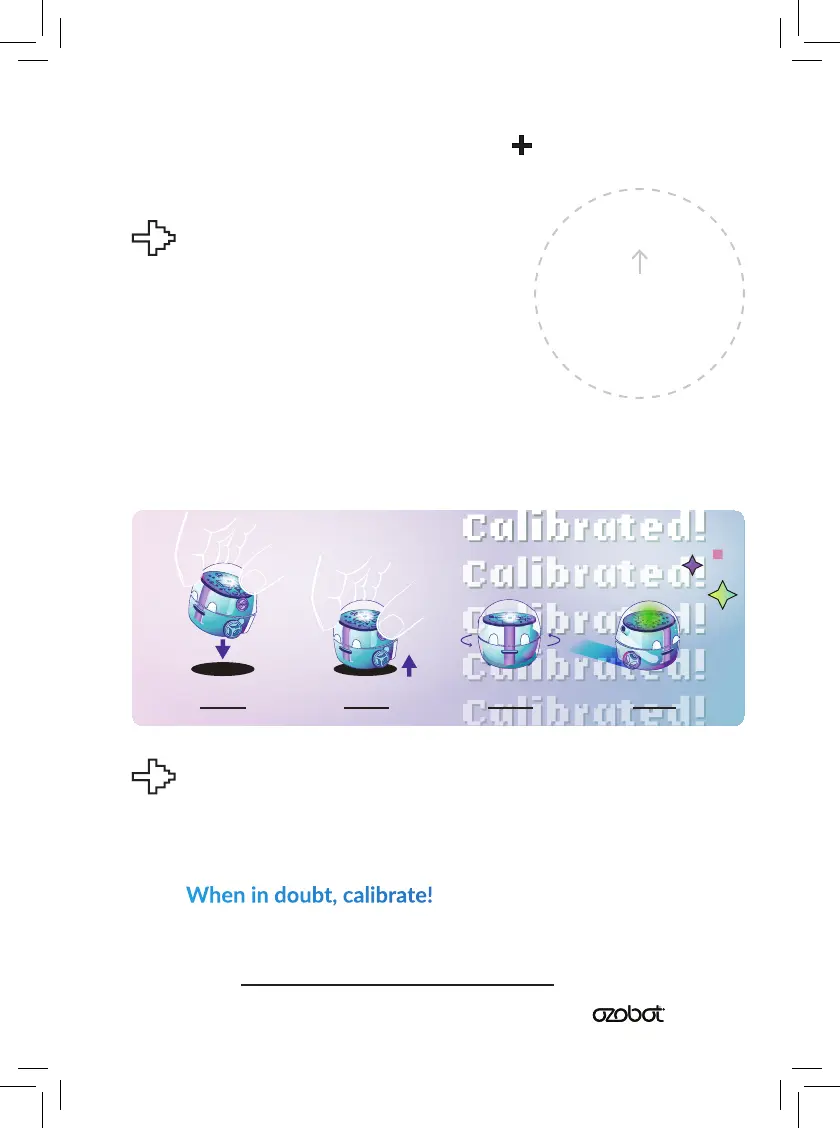
How Do I Calibrate?
Draw a black circle, slightly bigger
than your bot. Place Bit+ on it.
Press and hold the Bit+ Go Buon
for 3 seconds (or unl its top LED
ashes white), then release.
Bit+ will move outside the circle,
and blink green when calibrated. If Bit+
blinks red, start over from Step 1.
When to Calibrate?
Calibraon helps improve Bit+ code and line
reading accuracy. It is important to calibrate
when you change surfaces or screen types.
When in doubt, calibrate!
For ps on how and when to calibrate, please
go to ozobot.com/support/calibraon
Done!Step 3Step 2Step 1
Calibrate Bit
Fill with
Black Marker


 To Next Page