6
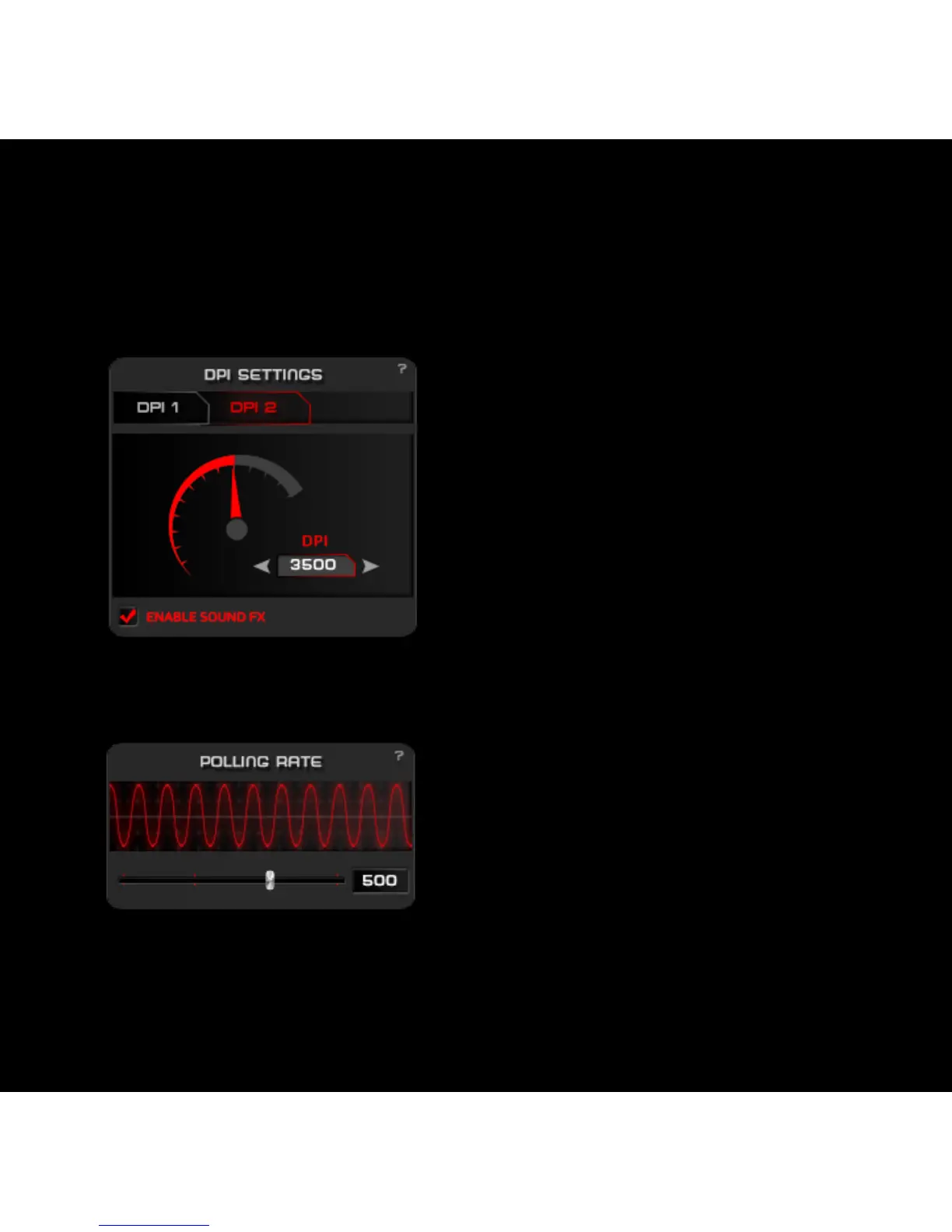
1. DPI Settings
2. Polling rate settings
Chose between DPI 1 or DPI 2 level,
change the value by clicking the dpi
meter graphic or input the desired dpi
value on the input box.
You can enable the sound FX to
warn you via your audio exit when
you change the DPIs by clicking the
selected mouse button.
Move the slider to select your
preferred frequency of Polling rate.
1. Advanced Settings:



 To Next Page