8
5. Color and Lighting FX
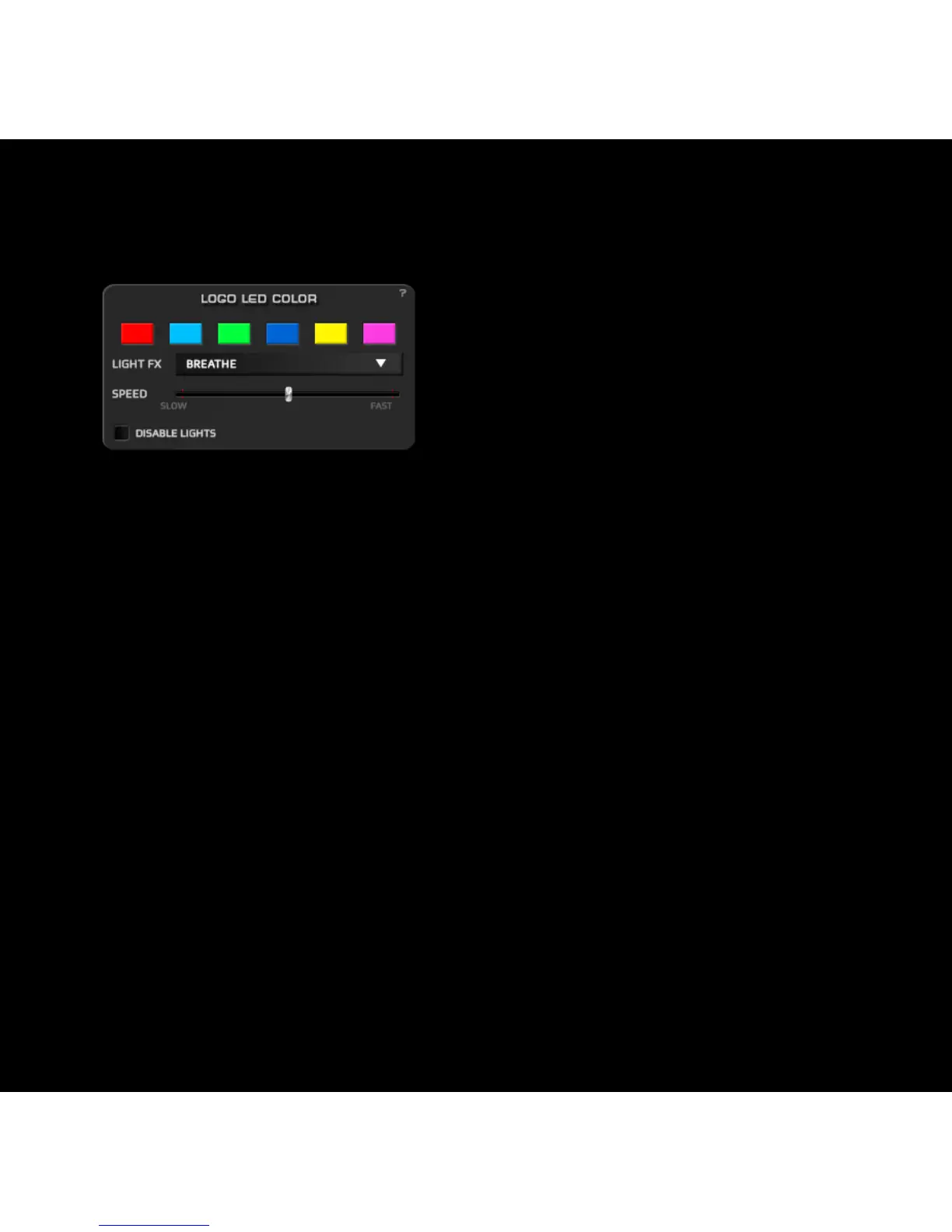
Clicking on the Color Box under
LOGO/LED in the mouse diagram,
will pop up a new Logo Led Color
window with the color and lighting FX
settings.
You can pick between 6 colors to light up the Logo and the DPI
button.
In the Light FX drop down menu you can select between 4 FX:
- Constant: Static lighting.
- Breath: The light will fade softly in and out.
- Blink: The light will blink.
- Hearbeat: The light will fade in and out simulating pulses.
The Speed slider controls the speed of the Light FXs.
Click on Disable light to switch off the lights.



 To Next Page