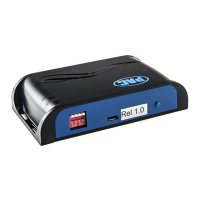
Reverse Camera Input and Navigation Unlock
Interface for Chrysler / Dodge / Jeep Vehicles
BCI-CH21
Pacific Accessory Corporation
PAC App
PLEASE NOTE:
The BCI must be programmed with revision 9 or higher to support app programmability. You can program the BCI
either on the bench or in the car (with ignition on).To program the BCI module with the PAC app, follow these steps:
1. Download and install the PAC app.
2. Once installed, open the app.
3. Connect the interface to the PC.
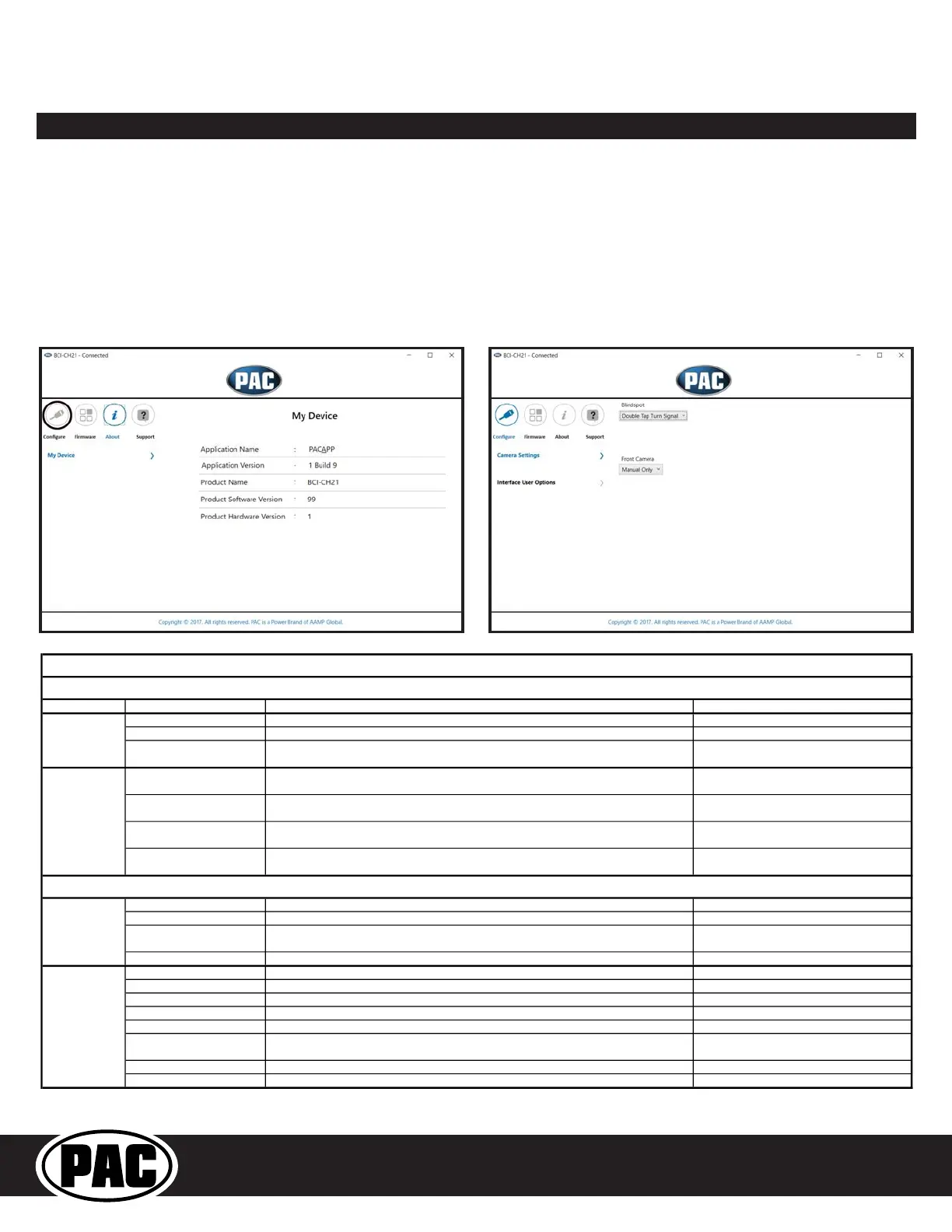
4. When first connected, the revision info for both the app and the interface should be displayed. Select “Configure”. (Fig A).
5. You may now choose between “Camera Settings” and “Interface User Options” on the left, then make selections within those categories
on the right (Fig B) Plese reference the chart below for all available features and descriptions.
6. Once all selections have been made, you can simply disconnect the interface and install it.
Fig A Fig B
This will activate the camera input when you double tap the turn signal within 2 seconds.
This will activate the camera input whenever a turn signal is on.
Turn signal and moving above
This will activate the camera input when a turn signal is active and the vehicle is going faster than the
Greater than 0MPH and less
This will activate the camera input whenever the vehicle is going faster than 0 mph or less than the
Manual Only
This will allow you to activate the camera input manually by using the on-demand activation toggle
On when shift into D until 6MPH
This will activate the camera input whenever the vehicle is placed into Drive. The camera input will
turn off once the vehicles MPH is faster than 6MPH, or after 30 seconds.
This mode will not work in vehicles with a manual
On when shift out of R until 6
This will activate the camera input whenever the vehicle is shifted out of reverse. The camera input
will turn off once the vehicles MPH is faster than 6MPH, or after 30 seconds.
This mode should only be used in vehicles that have
This will provide a 12v+ trigger whenever the key is in the accessory or run position.
This is the default setting for Prog Out 1.
This will provide a 12v+ trigger whenever any camera is triggered.
Reverse Camera Image
This will provide a 12v+ trigger whenever the vehicle is placed in reverse or the reverse camera is
forced on using the SWC or the on-demand activation toggle switch.
This will provide a 12v+ trigger whenever the vehicle is placed in reverse.
This will provide a 12v+ trigger whenever the key is in the accessory or run position.
This will provide a 12v+ trigger whenever the driver side blind spot camera is activated.
Forced Reverse Camera Image
This will provide a 12v+ trigger whenever the reverse camera is forced on using the SWC.
This will provide a 12v+ trigger whenever the front camera is activated.
Passenger Blind Spot Camera
This will provide a 12v+ trigger whenever the passenger side blind spot camera is activated.
Reverse Camera image
This will provide a 12v+ trigger whenever the vehicle is placed in reverse or the reverse camera is
This will provide a 12v+ trigger whenever the vehicle is placed in reverse.
This is the default setting for Prog Out 2 & 3.
Prog Out 2 & 3
Prog Out 1
Available BCI-CH21 Features
Front Cam
Blind Spot Camera
Camera Settings
Interface User Options


 To Next Page
 Loading...