Reverse Camera Input and Navigation Unlock
Interface for Chrysler / Dodge / Jeep Vehicles
Pacific Accessory Corporation
BCI-CH21
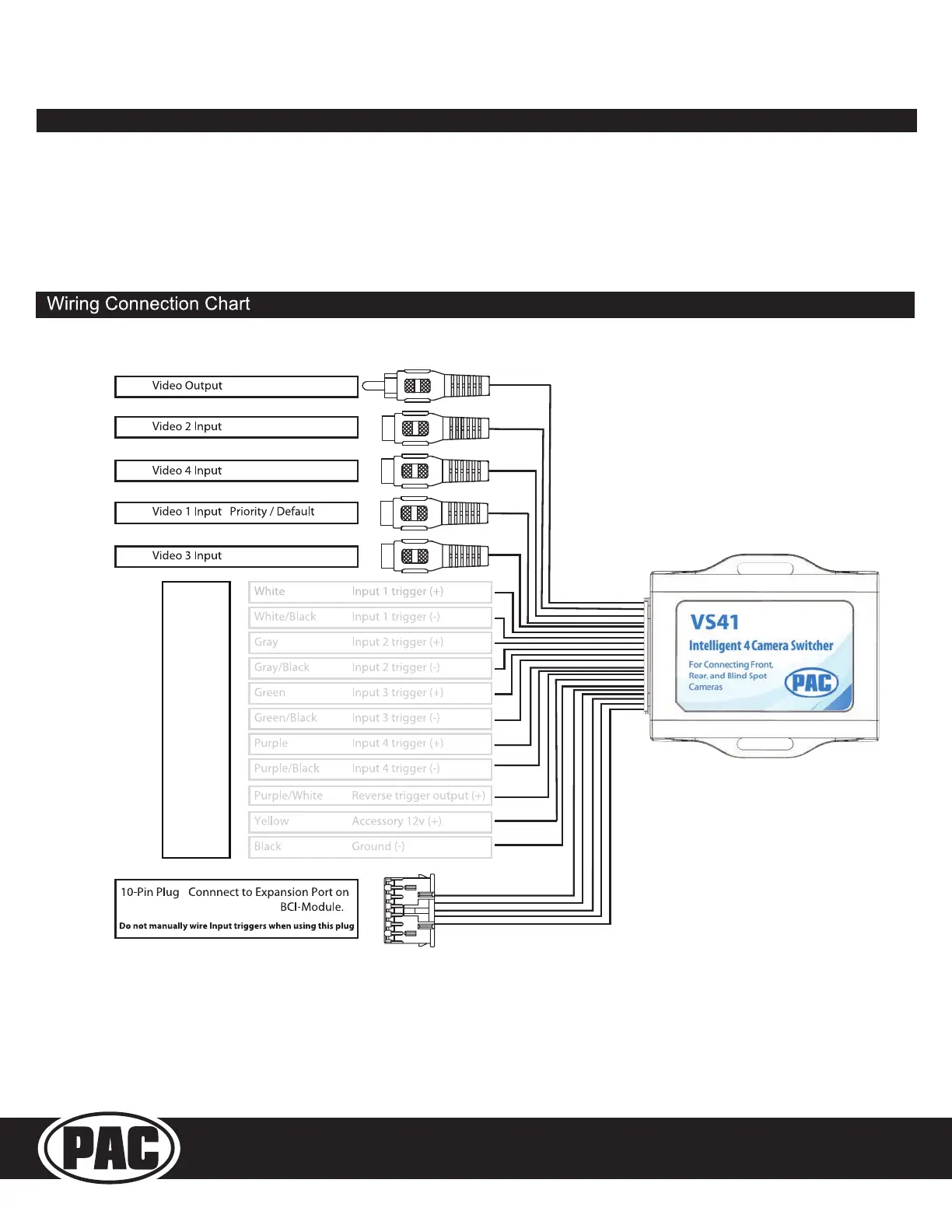
Connecting a VS41 (Sold separately)
PLEASE NOTE: In order for this feature to work, the BCI must be programmed with rmware version 6.
If you are adding a front camera and two blind spot cameras, or any combination of the three, to the factory radio, a VS41 is needed (sold
separately). Follow the example below to make all inputs work accordingly through the one camera input on the factory radio.
Connect the 10-pin harness from the VS41 harness into the Expansion Port on the BCI-CH21.
Do not manually wire the trigger wires, or power and ground leads, when using the Expansion Port connector.
See the illustration on the next page for an overview of the BCI-CH21 and VS41 connections.
These Connections are not
used in this application


 To Next Page